Archived

SEO Report for https://www.mit.asia

Your general SEO Checkup Score


SEO Score49/100
Average SEO score of top 100 sites: 75%This value indicates the average SEO score of the top 100 most visited websites in the US (in the past 12 months)

Your site scored 49/100, well below the 75 average for top sites. We found 11 issues to fix, and they're costing you traffic right now.

11 Failed
0 Warnings
14 Passed

Want to fix these issues and track your progress?

Common SEO issues
Score:35
Failed:4
Warnings:0
Passed:5
Google Search Results Preview
Desktop version
http://www.mit.asia/ G. S. Mandal's MIT Engineering College Aurangabad Gramaudyogik Shikshan Mandal (GSM), MIT Engineering College Aurangabad, Aurangabad, Maharashtra, India is the parent trust (Organization) established in 1975 under Bombay Public Trust Act and also registered under Society Registration Act {this is a pre requisite to start any educational, research & training institute in India}. Over last three and half decades, GSM has established 19 institutes and 5 centers of learning at multiple locations in India.
Mobile version
http://www.mit.asia/ G. S. Mandal's MIT Engineering College Aurangabad Gramaudyogik Shikshan Mandal (GSM), MIT Engineering College Aurangabad, Aurangabad, Maharashtra, India is the parent trust (Organization) established in 1975 under Bombay Public Trust Act and also registered under Society Registration Act {this is a pre requisite to start any educational, research & training institute in India}. Over last three and half decades, GSM has established 19 institutes and 5 centers of learning at multiple locations in India.
Check how your page might appear in Google search results. Google search results typically uses your webpage title, url and meta-description in order to display relevant summarized information about your site. If these elements are too long, Google will truncate their content. Webpage title up to 70 characters in length, and webpage descriptions up to 160 characters in length are recommended in order to optimize readability.
Keywords Cloud
academy
admission
agriculture
apras
architecture
aurangabad
auto
b.tech
balkrishna
bearings
bhuj
bitwise
boyce
camp
campus
cell
central
class
class:b.tech
courses
deshmukh
deshpande
diploma
engineering
events
facilities
future
gayatri
general
global
godrej
goodyear
graduate
hestabit
hostel
igate
in:balkrishna
in:godrej
in:greaves
in:igate
india
industries
infosys
infotech
inspire
institutes
internship
irrigation
jain
kelvolt
kohler
kulkarni
ladies
lettermarch
library
limited
lombardini
mahindra
manchandani
march
mech
medar
mphasis
mumbai
news
paper
patil
patni
persistent
placements
polymer
prod
pune
read
recent
redressal
sachin
science
search
selected
shaikh
siemens
solution
solutions
student
student:mandar
student:nikhil
student:vijay
students
systems
talent
tata
tech
technologies
technology
training
tyres
varroc
wagh
year
The Keyword Cloud is a visual representation of keywords used on your website. This will show you which words are frequently used in the content of your webpage. Keywords having higher density are presented in larger fonts and displayed in alphabetic order.
Competitor Domains Test
Competitor Domains

Understand your competitors' SEO and backlink profile

Get related competitors and their domain authority score in relation to your domain.

Identifies up to ten domains that compete for similar organic search results, ranked by overall domain authority based on the volume and quality of their backlink profiles. Useful for benchmarking the competitive landscape and prioritizing which sites to study for content and link-building strategy.
Robots.txt Test
Your site lacks a "robots.txt" file. This file can protect private content from appearing online, save bandwidth, and lower load time on your server. A missing "robots.txt" file also generates additional errors in your apache log whenever robots request one. Read more about the robots.txt file, and how to create one for your site.

Robots.txt Test

How to pass this test?

In order to pass this test you must create and properly install a robots.txt file.
For this, you can use any program that produces a text file or you can use an online tool (Google Webmaster Tools has this feature).
Remember to use all lower case for the filename: robots.txt, not ROBOTS.TXT.
A simple robots.txt file looks like this:
User-agent: *
Disallow: /cgi-bin/
Disallow: /images/
Disallow: /pages/thankyou.html
This would block all search engine robots from visiting "cgi-bin" and "images" directories and the page "http://www.yoursite.com/pages/thankyou.html"

TIPS:
  • You need a separate Disallow line for every URL prefix you want to exclude
  • You may not have blank lines in a record because they are used to delimit multiple records
  • Notice that before the Disallow command, you have the command: User-agent: *. The User-agent: part specifies which robot you want to block. Major known crawlers are: Googlebot (Google), Googlebot-Image (Google Image Search), Baiduspider (Baidu), Bingbot (Bing)
  • One important thing to know if you are creating your own robots.txt file is that although the wildcard (*) is used in the User-agent line (meaning "any robot"), it is not allowed in the Disallow line.
  • Regular expressions are not supported in either the User-agent or Disallow lines
Once you have your robots.txt file, you can upload it in the top-level directory of your web server. After that, make sure you set the permissions on the file so that visitors (like search engines) can read it.
Check if your website is using a robots.txt file. When search engine robots crawl a website, they typically first access a site's robots.txt file. Robots.txt tells Googlebot and other crawlers what is and is not allowed to be crawled on your site.
Sitemap Test
Your site lacks a sitemap file. Sitemaps can help robots index your content more thoroughly and quickly. Read more on Google's guidelines for implementing the sitemap protocol.

Sitemap Test

How to pass this test?

In order to pass this test you must create a sitemap.xml file for your website. Some of the best practices are listed below:
  • It is strongly recommended that you place your sitemap at the root directory of your website: http://yourwebsite.com/sitemap.xml But in some situations, you may want to produce different sitemaps for different paths on your site (e.g., security permission issues)
  • Sitemaps should be no larger than 10MB (10,485,760 bytes) and can contain a maximum of 50,000 URLs. This means that if your site contains more than 50,000 URLs or your sitemap is bigger than 10MB, you must create multiple sitemap files and use a Sitemap index file
  • All URLs listed in the sitemap must reside on the same host as the sitemap. For instance, if the sitemap is located at http://www.yourwebsite.com/sitemap.xml, it can't include URLs from http://subdomain.yourwebsite.com
  • Once you have created your sitemap, let search engines know about it by submitting directly to them, pinging them, or adding the sitemap location to your robots.txt file
  • Sitemaps can be compressed using gzip, reducing bandwidth consumption
sitemap.xml example:
<?xml version="1.0" encoding="UTF-8"?>
<urlset xmlns="http://www.sitemaps.org/schemas/sitemap/0.9">
<url>
 <loc>http://www.yourwebsite.com</loc>
 <lastmod>2013-01-01</lastmod>
 <changefreq>weekly</changefreq>
 <priority>0.9</priority>
</url>
<url>
 <loc>http://www.yourwebsite.com/articles/100</loc>
 <changefreq>weekly</changefreq>
</url>
<url>
 <loc>http://www.yourwebsite.com/articles/101</loc>
 <lastmod>2013-01-02</lastmod>
 <changefreq>weekly</changefreq>
</url>
<url>
 <loc>http://www.yourwebsite.com/articles/102</loc>
 <lastmod>2013-01-02T13:00:12+00:00</lastmod>
 <priority>0.5</priority>
</url>
</urlset>
Check if the website has a sitemap. A sitemap is important as it lists all the web pages of the site and let search engine crawlers to crawl the website more intelligently. A sitemap also provides valuable metadata for each webpage.
Image Alt Test
Your webpage has 170 'img' tags and 167 of them are missing the required 'alt' attribute.

Image Alt Test

How to pass this test?

In order to pass this test you must add an alt attribute to every <img> tag used into your webpage.
An image with an alternate text specified is inserted using the following HTML line:
<img src="image.png" alt="text_to_describe_your_image">
Remember that the point of alt text is to provide the same functional information that a visual user would see. Search engines, users who disabled images in their browsers and other agents who are unable to see the images on your webpage can read the alt attributes assigned to the image since they cannot view it.

Learn more about optimizing images for SEO.
Check if images on your webpage are using alt attributes. If an image cannot be displayed (e.g., due to broken image source, slow internet connection, etc), the alt attribute provides alternative information. Using relevant keywords and text in the alt attribute can help both users and search engines better interpret the subject of an image.
Deprecated HTML Tags
Congratulations! Your page does not use HTML deprecated tags.
Check if your webpage is using old, deprecated HTML tags. These tags will eventually lose browser support and your web pages may render incorrectly as browsers drop support for these tags.
Google Analytics Test
Your website does not include a Google Analytics tracker script or this script is not properly installed. You are advised to use Google Analytics and properly install the tracker script in order to get detailed statistics about your website's traffic and traffic sources.

Google Analytics Test

How to pass this test?

In order to pass this test you must create an account on Google Analytics site and insert into your page a small javascript tracking code.
Example:
<!-- Google Analytics -->
<script>
(function(i,s,o,g,r,a,m){i['GoogleAnalyticsObject']=r;i[r]=i[r]||function(){
(i[r].q=i[r].q||[]).push(arguments)},i[r].l=1*new Date();a=s.createElement(o),
m=s.getElementsByTagName(o)[0];a.async=1;a.src=g;m.parentNode.insertBefore(a,m)
})(window,document,'script','//www.google-analytics.com/analytics.js','ga');

ga('create', 'UA-XXXX-Y', 'auto');
ga('send', 'pageview');

</script>
<!-- End Google Analytics -->
Note that you have to change the 'UA-XXXX-Y' with the proper id which you'll find in your analytics account.
Check if your website is connected with Google Analytics. Google Analytics is a popular, free website analysis tool that helps provide insights about your site's traffic and demographics.
Favicon Test
favicon
Congratulations! Your website appears to have a favicon.
Check if your site is using and correctly implementing a favicon. Favicons are small icons that appear in your browser's URL navigation bar. They are also saved next to your URL's title when your page is bookmarked. This helps brand your site and make it easy for users to navigate to your site among a list of bookmarks.
JS Error Checker
Congratulations! There are no severe JavaScript errors on your web page.
Check your page for JavaScript errors. These errors may prevent users from properly viewing your pages and impact their user experience. Sites with poor user experience tend to rank worse in search engine results.

Speed optimizations

Score:84
Failed:2
Warnings:0
Passed:3
HTML Page Size Test
Congratulations! Your HTML size is 10.73 Kb and this is under the average web page size of 33 Kb.
This leads to a faster page loading time than average.
Check your page's HTML size. HTML size is the size of all the HTML code on your web page - this size does not include images, external javascripts or external CSS files.
HTML Compression/GZIP Test
Congratulations! Your page is successfully compressed using gzip compression on your code.
Your HTML is compressed from 74.87 Kb to 10.73 Kb (86 % size savings). This helps ensure a faster loading web page and improved user experience.

Check if your website is using HTML compression. HTML compression plays an important role in improving website speed by finding similar strings within a text file and replacing them temporarily to reduce overall file size.
Site Loading Speed Test
Your site loading time is around 3.095 seconds and this is under the average loading speed which is 5 seconds.
Related Keywords

Accurate historical loading speed monitor and reports

Get detailed and accurate loading speed reports for your websites and see how your pages are being loaded over time.

Check your website's loading speed. Page speed is an important factors in search engine rankings and overall site success. Pages that take longer than 5 seconds to load can lose up to 50% of users. Faster webpages result in higher traffic, better conversions and increased sales over slower loading pages.
Page Objects
Your page has more than 20 http requests, which can slow down page loading. You can try reducing http requests through various methods such as using text instead of images, using css sprites, using data URIs instead of images, or combining several external files together into one.
Total Objects: 213
  • 9 HTML Pages
  • 12 CSS Files
  • 17 JS Files
  • 175 Images
  • 0 Flash Files
Check if all the objects requested by this webpage can be retrieved. If they are not retrievable, your page may display incorrectly, leading to a bad user experience and lower search engine rankings.
Image Caching Test
Your site is not using expires headers for your images. An expires tag can help speed up the serving of your webpages for users that regularly visit your site and see the same images. Learn more about how to add expires headers to your images.

Image Caching Test

How to pass this test?

In order to reduce the number of HTTP requests, you can use the HTTP Expires header to set an expiration time for your images or any other content type. You can add the following lines into your .htaccess file:
<IfModule mod_expires.c>
    ExpiresActive on
 
    ExpiresByType image/jpg "access plus 1 month"
    ExpiresByType image/jpeg "access plus 1 month"
    ExpiresByType image/gif "access plus 1 month"
    ExpiresByType image/png "access plus 1 month"
</IfModule>
Checks if your page is using an image expires tag, which specifies a future expiration date for your images. Users browsers will see this tag and cache the image in their browser until the specified date (so that it does not keep re-fetching the unchanged image from your server). This speeds up your site the next time returning visitors arrive at your site and require the same image.

Server and security

Score:20
Failed:2
Warnings:0
Passed:1
URL Canonicalization Test
http://www.mit.asia and http://mit.asia/ should resolve to the same URL, but currently do not.

URL Canonicalization Test

How to pass this test?

In order to pass this test you must consider using a 301 re-write rule in your .htaccess file so that both addresses (http://example.com and http://www.example.com) resolve to the same URL.
- If you want to redirect http://www.example.com to http://example.com, you can use this:
RewriteCond %{HTTP_HOST} ^www\.example\.com$
RewriteRule ^/?$ "http\:\/\/example\.com\/" [R=301,L]
- If you want to redirect http://example.com to http://www.example.com, you can use this:
RewriteCond %{HTTP_HOST} !^www.example.com$ [NC]
RewriteRule ^(.*)$ http://www.example.com/$1 [L,R=301]
Note that you must put the above lines somewhere after RewriteEngine On line.
Test your site for potential URL canonicalization issues. Canonicalization describes how a site can use slightly different URLs for the same page (e.g., if http://www.example.com and http://example.com displays the same page but do not resolve to the same URL). If this happens, search engines may be unsure about which URL is the correct one to index. Learn more about canonicalization issues.
HTTPS Test
Your website is not using https, a secure communication protocol. Even for sites that do not collect senstive customer information, search engines suggest that switching to https is an increasingly good idea and may help improve rankings. Note: if your site relies primarily on adsense income, be aware that using https may be detrimental to ad earnings.

HTTPS Test

How to pass this test?

If your website needs a secured authentication or an encrypted transfer of data, you need to install an SSL certificate in order to provide a secure connection over HTTPS protocol. HERE is a "step by step" guide to purchase and install an SSL certificate.
Check if your website is using HTTPS, a secure protocol for sending/receiving data over the Internet. Using HTTPS indicates that an additional encryption/authentication layer was added between client and server. HTTPS should be used by any site that collects sensitive customer data such as credit card information. Even for sites that do not collect such data, switching to https helps users by improving privacy and overall security. Google is increasingly using https as a positive ranking factor.
Plaintext Emails Test
Congratulations! Your webpage does not include email addresses in plaintext.
Check your webpage for plaintext email addresses. Any e-mail address posted in public is likely to be automatically collected by computer software used by bulk emailers (a process known as e-mail address harvesting). A spam harvester can read through the pages in your site and extract plaintext email addresses which are then added to bulk marketing databases (resulting in more inbox spam). There are several methods for email obfuscation.

Mobile usability

Score:0
Failed:1
Warnings:0
Passed:1
Media Query Responsive Test
Your website is not using media queries. You should consider using this technique in order to implement responsive design functionalities.

Media Query Responsive Test

How to pass this test?

Media queries allow you to style elements for specific devices (smartphones, tablets, desktop computers) by using attributes like width, height, resolution, aspect ratio, orientation or color. By using media queries, presentations can be tailored to a specific range of output devices without changing the content itself.
Example:
<link rel="stylesheet" media="screen and (min-width: 480px) and (max-width: 960px)" 
href="480-960.css" />
 
<!-- OR -->
@media screen and (min-width: 480px) and (max-width: 960px) {
    #header {
        display: none;
    }
}
An @media rule specifies the target media types of a set of statements. In the example above, we are specifying the media type screen. The max-width and min-width features are telling the browser that at any screen size larger than 480px, but smaller than 960px, hide any elements with id="header".
Check if your page implements responsive design functionalities using the media query technique. The '@media' rule allows different style rules for screen sizes. Media query techniques allow different presentation and content to be served depending on the output device, helping ensure that your website renders optimally on all devices and platforms.
Mobile Snapshot
Mobile view
Check how your website renders on a mobile device.

Advanced SEO

Score:60
Failed:2
Warnings:0
Passed:4
Microdata Schema Test
Your webpage doesn't take the advantages of HTML Microdata specifications in order to markup structured data. View Google's guide for getting started with microdata.

Microdata Schema Test

How to pass this test?

HTML5 Microdata is an easy way to add semantic markup to your web pages. Search engines rely on this markup to improve the display of search results, making it easier for people to find the right web pages.
Here is a simple example of how to use HTML5 microdata in your contact web page:
<div itemscope itemtype="http://schema.org/Person">
   <span itemprop="name">Joe Doe</span>
   <span itemprop="company">The Example Company</span>
   <span itemprop="tel">604-555-1234</span>
   <a itemprop="email" href="mailto:joe.doe@example.com">joe.doe@example.com</a>
</div>
Check if your website uses HTML Microdata specifications (or structured data markup). Search engines use microdata to better understand the content of your site and create rich snippets in search results (which helps increase click-through rate to your site).
Noindex Checker
Your webpage does not use the noindex meta tag. This means that your webpage will be read and indexed by search engines.
Check if your webpage is using the robots meta tag or the X-Robots-Tag HTTP header to instruct search engines not to show your site in search results pages.
Canonical Tag Checker
Your page does not use the canonical link tag.
Check if your webpage is using the canonical link tag. The canonical link tag is used to nominate a primary page when you have several pages with duplicate or very similar content.
Nofollow Checker
Your webpage does not use the nofollow meta tag. This means that search engins will crawl all links from your webpage.
Check if your webpage is using the robots meta tag or the X-Robots-Tag HTTP header to instruct search engines not to follow the links on your page. Outgoing links marked with this tag will tell search engines not to follow or crawl that particular link. Google recommends that nofollow tags are used for paid advertisements on your site and links to pages that have not been vetted as trusted sites (e.g., links posted by users of your site).
Disallow Directive Checker
Your site lacks a "robots.txt" file. This file can protect private content from appearing online, save bandwidth, and lower load on your server. A missing "robots.txt" file also generates additional errors in your apache log whenever robots request one.
Check if your robots.txt file is instructing search engine crawlers to avoid parts of your website. The disallow directive is used in robots.txt to tell search engines not to crawl and index a file, page, or directory.
SPF records checker
Your DNS server is not using an SPF record. SPF (Sender Policy Framework) allows administrators to specify which hosts are allowed to send mail from a given domain by creating a specific SPF record or TXT record in the Domain Name System (DNS). You can find more information about SPF records here.

SPF records checker

How to pass this test?

An SPF record is a type of Domain Name Service (DNS) record that allows email systems to check if the sender of a message comes from a legitimate source and refuse an email if the source is not legitimate. Adding an SPF record is as easy as adding CNAME, MX or A records in your DNS zone. You can find more information here.

Before creating the SPF record for your domain, it is important to have access at your domain's DNS zone and to know what mail servers your domain is likely to use and plan how you want any non-authorised email to be handled.

Example:
Let's say that you are planning to send emails using Google Apps and you also want to ensure that no other mail servers are authorised. You can use an SPF record like this:

v=spf1 include:_spf.google.com -all
"v=spf1" - This sets the SPF version
"include:_spf.google.com" - This includes Google mail servers in your list of authorized sending servers
"-all" - This means that any server not previously listed is not authorized

If you are using your own VPS to send email and not any other service like Mandrill, Google Apps, etc. then you can create an SPF record like this:

v=spf1 mx -all

Note:
Setting an SPF record for your domain can help in reducing the chances of a spammer using your domain name in unsolicited emails. Research carefully what mail servers your domain is likely to use and plan how you want any non-authorised email to be handled.
Check if your DNS records contains an SPF record. SPF (Sender Policy Framework) records allow email systems to verify if a given mail server has been authorized to send mail on behalf of your domain. Creating an SPF record increases email delivery rates by reducing the likelihood of your email being marked as spam.

Dominate search today on Google and AI Engines.

Join 85,000+ SaaS Marketers, Growth Agencies, Content-Led Companies and E-commerce Brands.

See Pricing
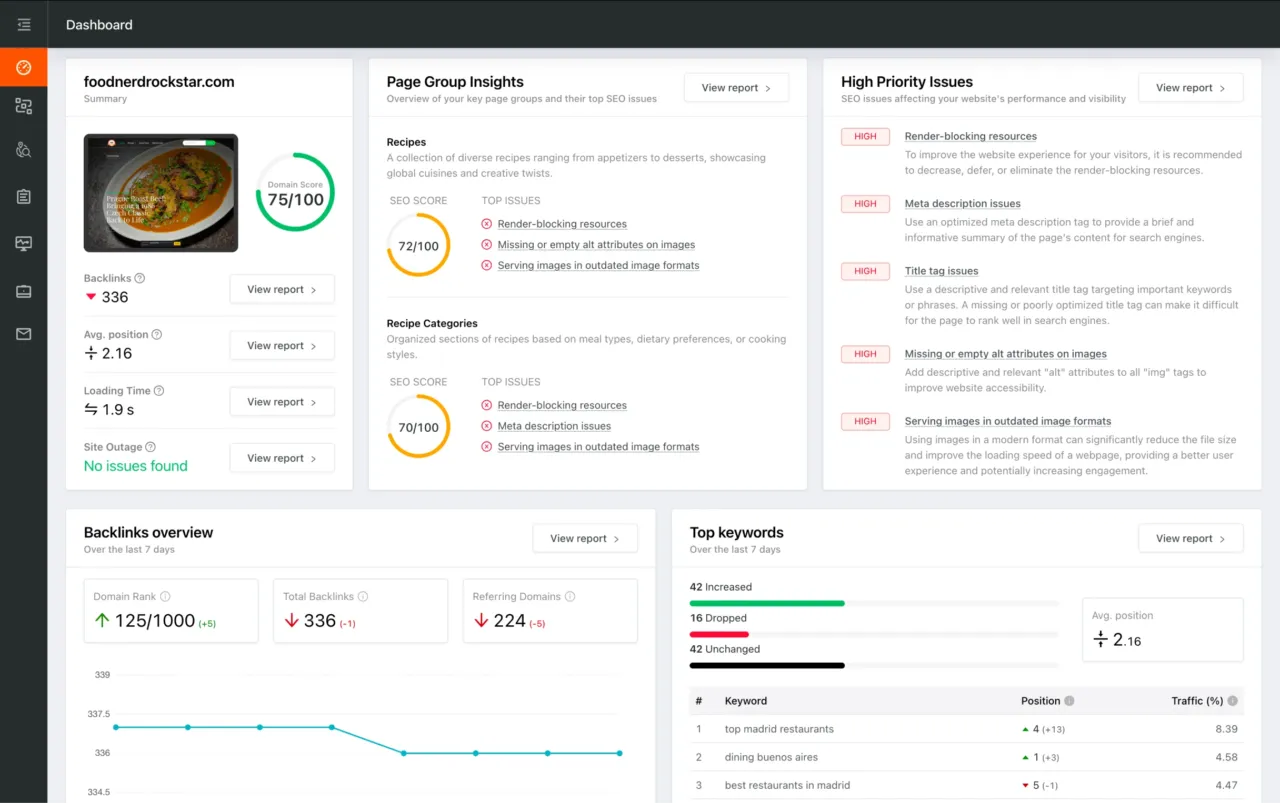
Dashboard preview showing SEO site checkup metrics, page group insights, and issue prioritization