Archived

SEO Report for https://www.amazon.de

Your general SEO Checkup Score


SEO Score66/100
Average SEO score of top 100 sites: 75%This value indicates the average SEO score of the top 100 most visited websites in the US (in the past 12 months)
AI Visibility90/100
AI visibility score reflects brand reach in AI

Your site scored 66/100, below the 75 average for top sites. We found 17 issues to fix, and clearing them is how you move up. And an AI Visibility Score of 90/100 means ChatGPT, Gemini and Perplexity consistently surface your brand, a real edge as search keeps shifting toward AI.

17 Failed
3 Warnings
43 Passed

Want to fix these issues and track your progress?

Issues to fix

HIGH
To improve the website experience for your visitors, it is recommended to eliminate any render-blocking resources on this webpage.
Details
HIGH
Users may abandon pages that take longer than 5 seconds to load, resulting in a potential loss of up to 50% of visitors. Faster loading pages can lead to increased traffic, better conversions, and higher sales.
Details
HIGH
H1 and H2 tags ensure better search engine visibility and ranking by providing structure and hierarchy to the content, improving readability, and providing opportunities for keyword optimization.
Details
HIGH
Add a sitemap file to help search engine crawlers index content more thoroughly and quickly.
Details
HIGH
Using images in a modern format can significantly reduce the file size and improve the loading speed of a webpage, providing a better user experience and potentially increasing engagement.
Details
MEDIUM
Serve properly sized images to reduce page loading times and to improve user's experience.
Details
MEDIUM
Avoid using distorted images, as they can have a negative impact on the user experience.
Details
MEDIUM
Consider using structured data in your webpage as it can help search engines gain a better understanding of your content.
Details
MEDIUM
Add a Google Analytics script to this website to help in diagnosing potential SEO issues by monitoring site visitors and traffic sources.
Details
MEDIUM
Add a Viewport Meta Tag to optimize this webpage for mobile screens. Without a viewport meta tag, mobile devices may render pages at typical desktop screen widths, resulting in pages being scaled down and difficult to read.
Details
LOW
Consider reducing the HTML size to improve loading times and retain visitors.
Details
LOW
Reducing the Document Object Model (DOM) size can lead to faster page loading times, improved site performance, and better user experience by decreasing the amount of time it takes for the browser to process and render the page.
Details
LOW
Resolving errors identified by the Chrome DevTools Console can improve user experience.
Details
LOW
Using more than 20 HTTP requests on a webpage can negatively impact the loading time.
Details
LOW
Strip out any unnecessary metadata to improve loading time, security, and privacy. Metadata should not exceed 16% of the image size.
Details

AI Insights

Score:0
Failed:0
Warnings:0
Passed:5
Domain Business Context
Understanding the business context of a domain can help you create content that is more relevant to your target audience and differentiate your website from competitors.

What is this domain about

Large online marketplace and retail platform offering a wide range of consumer products, digital content, and subscription services

Industry Niche

E-commerce Marketplace

Target Audience

Online shoppers looking for convenient purchasing across categories such as electronics, books, home goods, fashion, media, and everyday essentials
This test will check the business context of the domain associated with the analyzed webpage. The business context includes the domain's description, target audience and industry niche (if applicable). Understanding the business context of a domain can help you create content that is more relevant to your target audience and differentiate your website from competitors.
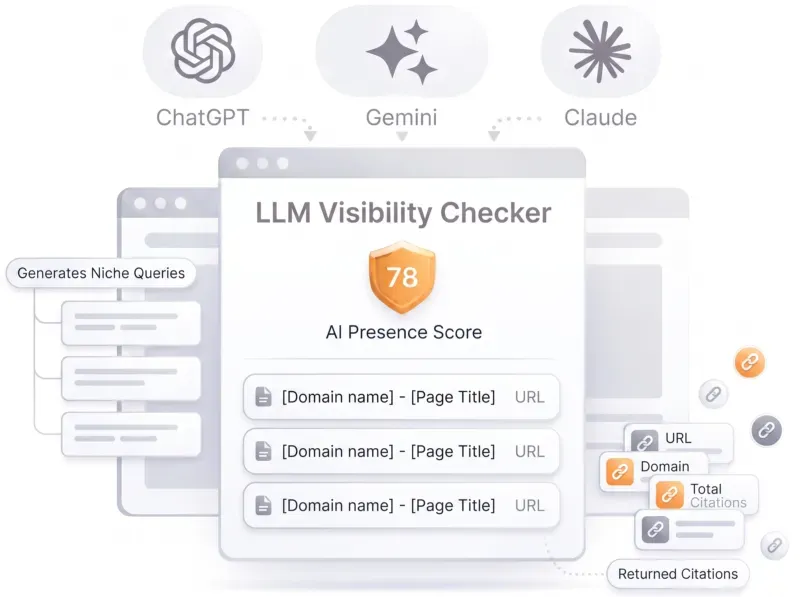
LLM Visibility Checker

Track your brand across ChatGPT, Gemini and Claude

Get an AI Presence Score, see which of your pages get cited, and follow how you compare with competitors over time.

How visible your brand is to AI engines
Content Strengths and Weaknesses

This webpage is highly functional and conversion-focused, with extensive merchandising, clear navigation, and strong trust signals from Amazon’s brand and policy links. However, the content is largely promotional and repetitive, offering limited editorial depth or explanatory value beyond product discovery and purchase prompts.

Content Strengths

  • Clear Shopping Navigation
  • Strong Merchandising Variety
  • Prominent Trust Signals

Content Weaknesses

  • Limited Editorial Depth
  • Repetitive Promotional Copy
  • Weak Content Hierarchy
This test will analyze the content of the webpage to identify its strengths and weaknesses. The analysis includes factors such as keyword usage, readability, originality, and relevance to the target audience. By understanding the strengths and weaknesses of your content, you can make informed decisions about how to improve it and better meet the needs of your audience.
Content Trust
88%
Topical Relevance96%
Subject Expertise84%
Credibility84%

This webpage is highly relevant to its main purpose as an e-commerce homepage, with extensive shopping categories, deals, and account/navigation features. Its trustworthiness is strong overall because it shows clear corporate ownership, policy links, and a mature, well-established platform, though the page is heavily promotional and personalized.
This test will evaluate the trustworthiness of the content on the webpage. It assesses factors such as the credibility of sources, accuracy of information, and overall reliability. A high level of content trust can enhance your website's reputation and improve its ranking in search engine results.
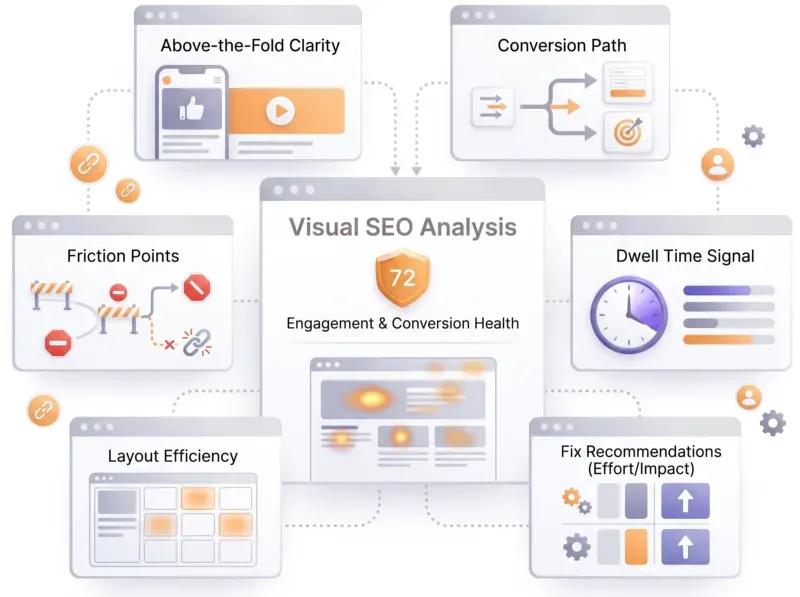
Visual SEO Analysis
Visual SEO Analysis

Find out if your page design converts the visitors you earn

We score six things that decide whether a visitor stays and acts, from the first screen to the path to action, and rank every fix by effort and impact.

How your page's design and UX affect conversions
Content Freshness
96%

The page appears highly fresh, with multiple strong current-season and 2026-specific merchandising modules throughout the homepage. It also includes very recent campaign references and a current copyright year, reinforcing that this is an actively maintained live storefront rather than static content.

Positive Signals

  • 2026 campaign imagery and labels
  • Current seasonal merchandising modules
  • Live storefront homepage content

Staleness Signals

  • Some evergreen bestseller sections
  • Older product titles mixed in
This test will check the freshness of the content on the webpage. It evaluates how recently the content was created or updated, and whether it remains relevant to current trends and user interests. Fresh content can attract more visitors and improve your website's ranking in search engine results.
Content Opportunities

Amazon.de’s homepage is highly broad and conversion-focused, but it is light on explanatory content that helps shoppers decide, compare, or use products with confidence. The biggest opportunities are around deeper buying guidance, clearer audience-specific pathways, and trust-building content that explains why certain deals, categories, and recommendations matter.

Quick Wins

  • •Add a short FAQ block near the refurbished-tech sections explaining warranty, condition grading, and return options.
  • •Insert one-sentence “why this deal” captions under the top deal cards to explain the main value proposition.
  • •Create a simple comparison table for the electronics bestseller area that contrasts tablets, laptops, TVs, and smartphones by use case and budget.
This test will identify potential content opportunities for the webpage. It analyzes the current content landscape, identifies gaps in coverage, and suggests topics or keywords that could be targeted to attract more visitors and improve search engine rankings.

Common SEO issues

Score:54
Failed:6
Warnings:2
Passed:11
Meta Title Test
100% of top 100 sites passed
This webpage is using a title tag with a length of 95 characters. While there's no target number of characters, titles should be descriptive and concise. We recommend using a title with a length between 20 - 60 characters in order to fit Google Search results that have a 600-pixel limit.
Text: Amazon.de: Günstige Preise für Elektronik & Foto, Filme, Musik, Bücher, Games, Spielzeug & mehr
Length: 95 characters
Your webpage's meta title is an HTML tag that defines the title of your page. This tag displays your page title in search engine results, at the top of a user's browser, and also when your page is bookmarked in a list of favorites. A concise, descriptive title tag that accurately reflects your page's topic is important for ranking well in search engines.
Meta Description Test
92% of top 100 sites passed
This webpage is using a meta description tag.
Text: Entdecken, shoppen und einkaufen bei Amazon.de: Günstige Preise für Elektronik & Foto, Filme, Musik, Bücher, Games, Spielzeug, Sportartikel, Drogerie & mehr bei Amazon.de
Length: 170 characters
Your webpage's meta description is an HTML tag that is intended to provide a short and accurate summary of your page. Search engines use meta descriptions to help identify the a page's topic - they may also use meta descriptions by displaying them directly in search engine results. Accurate and inviting meta descriptions can help boost both your search engine rankings and a user's likelihood of clicking through to your page.
Google Search Results Preview Test
Desktop version
https://www.amazon.de/Amazon.de: Günstige Preise für Elektronik & Foto, Filme, Musik, Bücher, Games, Spielzeug & mehrEntdecken, shoppen und einkaufen bei Amazon.de: Günstige Preise für Elektronik & Foto, Filme, Musik, Bücher, Games, Spielzeug, Sportartikel, Drogerie & mehr bei Amazon.de
Mobile version
https://www.amazon.de/Amazon.de: Günstige Preise für Elektronik & Foto, Filme, Musik, Bücher, Games, Spielzeug & mehrEntdecken, shoppen und einkaufen bei Amazon.de: Günstige Preise für Elektronik & Foto, Filme, Musik, Bücher, Games, Spielzeug, Sportartikel, Drogerie & mehr bei Amazon.de
Check how your page might appear in Google search results. Google search results typically uses your webpage title, url and meta-description in order to display relevant summarized information about your site. If these elements are too long, Google will truncate their content. Webpage title up to 70 characters in length, and webpage descriptions up to 160 characters in length are recommended in order to optimize readability.
Social Media Meta Tags Test
89% of top 100 sites passed
This webpage is using social media meta tags.
Open Graph Meta Tags
og:descriptionEntdecken, shoppen und einkaufen bei Amazon.de: Günstige Preise für Elektronik & Foto, Filme, Musik, Bücher, Games, Spielzeug, Sportartikel, Drogerie & mehr bei Amazon.de
This test will check if the analyzed webpage is using social media meta tags. While this type of meta tags don't affect what people see when they visit the webpage, they exist to provide information about it to search engines and social media platforms. Also, when a link is shared, both Facebook and Twitter will scrape the associated webpage and read its meta tags to display the appropriate information. Thus, social media meta tags will help to amplify your webpage's content, will improve brand visibility and will help to generate website traffic.
Most Common Keywords Test
There is likely no optimal keyword density (search engine algorithms have evolved beyond keyword density metrics as a significant ranking factor). It can be useful, however, to note which keywords appear most often on your page and if they reflect the intended topic of your page. More importantly, the keywords on your page should appear within natural sounding and grammatically correct copy.
48angebot
43befristetes
39amazon
29rabatt
27mehr
Check the most common keywords in your page and their usage (number of times used). This can help give a quick overview of the keywords and topics that crawlers may associate with your web page.
Keywords Usage Test
48% of top 100 sites passed
The most common keywords of this webpage are distributed well across the important HTML tags. This helps search engines to properly identify the topic of this webpage.
Keyword
Title tag
Meta description
Headings
angebot
befristetes
amazon
rabatt
mehr
This will check if your most common keywords are used in the webpage's title and description
Keywords Cloud Test
alle
alles
amazon
angebot
angebote
anzeigen
anzuzeigen
artikel
auch
autorin
basics
befristetes
beschrieben
bestellungen
bestseller
bitte
business
bücher
color
cookie
cookies
dein
deine
deinen
deutsch
dienste
diese
drehung
drittanbietern
durch
eine
einkaufserlebnis
empfehlungen
ende
endlich
entdecke
entdecken
fenster
games
geräte
gewünscht
große
haul
hier
hinweis
historischer
häufigsten
informationen
internationale
jetzt
kindle
konto
krimi
kriminalroman
können
mehr
mein
meine
neue
neuer
nightweaver
oder
option
personalisieren
persönliche
prime
produkte
rabatt
rache
reihe
roman
saga
seite
serie
shift
sommer
speichern
spiegel
stores
thriller
transparency
unsere
unserem
unseren
verbessern
verkaufen
versand
verwenden
video
waringham
wenn
werbeeinstellungen
werbung
wiedergabeverlauf
zeigen
zuhause
zustimmst
zwecken
ändern
über
The Keyword Cloud is a visual representation of keywords used on your website. This will show you which words are frequently used in the content of your webpage. Keywords having higher density are presented in larger fonts and displayed in alphabetic order.
Competitor Domains Test
Competitor Domains

Understand your competitors' SEO and backlink profile

Get related competitors and their domain authority score in relation to your domain.

Identifies up to ten domains that compete for similar organic search results, ranked by overall domain authority based on the volume and quality of their backlink profiles. Useful for benchmarking the competitive landscape and prioritizing which sites to study for content and link-building strategy.
Heading Tags Test
62% of top 100 sites passed
This webpage does not contain H1 headings! H1 headings help indicate the important topics of your page to search engines. While less important than good meta-titles and descriptions, H1 headings may still help define the topic of your page to search engines.
H2 tags
Springe zu
Tastenkombinationen
Top-AngeboteTop-Angebote
Elektronik-Bestseller
Mach es dir zuhause gemütlich
Bosse: Neues Album
Bestseller für dein Zuhause
Gratis Lieferung bei Lieferando
10 € Rabatt beim ersten App-Einkauf
Mehr kaufen, mehr sparen: Bis zu 40%
The Boys – Neue Staffel
Bestseller in Bücher
Am häufigsten gewünscht in DVD & Blu-ray
Generalüberholte Technik unter 50 €
Am häufigsten gewünscht in GamesAm häufigsten gewünscht in Games
Saisonale Outfits günstiger
Sportausrüstung günstiger
Entdecke italienische Produkte
Bestseller in Spielzeug
Dein Alltagslook, erledigt
Modeaccessoires
Frühlings-Highlights unter 20€
Made in Italy Produkte
Frühlings-Basics ab 1,99€
Frühjahrsputz Made in Italy
Generalüberholte Computer
Generalüberholt: Haushalt und Küche

Heading Tags Test

How to pass this test?

In order to pass this test you must identify the most important topics from your page and insert those topics between <h1>...</h1> tags.

Example:

<h1>Important topic goes here</h1>
...
<h1>Another topic</h1>
Check if your webpage is using any H1 and H2 HTML header tags. Header tags are not visible to users, but help clarify and support the overall theme or purpose of your page to search engines. The H1 tag represents the most important heading, e.g., the title of the page or blog post. The H2 tag represents the second most important headings on the webpages, e.g., the subheadings.
Robots.txt Test
99% of top 100 sites passed
This website is using a robots.txt file.
Check if your website is using a robots.txt file. When search engine robots crawl a website, they typically first access a site's robots.txt file. Robots.txt tells Googlebot and other crawlers what is and is not allowed to be crawled on your site.
Sitemap Test
83% of top 100 sites passed
This website lacks a sitemap file! Sitemaps can help robots index your content more thoroughly and quickly. Read more on Google's guidelines for implementing the sitemap protocol.

Sitemap Test

How to pass this test?

In order to pass this test you must create a sitemap.xml file for your website. Some of the best practices are listed below:

  • It is strongly recommended that you place your sitemap at the root directory of your website: http://yourwebsite.com/sitemap.xml But in some situations, you may want to produce different sitemaps for different paths on your site (e.g., security permission issues)
  • Sitemaps should be no larger than 10MB (10,485,760 bytes) and can contain a maximum of 50,000 URLs. This means that if your site contains more than 50,000 URLs or your sitemap is bigger than 10MB, you must create multiple sitemap files and use a Sitemap index file
  • All URLs listed in the sitemap must reside on the same host as the sitemap. For instance, if the sitemap is located at http://www.yourwebsite.com/sitemap.xml, it can't include URLs from http://subdomain.yourwebsite.com
  • Once you have created your sitemap, let search engines know about it by submitting directly to them, pinging them, or adding the sitemap location to your robots.txt file
  • Sitemaps can be compressed using gzip, reducing bandwidth consumption

sitemap.xml example:

<?xml version="1.0" encoding="UTF-8"?>
<urlset xmlns="http://www.sitemaps.org/schemas/sitemap/0.9">
<url>
 <loc>http://www.yourwebsite.com</loc>
 <lastmod>2013-01-01</lastmod>
 <changefreq>weekly</changefreq>
 <priority>0.9</priority>
</url>
<url>
 <loc>http://www.yourwebsite.com/articles/100</loc>
 <changefreq>weekly</changefreq>
</url>
<url>
 <loc>http://www.yourwebsite.com/articles/101</loc>
 <lastmod>2013-01-02</lastmod>
 <changefreq>weekly</changefreq>
</url>
<url>
 <loc>http://www.yourwebsite.com/articles/102</loc>
 <lastmod>2013-01-02T13:00:12+00:00</lastmod>
 <priority>0.5</priority>
</url>
</urlset>
Check if the website has a sitemap. A sitemap is important as it lists all the web pages of the site and let search engine crawlers to crawl the website more intelligently. A sitemap also provides valuable metadata for each webpage.
Image Alt Test
78% of top 100 sites passed
This webpage is using "img" tags with empty or missing "alt" attribute!

Image Alt Test

How to pass this test?

In order to pass this test you must add an alt attribute to every <img> tag used into your webpage.

An image with an alternate text specified is inserted using the following HTML line:

<img src="image.png" alt="text_to_describe_your_image">

Remember that the point of alt text is to provide the same functional information that a visual user would see. Search engines, users who disabled images in their browsers and other agents who are unable to see the images on your webpage can read the alt attributes assigned to the image since they cannot view it.

Learn more about optimizing images for SEO.

Check if images on your webpage are using alt attributes. If an image cannot be displayed (e.g., due to broken image source, slow internet connection, etc), the alt attribute provides alternative information. Using relevant keywords and text in the alt attribute can help both users and search engines better interpret the subject of an image.
Responsive Image Test
29% of top 100 sites passed
Not all images in this webpage are properly sized! This webpage is serving images that are larger than needed for the size of the user's viewport.

Responsive Image Test

How to pass this test?

This issue can be fixed by using responsive images, which relies on creating multiple versions of each image, that are served via CSS media queries depending on the user's viewport dimensions.

Another solution can be to use vector-based image formats like SVG. SVG images scale appropriately to any size, without wasting unnecessary bandwidth. Also consider image CDNs that can help serve responsive images.

This test will check if all of your page's images are appropriately sized for your user's viewport. Ideally, your page should not serve images that are larger than the version that's rendered on the user's screen. Serving an image larger than the user's viewport results in scaling down the image, use of unnecessary bandwidth, and slower page load time.
Image Aspect Ratio Test
75% of top 100 sites passed
Not all image display dimensions match the natural aspect ratio! Fix aspect ratio issues to avoid distorted images on this website!

Image Aspect Ratio Test

How to pass this test?

There are two common causes for an incorrect image aspect ratio:

  • An image is set to explicit width and height values that differ from the source image's dimensions.
  • An image is set to a width and height as a percentage of a variably-sized container.

To help avoid these issues, consider using an image CDN, to help automate the process of creating different size versions of your image.

Also check any CSS that can affects the image's aspect ratio - if you're having trouble finding the CSS that's causing the incorrect aspect ratio, Chrome DevTools can show you the CSS declarations that affect a given image.

Finally, check the image's width and height attributes in the HTML. When possible, it's good practice to specify each image's width and height attributes in your HTML so that the browser can allocate space for the image. This approach helps to ensure that content below the image doesn't shift once the image is loaded.

This test will check if all images are displayed with a correct aspect ratio. If a rendered image has an aspect ratio that's significantly different from the aspect ratio in its source file (the natural aspect ratio), the rendered image may look distorted, possibly creating an unpleasant user experience.
Deprecated HTML Tags Test
94% of top 100 sites passed
This webpage does not use HTML deprecated tags.
Check if your webpage is using old, deprecated HTML tags. These tags will eventually lose browser support and your web pages may render incorrectly as browsers drop support for these tags.
Google Analytics Test
72% of top 100 sites passed
A Google Analytics script is not detected on this page. While there are several tools available to monitor your site's visitors and traffic sources, Google Analytics is a free, commonly recommended program to help diagnose potential SEO issues.

Google Analytics Test

How to pass this test?

In order to pass this test you must create an account on Google Analytics site and insert into your page a small javascript tracking code.

Example:

<!-- Google Analytics -->
<script>
(function(i,s,o,g,r,a,m){i['GoogleAnalyticsObject']=r;i[r]=i[r]||function(){
(i[r].q=i[r].q||[]).push(arguments)},i[r].l=1*new Date();a=s.createElement(o),
m=s.getElementsByTagName(o)[0];a.async=1;a.src=g;m.parentNode.insertBefore(a,m)
})(window,document,'script','//www.google-analytics.com/analytics.js','ga');

ga('create', 'UA-XXXX-Y', 'auto');
ga('send', 'pageview');

</script>
<!-- End Google Analytics -->

Note that you have to change the 'UA-XXXX-Y' with the proper id which you'll find in your analytics account.

Check if your website is connected with Google Analytics. Google Analytics is a popular, free website analysis tool that helps provide insights about your site's traffic and demographics.
Favicon Test
100% of top 100 sites passed
favicon
This website appears to have a favicon.
Check if your site is using and correctly implementing a favicon. Favicons are small icons that appear in your browser's URL navigation bar. They are also saved next to your URL's title when your page is bookmarked. This helps brand your site and make it easy for users to navigate to your site among a list of bookmarks.
JS Error Test
83% of top 100 sites passed
There are no severe JavaScript errors on this webpage.
Check your page for JavaScript errors. These errors may prevent users from properly viewing your pages and impact their user experience. Sites with poor user experience tend to rank worse in search engine results.
Console Errors Test
27% of top 100 sites passed
This webpage has some errors caught by the Chrome DevTools Console!

Console Errors Test

How to pass this test?

In order to pass this test, you have to fix all the warnings and errors reported in Chrome DevTools console. You can also visit Google's documentation for further troubleshooting support: https://developer.chrome.com/docs/devtools/issues/

This will check the Chrome DevTools Console for warnings and errors. These errors may prevent users from properly viewing your pages and impact their user experience. Sites with poor user experience tend to rank worse in search engine results.
Charset Declaration Test
96% of top 100 sites passed
This webpage has a character encoding declaration.
Content-Type: text/html;charset=UTF-8
This test will check if the webpage has a character encoding declaration ("charset"). If the server doesn't specify a character encoding format when it sends an HTML file, the browser may display some characters incorrectly to users. Google recommends using the Unicode/UTF-8 character set when possible.

Speed optimizations

Score:64
Failed:7
Warnings:1
Passed:12
HTML Page Size Test
23% of top 100 sites passed
The size of this webpage's HTML is 211.41 Kb, and is greater than the average size of 33 Kb! This can lead to slower loading times, lost visitors, and decreased revenue. Good steps to reduce HTML size include: using HTML compression, CSS layouts, external style sheets, and moving javascript to external files.

HTML Page Size Test

How to pass this test?

In order to resolve this problem you are advised to:

  • use gzip compression
  • move all CSS style rules into a single, external and minified CSS file
  • minify all JS files and, if possible, try combining them into a single external JS file
  • use CSS layouts
Check your page's HTML size. HTML size is the size of all the HTML code on your web page - this size does not include images, external JavaScript or CSS files.
DOM Size Test
56% of top 100 sites passed
The Document Object Model (DOM) of this webpage has 3,020 nodes which is greater than the recommended value of 1,500 nodes! A large DOM size negatively affects site performance and increases the page load time.

DOM Size Test

How to pass this test?

In order to pass this test, you need to reduce the DOM size.

First, you need to identify the causes of an excessive number of DOM nodes. They can be: poorly coded plugins or themes, DOM nodes created dynamically via JavaScript, page builders that generate bloated HTML, copy-paste text into a WYSIWYG editor, hidden elements via CSS, etc.

Second, you need to remove the unnecessary tags and even refactor or rewrite some parts of the code/template. Another workarounds can be: code splitting (create more pages instead of one long page), consider to lazy load some parts of your website in order to speed up the initial rendering, implement infinite scroll, improve page rendering with content visibility (with the CSS content-visibility property, the browser will skip the styling, layout, and paint until the user scrolls down the page).

This test will check the size of the DOM tree. When a web page is loaded, the browser creates a Document Object Model (DOM) of the page. All the tags in the HTML document are called nodes and the sum of them is translated as the DOM size. A large DOM tree will likely increase memory usage, cause longer style calculations, and may produce slower layout rendering.
HTML Compression/GZIP Test
99% of top 100 sites passed
This webpage is successfully compressed using gzip compression on your code. The HTML code is compressed from 961.09 Kb to 211.41 Kb (78% size savings). This helps ensure a faster loading webpage and improved user experience.
Check if your website is using HTML compression. HTML compression plays an important role in improving website speed by finding similar strings within a text file and replacing them temporarily to reduce overall file size.
Site Loading Speed Test
71% of top 100 sites passed
The loading time of this webpage (measured from N. Virginia, US) is around 6.02 seconds and is greater than the average loading speed which is 5 seconds!
Related Keywords

Accurate historical loading speed monitor and reports

Get detailed and accurate loading speed reports for your websites and see how your pages are being loaded over time.

Check your website's loading speed. Page speed is an important factor in search engine rankings and overall site success. Pages that take longer than 5 seconds to load can lose up to 50% of users. Faster webpages result in higher traffic, better conversions, and increased sales over slower loading pages.
JS Execution Time Test
53% of top 100 sites passed
The JavaScript code used by this webpage is executed in more than 2 seconds!
This test will check the total execution time of the JavaScript code. Reducing the JavaScript execution time, in general, refers to decreasing the amount of time spent to parse, compile and execute the JavaScript code. Improving JavaScript execution time will result in faster page load times, and improved user experience (which Google uses as a factor in its ranking algorithms).
Page Objects Test
7% of top 100 sites passed
This webpage is using more than 20 http requests, which can slow down page loading and negatively impact user experience!
Content size by content type
Content type
Percent
Size
image
62.6 %
3.17 Mb
font
12.1 %
625.76 Kb
javascript
10.1 %
523.52 Kb
other
8.9 %
462.98 Kb
html
3.7 %
192.21 Kb
css
2.5 %
130.87 Kb
TOTAL
100%
5.06 Mb
Requests by content type
Content type
Percent
Requests
image
77.0 %
221
javascript
7.0 %
20
font
7.0 %
20
other
3.8 %
11
css
2.8 %
8
html
2.4 %
7
TOTAL
100%
287
Content size by domain
Domain
Percent
Size
m.media-amazon.com
87.3 %
4.41 Mb
images-eu.ssl-images-amazon.com
8.9 %
458.23 Kb
amazon.de
3.7 %
191.67 Kb
fls-eu.amazon.de
0.1 %
3.64 Kb
unagi.amazon.de
0.0 %
2.36 Kb
unagi-na.amazon.com
0.0 %
1.18 Kb
aax-eu.amazon-adsystem.com
0.0 %
742 B
TOTAL
100%
5.06 Mb
Requests by domain
Domain
Percent
Requests
m.media-amazon.com
64.8 %
186
images-eu.ssl-images-amazon.com
20.6 %
59
fls-eu.amazon.de
8.7 %
25
amazon.de
2.4 %
7
unagi.amazon.de
2.1 %
6
unagi-na.amazon.com
1.0 %
3
aax-eu.amazon-adsystem.com
0.3 %
1
TOTAL
100%
287
Check if all the objects requested by this webpage can be retrieved. If they are not retrievable, your page may display incorrectly, leading to a bad user experience and lower search engine rankings.
CDN Usage Test
95% of top 100 sites passed
This webpage is serving all images, javascript and css resources from CDNs.
Check if your webpage's resources (images, javascript and css files) are served via CDNs.
Modern Image Format Test
43% of top 100 sites passed
This webpage is not serving images in a modern format! Image formats like JPEG 2000, JPEG XR, and WebP often provide better compression than PNG or JPEG, which means faster downloads and less data consumption.

Modern Image Format Test

How to pass this test?

In order to pass this test, convert all the images listed in this report into a modern image format such as JPEG 2000, JPEG XR or WebP.

It's important to understand that the modern image formats, like WebP, are not yet widely supported across all devices and browsers. You can find here a full list of supported browsers and devices for the WebP format.

If your target audience falls within one of the unsupported browser/device categories, you should serve optimized fall-back images in the original JPEG/PNG format so that your users don't see a broken or badly designed page:

<!--Before:-->
<img src="image.jpg" alt="">

<!--After:-->
<picture>
	<source type="image/webp" srcset="image.webp">
	<img src="image.jpg" alt="">
</picture>

The browser uses the first listed source that's in a format it supports. If the browser does not support any of the formats listed in the "source" tags, it falls back to loading the image specified by the "img" tag.

This test will check if the webpage is serving images in modern formats. Image formats like JPEG 2000, JPEG XR, and WebP often provide better compression than PNG or JPEG, which means faster downloads and less data consumption for users.
Image Metadata Test
72% of top 100 sites passed
This webpage is using images with large metadata (more than 16% of the image size)! Stripping out unnecessary metadata tags can improve not only the loading time but also the security and privacy of a webpage.

Image Metadata Test

How to pass this test?

In order to pass this test, you have to remove the unnecessary image metadata (additional information which is stored along with the image). There are literally hundreds of metadata tags, but most of them (like camera model and settings, exposure, creation date, etc) are useless to site visitors and isn't required by browsers to render images. However, a few metadata tags can still be useful and may help Search Engine bots to better understand your images:

  • GPS tags - These define where the image was taken providing location information that might help with local SEO. If you have a location-based business, tag your image with the GPS coordinates of your premises.
  • Author/Owner Name - Add your brand name (or your own name) here because it may influence the image being shown when someone searches your brand in Google Images.
  • Image Description - Just like an ALT description, the image description metadata tag can provide information pertaining to what the content of the image is about.
This test will check if the images used in a webpage have large metadata (more than 16% of the image size). Image Metadata refers to additional information (thumbnails, comments, date-times, copyright, camera model and settings, geo location, etc) which is stored along with the image. Most of this information is useless to site visitors and isn't required by browsers to render images.
Image Caching Test
95% of top 100 sites passed
This webpage is not using uncached images from same domain.
Checks if your page is using an image expires tag, which specifies a future expiration date for your images. Browsers will see this tag and cache the image until the specified date (it doesn't re-fetch the unchanged image from your server). This speeds up your site the next time returning visitors arrive at your site and require the same image.
JavaScript Caching Test
96% of top 100 sites passed
This webpage is not using uncached JavaScript resources from same domain!
Checks if your page is using caching headers for all JavaScript resources. Users browsers will check for these headers and, if any, will cache the JavaScript resources until the specified date (so that it does not keep re-fetching the unchanged file from your server). This speeds up your site the next time returning visitors arrive at your site and require the same JavaScript resource.
CSS Caching Test
98% of top 100 sites passed
This webpage is not using uncached CSS resources from same domain!
Checks if your page is using caching headers for all CSS resources. Users browsers will check for these headers and, if any, will cache the CSS resources until the specified date (so that it does not keep re-fetching the unchanged file from your server). This speeds up your site the next time returning visitors arrive at your site and require the same CSS resource.
JavaScript Minification Test
98% of top 100 sites passed
All JavaScript files used by this webpage are minified.
Checks if any external javascript files used in your page is minified. Minified files reduce page size and overall load time.
CSS Minification Test
100% of top 100 sites passed
All CSS resources used by this webpage are minified.
Checks if any CSS files used in your page is minified. Minified files reduce page size and overall load time.
Render Blocking Resources Test
15% of top 100 sites passed
This webpage is using render blocking resources! Eliminating render-blocking resources can help this webpage to load significantly faster and will improve the website experience for your visitors.

Render Blocking Resources Test

How to pass this test?

In order to pass this test, you have to reduce the impact of render-blocking resources.

First, you have to identify what's critical and what's not. You can use the Chrome DevTools (Coverage tab) to identify non-critical CSS and JS.

Once you've identified critical code, you can try the below methods to eliminate render-blocking resources:

  • inline critical JS within a script tag in your HTML document
  • inline critical CSS required for the first paint inside a style block in the head of the HTML document
  • move the script and link tags at the end of the HTML document
  • add async or defer attributes to non-critical script or link tags
  • split CSS styles into different files, organized by media query
  • compress and minify your text-based resources
This test will check if any of the webpage's JavaScript or CSS resources is blocking the render process. When the browser encounters a render blocking resource, it stops downloading the rest of the resources until these critical files are processed. In the meantime, the entire rendering process is put on hold. Aim to reduce the impact of these render-blocking URLs by inlining critical resources, deferring non-critical resources, and removing anything unused. This can greatly improve page load times and the user experience (factors which Google uses in its ranking algorithms).
URL Redirects Test
97% of top 100 sites passed
This URL doesn't have any redirects (which could potentially cause site indexation issues and site loading delays).
Check how many redirects your URL will perform to resolve to the final destination URL. Redirects often cause search engine indexing issues and can also lead to some minor loading delays. Google recommends removing or keeping redirects to a minimum.
Time To First Byte Test
99% of top 100 sites passed
The Time To First Byte value of this webpage is 0.181 seconds. To provide a good user experience, Google recommends that sites should strive to have a TTFB of 0.8 seconds or less.
0.181 s
0.8 s
1.8 s
This test will check the Time To First Byte (TTFB) score of the analyzed webpage. TTFB is a metric that measures the time between the request for a resource and when the first byte of a response begins to arrive. To provide a good user experience, Google recommends that sites should strive to have Time To First Byte of 0.8 seconds or less.
First Contentful Paint Test
90% of top 100 sites passed
The First Contentful Paint value of this webpage is 1.120 seconds. To provide a good user experience, Google recommends that sites should strive to have a First Contentful Paint value of 1.8 seconds or less.
1.12 s
1.8 s
3 s
This test will check the First Contentful Paint (FCP) score of the analyzed webpage. FCP is a metric that measures the time from when the page starts loading to when any part of the page's content is rendered on the screen. To provide a good user experience, Google recommends that sites should strive to have a First Contentful Paint of 1.8 seconds or less.
Largest Contentful Paint Test
77% of top 100 sites passed
The Largest Contentful Paint duration of this webpage is 1.64 seconds. To provide a good user experience, Google recommends that sites should strive to have Largest Contentful Paint of 2.5 seconds or less.
1.64 s
2.5 s
4 s
Largest Contentful Paint element within the viewport:
<img alt="Werbung für Echo Studio Smart-Lautsprecher. Das sc..." src="https://m.media-amazon.com/images/I/61+1k8duQpL._S..." class="_cropped-image-map_style_fluidLandscapeImage__3eTV..." data-a-hires="https://m.media-amazon.com/images/I/81gbcA5MGLL._S...">
This test will check the Largest Contentful Paint (LCP) score of the analyzed webpage. LCP is a Core Web Vitals metric that measures when the largest element (image or text block) of a given web page becomes visible within the viewport, relative to when the page first started loading. To provide a good user experience, Google recommends that sites should strive to have Largest Contentful Paint of 2.5 seconds or less.
Cumulative Layout Shift Test
91% of top 100 sites passed
The CLS score of this webpage is 0.0002. To provide a good user experience, Google recommends that sites should strive to have a CLS score of 0.1 or less.
0.0002
0.1
0.25
DOM element which contributes the most to CLS score:
Text: 40 % Rabatt Befristetes Angebot
Html: <div data-csa-c-item-id="amzn1.deal.67ccbdb7:amzn1.asin.B0DJD29WKV" data-csa-c-owner="Homepage" data-csa-c-posx="2" data-csa-c-posy="2" data-csa-c-type="item" class="a-section a-spacing-none aok-float-left aok-relati..." data-csa-c-id="msl7y6-gnb7lt-ctfsz5-hfmvu3">
Score: 0.0002
This test will check the Cumulative Layout Shift (CLS) score of the analyzed webpage. CLS is a Core Web Vitals metric calculated by summing all layout shifts that aren't caused by user interaction. Basically, whenever a page loads, certain page elements unexpectedly shift, affecting the way users interact with the webpage. A website with a low CLS has a stable page display, which does not shift elements around and ensures a steady, predictable loading of all website content. To provide a good user experience, Google recommends that sites should strive to have a CLS score of 0.1 or less.

Server and security

Score:100
Failed:0
Warnings:0
Passed:7
URL Canonicalization Test
93% of top 100 sites passed
https://www.amazon.de/ and https://amazon.de/ resolve to the same URL.
Test your site for potential URL canonicalization issues. Canonicalization describes how a site can use slightly different URLs for the same page (e.g., if http://www.example.com and http://example.com displays the same page but do not resolve to the same URL). If this happens, search engines may be unsure about which URL is the correct one to index. Learn more about canonicalization issues.
SSL Checker and HTTPS Test
100% of top 100 sites passed
This website is successfully using HTTPS, a secure communication protocol over the Internet.
The certificate is not used before the activation date.
The certificate has not expired.
The hostname "www.amazon.de" is correctly listed in the certificate.
The certificate should be trusted by all major web browsers.
The certificate was not revoked.
The certificate was signed with a secure hash.
Certificate Chain:
Server certificate
Common Name
www.amazon.de
Subject Alternative Names
amazon.de, match.amazonbrowserapp.de, p-nt-www-amazon-de-kalias.amazon.de, p-y3-www-amazon-de-kalias.amazon.de, p-yo-www-amazon-de-kalias.amazon.de, static.amazon.de, www.amazon.de, www.cdn.amazon.de
Not Valid Before
Wed, August 27, 2025 at 12:00:00 AM UTC
Not Valid After
Wed, August 5, 2026 at 11:59:59 PM UTC
Signature Algorithm
sha256WithRsaEncryption
Issuer
DigiCert Global CA G2
Intermediate certificate
Common Name
DigiCert Global CA G2
Organization
DigiCert Inc
Location
US
Not Valid Before
Thu, August 1, 2013 at 12:00:00 PM UTC
Not Valid After
Tue, August 1, 2028 at 12:00:00 PM UTC
Signature Algorithm
sha256WithRsaEncryption
Issuer
DigiCert Global Root G2
Root certificate
Common Name
DigiCert Global Root G2
Organization
DigiCert Inc
Location
US
Not Valid Before
Thu, August 1, 2013 at 12:00:00 PM UTC
Not Valid After
Fri, January 15, 2038 at 12:00:00 PM UTC
Signature Algorithm
sha256WithRsaEncryption
Issuer
DigiCert Global Root G2
Check if your website is using HTTPS, a secure protocol for sending/receiving data over the Internet. Using HTTPS indicates that an additional encryption/authentication layer was added between client and server. HTTPS should be used by any site that collects sensitive customer data such as credit card information. Even for sites that do not collect such data, switching to https helps users by improving privacy and overall security. Google is increasingly using https as a positive ranking factor.
Mixed Content Test (HTTP over HTTPS)
100% of top 100 sites passed
This webpage does not use mixed content - both the initial HTML and all other resources are loaded over HTTPS.
This will check if all resources are loaded over a secure HTTPS connection. Mixed content occurs when initial HTML is loaded over a secure HTTPS connection, but other resources (such as images, videos, stylesheets, scripts) are loaded over an insecure HTTP connection. This is called mixed content because both HTTP and HTTPS content are being loaded to display the same page, and the initial request was secure over HTTPS. Browsers may block mixed content, so fixing this issue helps ensure your content loads as intended.
HTTP2 Test
99% of top 100 sites passed
This webpage is using the HTTP/2 protocol.
Checks if the webpage and all resources are served over HTTP/2. As the first major HTTP protocol update since 1997, HTTP/2 offers several key improvements such as increased speed and security.
HSTS Test
84% of top 100 sites passed
This webpage is using the Strict-Transport-Security header.
strict-transport-security:max-age=47474747; includesubdomains; preload
This test will check if your webpage is using the Strict-Transport-Security header.
Plaintext Emails Test
97% of top 100 sites passed
This webpage does not include email addresses in plaintext.
Check your webpage for plaintext email addresses. Any e-mail address posted in public is likely to be automatically collected by computer software used by bulk emailers (a process known as e-mail address harvesting). A spam harvester can read through the pages in your site and extract plaintext email addresses which are then added to bulk marketing databases (resulting in more inbox spam). There are several methods for email obfuscation.

Mobile usability

Score:71
Failed:1
Warnings:0
Passed:2
Meta Viewport Test
92% of top 100 sites passed
This webpage does not have a viewport meta tag! Add a viewport meta tag to optimize your webpage for mobile screens.

Meta Viewport Test

How to pass this test?

In order to pass this test, you have to add a viewport meta tag with the appropriate width and initial-scale values like below:

<meta name="viewport" content="width=device-width, initial-scale=1.0">
  • width=device-width sets the width of the viewport to the width of the device.
  • initial-scale=1 sets the initial zoom level when the user visits the page.
This will check if the webpage is using a viewport meta tag, which is necessary for responsive web design. Without a viewport meta tag, mobile devices render pages at typical desktop screen widths and then scale the pages down, making them difficult to read. Setting the viewport meta tag lets you control the width and scaling of the viewport so that it's sized correctly on all devices.
Media Query Responsive Test
98% of top 100 sites passed
This webpage is using CSS media queries, which is the base for responsive design functionalities.
Check if your page implements responsive design functionalities using the media query technique. The '@media' rule allows different style rules for screen sizes. Media query techniques allow different presentation and content to be served depending on the output device, helping ensure that your website renders optimally on all devices and platforms.
Mobile Snapshot Test
Mobile view
Check how your website renders on a mobile device.

Advanced SEO

Score:71
Failed:3
Warnings:0
Passed:6
Structured Data Test
66% of top 100 sites passed
This webpage doesn't take the advantages of HTML Microdata or JSON-LD specifications in order to use structured data! View Google's guide for getting started with structured data.

Structured Data Test

How to pass this test?

HTML5 Microdata is an easy way to add semantic markup to your web pages. Search engines rely on this markup to improve the display of search results, making it easier for people to find the right web pages.

Here is a simple example of how to use HTML5 microdata in your contact web page:

<div itemscope itemtype="http://schema.org/Person">
   <span itemprop="name">Joe Doe</span>
   <span itemprop="company">The Example Company</span>
   <span itemprop="tel">604-555-1234</span>
   <a itemprop="email" href="mailto:joe.doe@example.com">
      joe.doe@example.com
   </a>
</div>
Check if your webpage is using structured data markup. Search engines use structured data to better understand the content of your webpage and to create rich snippets in search results (which helps increase click-through rate to your site).
Custom 404 Error Page Test
80% of top 100 sites passed
This website is using a custom 404 error page. We recommend to have a custom 404 error page in order to improve the website's user experience by letting users know that only a specific page is missing/broken (and not the entire site), providing them helpful links, the opportunity to report bugs, and potentially track the source of broken links.
This SEO test will check if your website is using a custom 404 error page. By creating a custom 404 error page, you can improve your website's user experience by letting users know that only a specific page is missing/broken (and not your entire site), providing them helpful links, the opportunity to report bugs, and potentially track the source of broken links in your site.
Noindex Tag Test
99% of top 100 sites passed
This webpage does not use the noindex meta tag. This means that it can be indexed by search engines.
Check if your webpage is using the robots meta tag or the X-Robots-Tag HTTP header to instruct search engines not to show your site in search results pages.
Canonical Tag Test
93% of top 100 sites passed
This webpage is using the canonical link tag. This tag specifies that the URL: https://www.amazon.de/ is preferred to be used in search results. Please ensure that this specification is correct, as canonical tags are often hard-coded and may not always reflect the latest changes in a site's URL structure.
<link href="https://www.amazon.de/" rel="canonical"/>
Check if your webpage is using the canonical link tag. The canonical link tag is used to nominate a primary page when you have several pages with duplicate or very similar content.
Nofollow Tag Test
This webpage is using the nofollow meta tag! We recommend to use this tag carefully since search engines will not crawl all links from this webpage.

Nofollow Tag Test

How to pass this test?

If you want search engines to crawl all the outgoing links on your webpage you must remove the nofollow meta tag.
Check if your webpage is using the robots meta tag or the X-Robots-Tag HTTP header to instruct search engines not to follow the links on your page. Outgoing links marked with this tag will tell search engines not to follow or crawl that particular link. Google recommends that nofollow tags are used for paid advertisements on your site and links to pages that have not been vetted as trusted sites (e.g., links posted by users of your site).
Disallow Directive Test
Your robots.txt file includes a disallow command which instructs search engines to avoid certain parts of your website! You are advised to confirm if access to these resources or pages are intended to be blocked (e.g., if they contain internal-only content or sensitive information).
Check if your robots.txt file is instructing search engine crawlers to avoid parts of your website. The disallow directive is used in robots.txt to tell search engines not to crawl and index a file, page, or directory.
Meta Refresh Test
98% of top 100 sites passed
This webpage is not using a meta refresh tag.
This test will check if your webpage is using a refresh meta tag. This tag causes a web page to refresh automatically after a specified amount of time. Users generally don't expect automatic refreshes, so they can be disorienting. Refreshing also moves focus to the top of the page, which may frustrate or confuse users, particularly those who rely on screen readers or other assistive technologies.
SPF Records Test
94% of top 100 sites passed
This DNS server is using an SPF record.
v=spf1 include:amazon.com -all
Check if your DNS records contains an SPF record. SPF (Sender Policy Framework) records allow email systems to verify if a given mail server has been authorized to send mail on behalf of your domain. Creating an SPF record increases email delivery rates by reducing the likelihood of your email being marked as spam.
Ads.txt Validation Test
67% of top 100 sites passed
The access to the ads.txt file is restricted! Our request for this resource has returned a {status_code} HTTP status code. In order for this resource to be easily accessed by the DSPs and advertisers, its status code should be 200 OK.

Ads.txt Validation Test

How to pass this test?

In order to pass this test, the ads.txt file should be publicly available in the website's root domain and its content should be properly formatted.

The advertising systems will read the content of the ads.txt file only if the request will return a 200 OK HTTP status code. The content of this file should be encoded as a formatted plain text and the HTTP Content-Type header should be text/plain (all other Content-Types are treated as an error and the content will be ignored).

As outlined in the IAB Tech Lab specifications for ads.txt file, the format logically consists of three types of records: comments, data records and variables:

  1. Comments
    Lines starting with # symbol are considered comments and are ignored.
  2. Data records
    For each Exchange or Supply-Side Platform (SSP) that is authorized to sell your inventory you must add a data record. Each of these lines should contain 3 or 4 comma separated fields:
    <FIELD #1>, <FIELD #2>, <FIELD #3>, <FIELD #4>
    • #1 - The canonical domain name of the system where bidders connect (e.g. google.com, appnexus.com, etc)
    • #2 - The publisher account ID
    • #3 - The type of account or relationship (e.g. DIRECT or RESELLER)
    • #4 - (Optional) An ID that uniquely identifies the advertising system within a certification authority
  3. Variables

    Any line containing a pattern of <VARIABLE>=<VALUE> should be interpreted as a variable declaration. The <VARIABLE> is a string identifier without internal whitespace. The only supported separator is the equals sign ‘=’. The <VALUE> is an open string that may contain arbitrary data.

    For human readability it is recommended that variables be declared at the end of the file, but this is not a strict requirement.

    Only the following variables are supported: CONTACT, SUBDOMAIN and INVENTORYPARTNERDOMAIN.

This test will check if your website's ads.txt file has a valid format.

Dominate search today on Google and AI Engines.

Join 85,000+ SaaS Marketers, Growth Agencies, Content-Led Companies and E-commerce Brands.

See Pricing
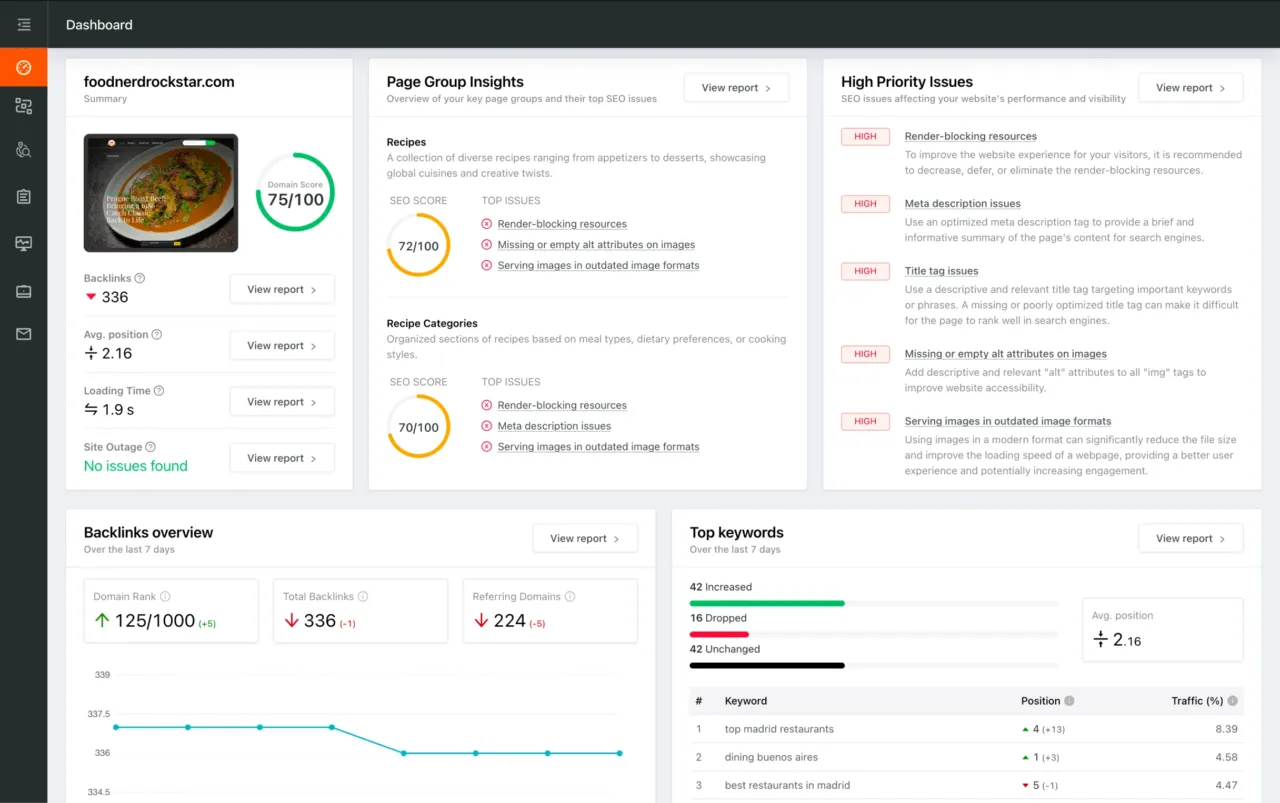
Dashboard preview showing SEO site checkup metrics, page group insights, and issue prioritization