Archived

SEO Report for https://sanguo.goodtechllc.com/hero/3

Your general SEO Checkup Score


SEO ScoreNaN/100
Average SEO score of top 100 sites: 75%This value indicates the average SEO score of the top 100 most visited websites in the US (in the past 12 months)

Your site scored NaN/100, just above the 75 average for top sites. We found 10 issues to fix, and they're what's holding you back from the top spots.

10 Failed
2 Warnings
12 Passed

Want to fix these issues and track your progress?

Common SEO issues
Score:46
Failed:3
Warnings:1
Passed:5
Google Search Results Preview Test
Desktop version
http://sanguo.goodtechllc.com/hero/3/三国志人物网-孙权孙权(182年-252年5月21日),字仲谋,吴郡富春(今浙江富阳)人,三国时代东吴建立者。东汉末年,孙权父亲孙坚和兄长孙策在群雄割据中打下江东基业。孙权十九岁时,孙策遭刺杀身亡,后继掌事,成为一方诸侯。222年,他自称吴王,建立吴国;229年称帝,建立吴,即东吴。谥号大皇帝,庙号太祖,统治江东地区长达五十二年,是三国时代统治者中最长的。
Mobile version
http://sanguo.goodtechllc.com/hero/3/三国志人物网-孙权孙权(182年-252年5月21日),字仲谋,吴郡富春(今浙江富阳)人,三国时代东吴建立者。东汉末年,孙权父亲孙坚和兄长孙策在群雄割据中打下江东基业。孙权十九岁时,孙策遭刺杀身亡,后继掌事,成为一方诸侯。222年,他自称吴王,建立吴国;229年称帝,建立吴,即东吴。谥号大皇帝,庙号太祖,统治江东地区长达五十二年,是三国时代统治者中最长的。
Check how your page might appear in Google search results. Google search results typically uses your webpage title, url and meta-description in order to display relevant summarized information about your site. If these elements are too long, Google will truncate their content. Webpage title up to 70 characters in length, and webpage descriptions up to 160 characters in length are recommended in order to optimize readability.
Keywords Cloud Test
navigation
toggle
“性度弘朗,仁而多断,好侠养士,始有知名,侔于父兄矣。”(《三国志·吴书·吴主传第二》裴松之注引《江表传》)
《三国演义》之中,孙权方颐大口碧眼紫髯,被称做“碧眼儿”[]。《三国志》中则只记载目有精光[]而非记载为碧眼,汉朝遣使者刘琬为孙策加锡命之时看见孙权,形容孙权的相貌高大挺拔,骨架躯体不同于常人,有大贵之表并且是孙氏兄弟中最长寿的[],刘备与张辽都形容孙权长上短下[][],只有不需要站着伺候人,而是坐着让人伺候的贵人才会是所谓躯干长而双腿短的外形,这在三国时代被视为大贵之相,刘备被形容为手长过膝[]也是基于同样的道理,所以刘备会说孙权从外表看来不可能成为臣子[],另外因孙权处世手段极其柔软,曹丕也曾以妩媚形容孙权[],所以有诗歌咏孙权时说“孝廉妩媚还能霸”。
《三国演义》有诗赞曰:“紫髯碧眼号英雄,能使臣僚肯尽忠,二十四年兴大业,龙磐虎踞在江东。”
《吴历》曰,黄武四年,扶南诸外国来献琉璃。这是中国最早与南海诸国交流的记载。孙权主动派出朱应与康泰出访南海各国,先后到过林邑(今越南中南部)、扶南(今柬埔寨)、西南大海州(今南洋群岛)、大秦(罗马)、天竺(今印度),并记下各国物产以利贸易奠定了南海贸易的基础,回国后,二人分别撰写《扶南异物志》[]及《外国传》(又称《吴时外国传》)[],之后继续派出使节进行南国宣化,同扶南、林邑、堂明(今柬埔寨)建立关系。,这是史无前例的事情,虽然南海诸国之前已与中国有接触,但是由官方政府主动派出官员积极寻求国际贸易,孙权却是创举,贸易的范围甚至到达了罗马,并在建业接见了罗马商人秦论[]。
三国人物网正在使用多说
三国志人物网
主要成就
人人
人喜欢
人物志
人物性格
关于孙权的性情及其嗜好,其中射虎[][]与好酒[]尤其出名,所以马术过人,在合肥面对张辽的突袭能平安跃马过桥[],弓术亦不凡[],喜欢将人灌醉[],曾因好酒而差点误杀虞翻[],由于生性活泼热情,曾与陆逊当众对舞[],喜欢开玩笑,曾牵驴戏弄诸葛瑾[],也常与诸葛恪说笑[],其本人亦经得起让部下开玩笑[]。
其他
其他三国人物
册封问题
卢弼:“窃谓有勾践之志则可,无勾践之志则终为奴虏而已,南宋其已事也。仲谋操纵其间,以江东而抗衡大国承祚,方之勾践其信然矣。”(《三国志集解》)
发布
另一个特点是孙权执法严格,即使面对至亲也是法律优先从不循私,孙辅因通敌而被流放[]、庶弟孙朗因违反军令烧毁自军军用而被吕范送回,于是改姓丁并禁锢终身[]、爱子孙霸更因图危太子导致重臣陆逊以及其外甥顾谭愤死,而被赐死[]。
另外由于孙权积极扩张海上事业,并曾发兵辽东,因此江南造船业大大兴盛。[]
司马懿:“权之称臣,天人之意也。”(《晋书·宣帝纪第一》)
周瑜:“将军以神武雄才,兼仗父兄之烈,割据江东,地方数千里,兵精足用,英雄乐业,尚当横行天下,为汉家除残去秽。”(《三国志·吴书·周瑜鲁肃吕蒙传第九》)
喜欢取消喜欢
在阎立本《十三帝王图》之中,孙权为站姿,此为开国之君之意[],身着的冕服应有天子十二章,在图中有被画出来的有“日、月、藻、火、黼”五章[] ,其中日月为明,明火三章表示的是孙权振兴经济,教化百姓,让其光明之面普照天下之意,藻则代表孙权称帝随时代顺应天意而起,黼则表示孙权“能断割”,这与三国志中孙权好侠养士仁而多断的人格特质[]以及遇曹操来攻能拒绝臣服决心抗曹[]、遇刘备来攻则称臣曹丕以保全江东等正确的重大决断相呼应[],图中孙权手持尘尾扇,表现了他的帝王风度[],为十三帝王图中唯一持扇者,“尘”是领队大鹿尾,魏晋以来,尚清谈,手执尘尾有“领袖群伦”含意[],艺文类聚亦记载司马懿见诸葛亮乘素舆、葛巾毛扇指挥三军,叹诸葛亮为名士[],诸葛亮在《三国演义》中也常持羽扇指挥军队,扇子有善战之意,因此苏轼在《念奴娇》形容周瑜时亦说周瑜“羽扇纶巾”谈笑间强虏灰飞烟灭,孙权在位期间,赤壁与夷陵之战均以少胜多,甚至取荆州而兵不血刃,足见他用人正确调度有方的善战特质[],因此辛弃疾会说“天下英雄谁敌手?曹刘,生子当如孙仲谋”。
外交
外貌描述
字仲谋
孙权
孙权分部诸将,镇抚山越[],增设县邑,编制户籍[],设置农官[],推行军屯[]与民屯[];收容南迁移民[],兴修水利[],增广农田;亲自下田采用牛耕[],大幅度改良农业生产技术[],大兴佛教[],奠定了六朝的经济与文化基础。
孙权岁被举为孝廉、茂才,任阳羡(今江苏宜兴)长,代行奉义校尉,随兄征战江东。年,兄长孙策死,孙权依兄言袭其职,在张昭、周瑜等辅佐协助之下,很快就稳定了局面。东汉朝廷册封他为讨虏将军,兼领会稽太守。从此,他成为江东实际统治者。
孙权非常节俭,但并不会因此要求部下,即使部下衣着华丽也不在乎[],并效法大禹以卑宫为美,原本住的建业宫其实只是孙策的讨逆将军府而已,一直住到赤乌十年建材腐朽,还诏令将武昌宫拆了,把木材运来建业修缮,但其实当时武昌宫也有二十八年的历史不堪使用,这么做的目的是节省木料避免妨碍农桑工作[],由此也可知孙权对农业的重视。
孙权非常重视部下[],因此会调解部属纠纷[][],细心了解并信任部下[][]对部下多有关爱行为,甚至部下死后代为教养其孤儿[]赡养其妻子[],甚至善待部下及于其父母[],孙盛因而称许孙权尽心关怀部下,令其甘心为自己拼命,是东吴能够立于江东的原因[]。
孙权(年-年月日),字仲谋,吴郡富春(今浙江富阳)人,三国时代东吴建立者。东汉末年,孙权父亲孙坚和兄长孙策在群雄割据中打下江东基业。孙权十九岁时,孙策遭刺杀身亡,后继掌事,成为一方诸侯。年,他自称吴王,建立吴国;年称帝,建立吴,即东吴。谥号大皇帝,庙号太祖,统治江东地区长达五十二年,是三国时代统治者中最长的。
孙策:“举贤任能,各尽其心,以保江东,我不如卿(孙权)。”(《三国志·吴书·孙破虏讨逆传第一》)
年,孙权与刘备联合于赤壁打败曹操军队,建立了孙刘联盟(直至吕蒙白衣渡江取荆州为止)。年正月,曹操再次亲率大军攻孙权江西营,据《三国志》记载,他“望权军,叹其齐肃,乃退,谓‘生子当如孙仲谋’”。
年,孙权称帝,定有天下之号为“吴”,同年将都城从武昌迁到建业(今江苏省南京市)。孙权称帝后,设置农官,实行屯田,平定山越,设置郡县,促进了江南经济的发展。在此基础上,他又多次派人出海。年,他派卫温、诸葛直等航行到达夷洲(一说即今台湾,但没有确实根据)[];年,他又派聂友等航行到珠崖儋耳(指现今的海南岛)[]。
年,曹丕称帝。为对抗试图夺回荆州的刘备,孙权向魏文帝曹丕称臣,曹丕拜其为吴王,受九锡,同时将都城从公安(今湖北省荆州市)迁到武昌(今湖北省鄂州市)。年,在夷陵之战中,派遣部将陆逊大败刘备亲自率领的复仇大军,使蜀汉精锐部队受重创。年,刘备于白帝城病逝,掌握实权的诸葛亮派邓芝出访东吴,两国又重新和好。
开心
张角
张郃
微信
微博
性格方面,《江表传》提到“性度弘朗,仁而多断,好侠养士,始有知名,侔于父兄矣”。陈寿亦提过“孙权屈身忍辱,任才尚计,有句践之奇英,人之杰矣”,赵咨答曹丕时亦说“屈身于陛下,是其略也”,三国之中,也是东吴最晚称帝,孙权的忍辱负重性格在向曹操与曹丕称臣时一览无遗[],因此卧薪尝胆一词出自苏轼的《拟孙权答曹操书》,《史记》原文为:“越王勾践返国,乃苦身焦思,置胆于坐,坐卧即仰胆,饮食亦尝胆也。”没有特指“卧薪”,这是苏轼为孙权而创作出来的成语。也因为忍辱负重,所以孙权面对荆州问题时选择了与蜀国结盟[],而不与刘备争斗,避免曹操坐收渔翁之利。
搜索
政治
故事会
教育
更多»
曹操:“生子当如孙仲谋,刘景升(刘表)儿子(刘琮)若豚犬耳!”(《三国志·吴书·吴主传第二》裴松之注引《吴历》)“此儿欲踞吾著炉炭上邪!”(《晋书·宣帝纪第一》)
最新最早最热
条评论
此外,孙权亦注重部下的教育问题[],同时对待部下的态度是忘其短而贵其长[],孙权平常能广纳谏言,但有时则非常固执的坚持自己的意见,所以出现了赤壁之战的奇迹[],同时也因固执导致陆逊愤死[]。但难能可贵的是孙权同时也具有认错的勇气[][],从陆逊之子陆抗的任职态度以及陆机所著《辩亡论》还有孙权并未对陆家进行打击行动看来,孙陆二家情谊仍然十分深厚,陆氏对孙权亦持肯定态度,不因孙权老年昏虐而有所怨言。
毛泽东一生嗜读《三国志》和《三国演义》,对孙权作出数次批点评注。年月,毛泽东在一次谈话中说:“看起来还是青年行。群英会上的英雄,大多是二三十岁的人,诸葛亮当时才二十七岁,孙策初干事时,不到二十岁,孙权更小。孙权生于东汉光和五年,他接兄长孙策班时年仅十八岁。”年月,毛泽东在北京召集政治局工作会议时说:“孙权后来搬到南京,把武昌的木材运到南京,孙权是个能干的人。”年月,日本首相田中角荣访华,毛泽东在会见中回顾中日两千年来的友好交往时说到孙权:“孙权想找你们,派遣了一个三万人的船队。”
毛泽东:“当今惜无孙仲谋。”(《毛泽东读古书实录》)
生平经历
用人方面,孙权以适才适所为第一原则,而不以辈分、资历、交情、名气为优先,例如选择寒门出身的周泰为平虏将军,但与孙权为同窗并出身于顾陆张朱四大家的朱然却是其部下,导致朱然徐盛等人不满[],还有在夷陵之战将大军交给陆逊,许多人为孙策旧将或者公室贵戚而对此事有所不满[],甚至以顾雍为丞相而非众人所推荐的张昭,原因是天下未定,而张昭性情刚烈择善固执,如使张昭领丞相,容易产生摩擦,这样反而是害了张昭[]。
由于孙权大力开拓海上事业并且开拓江南,因此在中国史上有非常重要的地位,然而他死后的待遇与他的功绩完全不成正比,诗人曾极在其作品《吴大帝陵》中提到“四十帝中功第一,坏陵无主使人愁”,刘克庄也在《吴大帝庙》中叹息“今人浑忘却,江左是谁开”。
百度
社交帐号登录
神凤元年四月廿六日[](公元年月日),岁的孙权因患风疾(相当于今称中风)病死于太初宫中,称帝在位年。葬于建业蒋陵,谥大皇帝,庙号太祖。
程序作品
简介
经典故事
经济
维基百科详细介绍
胡三省:“当方面者,当如吕岱;委人以方面者,当如孙权。”(《资治通鉴注》)
董允
评价
谷歌
豆瓣
赤壁之战
赵咨:“聪明仁智,雄略之主也”、“纳鲁肃于凡品,是其聪也;拔吕蒙于行陈,是其明也;获于禁而不害,是其仁也;取荆州而兵不血刃,是其智也;据三州虎视于天下,是其雄也;屈身于陛下(曹丕),是其略也。”(《三国志·吴书·吴主传第二》)
跃辰
跳转到下一个三国人物
还没有评论,沙发等你来抢
郝经:“东汉之衰,孙权承父兄之烈,尊礼英贤,抚纳豪右,诛黄祖,走曹操,袭关侯,遂奄有荆飏,今年出濡须,明年战合肥,嶷然势常北向,而以守为攻,称臣于魏,结援于汉,始忍勾践之辱,终为熊通之谮,保据江淮,奄征南海,卒与汉魏鼎峙而立,先起而后亡,非惟智勇足抗衡,亦国势便利然也。”(《续后汉书》)
陆机:“吴桓王基之以武,太祖(孙权)成之以德,聪明睿达,懿度深远矣。其求贤如不及,恤民如稚子,接士尽盛德之容,亲仁罄丹府之爱。拔吕蒙于戎行,识潘濬于系虏。推诚信士,不恤人之我欺;量能授器,不患权之我逼。执鞭鞠躬,以重陆公之威;悉委武卫,以济周瑜之师。卑宫菲食,以丰功臣之赏;披怀虚己,以纳谟士之算。故鲁肃一面而自讬,士燮蒙险而效命。高张公之德而省游田之娱,贤诸葛之言而割情欲之欢,感陆公之规而除刑政之烦,奇刘基之议而作三爵之誓,屏气跼蹐以伺子明之疾,分滋损甘以育凌统之孤,登坛慷慨归鲁肃之功,削投恶言信子瑜之节。是以忠臣竞尽其谋,志士咸得肆力,洪规远略,固不厌夫区区者也。故百官苟合,庶务未遑。”(《辩亡论》)
陈寿于《三国志》评论孙策为开国奠基人但未受封为帝,孙权于义俭矣[],孙盛则持不同意见[],当时天下局势尚未统一,宜正名定本贵贱疏邈,不宜给与孙策之子更高的权力与爵位制造内乱机会,此为稳定局势之必要行为,且帝王封号不过虚名,况天伦之笃爱,豪达之英鉴,孙权既已将孙策宗庙立于建业,应不会刻意吝于给予谥号,这明显是为了稳定国家局势的必要处置方式。另外,孙权并未继承孙策爵位而仅领取兵符[],当时所领的讨虏将军、会稽太守为军职与行政职,均须经过曹操同意,而非领取世袭的爵位,孙策的爵位仍由孙策之子继承,因此他并非孙策的继承人,而仅是朝廷指定接替孙策的官员,不封孙策为帝在当时是合乎礼节的。
陈寿批评晚年的孙权“多嫌忌,果于杀戮”,而且在继承人问题上反复无常,陆逊等国家重臣都受到牵连,使政局更加混乱,导致吴国覆灭。然而裴松之意见相反,认为孙权废掉无罪的太子,虽然是开启祸乱的前兆,但最多只是东吴灭亡的次因而非主因,毕竟东吴灭亡已是孙权死后二十八年的事情,而且灭亡主因仍是暴君孙皓,即使孙权当时传位于孙和,最后也是孙皓登基,国之灭亡的根本问题其实是出在为政者昏虐,并非只有孙权废黜一事就能造成,如孙亮能保住国祚,或者孙休不早死,都不至于让东吴灭亡[]。陆逊的孙子陆机更著有《辩亡论上》《辩亡论下》详细说明东吴亡国非因蜀国灭亡,而是孙权死后当政者用人不当。
陈寿评:“孙权屈身忍辱,任才尚计,有勾践之奇,英人之杰矣。故能自擅江表,成鼎峙之业。然性多嫌忌,果于杀戮,暨臻末年,弥以滋甚。至于谗说殄行,胤嗣废毙,岂所谓赐厥孙谋以燕冀于者哉?其后叶陵迟,遂致覆国,未必不由此也。”(《三国志·吴书·吴主传第二》)“割据江东,策之基兆也,而权尊祟未至,子止侯爵,于义俭矣。”(《三国志·吴书·孙破虏讨逆传第一》)
随着刘备取得益州及称汉中王,声势日涨,对孙权产生压力。孙权决定向曹操称臣,袭夺荆州。年十月,孙权派吕蒙趁刘备势力北攻襄樊之机,偷袭荆州,擒杀守将关羽。荆州南北至此为曹、孙两家瓜分。曹操上表汉献帝封孙权为骠骑将军,领荆州牧,封南昌侯。孙权派校尉梁寓奉贡汉室。
首都建业原名秣陵,最初是一小县[],因孙权定都建业并开凿运河而成为一流都市,被称为六朝古都,现名南京。
鲁肃:“孙讨虏聪明仁惠,敬贤礼士,江表英豪,咸归附之”(《三国志·蜀书·先主传第二》裴松之注引《江表传》)
The Keyword Cloud is a visual representation of keywords used on your website. This will show you which words are frequently used in the content of your webpage. Keywords having higher density are presented in larger fonts and displayed in alphabetic order.
Competitor Domains Test
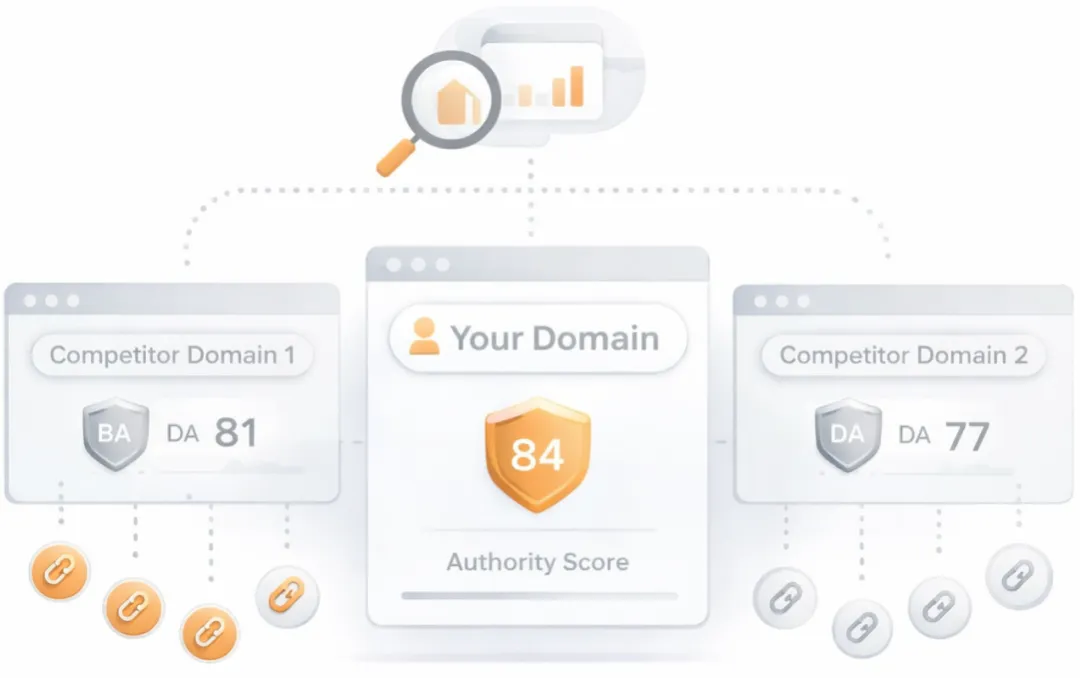
Competitor Domains

Understand your competitors' SEO and backlink profile

Get related competitors and their domain authority score in relation to your domain.

Identifies up to ten domains that compete for similar organic search results, ranked by overall domain authority based on the volume and quality of their backlink profiles. Useful for benchmarking the competitive landscape and prioritizing which sites to study for content and link-building strategy.
Robots.txt Test
Your site lacks a "robots.txt" file. This file can protect private content from appearing online, save bandwidth, and lower load on your server. A missing "robots.txt" file also generates additional errors in your apache log whenever robots request one. Read more about the robots.txt file, and how to create one for your site.

Robots.txt Test

How to pass this test?

In order to pass this test you must create and properly install a robots.txt file.

For this, you can use any program that produces a text file or you can use an online tool (Google Webmaster Tools has this feature).

Remember to use all lower case for the filename: robots.txt, not ROBOTS.TXT.

A simple robots.txt file looks like this:

User-agent: *
Disallow: /cgi-bin/
Disallow: /images/
Disallow: /pages/thankyou.html

This would block all search engine robots from visiting "cgi-bin" and "images" directories and the page "http://www.yoursite.com/pages/thankyou.html"

TIPS:

  • You need a separate Disallow line for every URL prefix you want to exclude
  • You may not have blank lines in a record because they are used to delimit multiple records
  • Notice that before the Disallow command, you have the command: User-agent: *. The User-agent: part specifies which robot you want to block. Major known crawlers are: Googlebot (Google), Googlebot-Image (Google Image Search), Baiduspider (Baidu), Bingbot (Bing)
  • One important thing to know if you are creating your own robots.txt file is that although the wildcard (*) is used in the User-agent line (meaning "any robot"), it is not allowed in the Disallow line.
  • Regular expressions are not supported in either the User-agent or Disallow lines

Once you have your robots.txt file, you can upload it in the top-level directory of your web server. After that, make sure you set the permissions on the file so that visitors (like search engines) can read it.

Check if your website is using a robots.txt file. When search engine robots crawl a website, they typically first access a site's robots.txt file. Robots.txt tells Googlebot and other crawlers what is and is not allowed to be crawled on your site.
Sitemap Test
Your site lacks a sitemap file. Sitemaps can help robots index your content more thoroughly and quickly. Read more on Google's guidelines for implementing the sitemap protocol.

Sitemap Test

How to pass this test?

In order to pass this test you must create a sitemap.xml file for your website. Some of the best practices are listed below:

  • It is strongly recommended that you place your sitemap at the root directory of your website: http://yourwebsite.com/sitemap.xml But in some situations, you may want to produce different sitemaps for different paths on your site (e.g., security permission issues)
  • Sitemaps should be no larger than 10MB (10,485,760 bytes) and can contain a maximum of 50,000 URLs. This means that if your site contains more than 50,000 URLs or your sitemap is bigger than 10MB, you must create multiple sitemap files and use a Sitemap index file
  • All URLs listed in the sitemap must reside on the same host as the sitemap. For instance, if the sitemap is located at http://www.yourwebsite.com/sitemap.xml, it can't include URLs from http://subdomain.yourwebsite.com
  • Once you have created your sitemap, let search engines know about it by submitting directly to them, pinging them, or adding the sitemap location to your robots.txt file
  • Sitemaps can be compressed using gzip, reducing bandwidth consumption

sitemap.xml example:

<?xml version="1.0" encoding="UTF-8"?>
<urlset xmlns="http://www.sitemaps.org/schemas/sitemap/0.9">
<url>
 <loc>http://www.yourwebsite.com</loc>
 <lastmod>2013-01-01</lastmod>
 <changefreq>weekly</changefreq>
 <priority>0.9</priority>
</url>
<url>
 <loc>http://www.yourwebsite.com/articles/100</loc>
 <changefreq>weekly</changefreq>
</url>
<url>
 <loc>http://www.yourwebsite.com/articles/101</loc>
 <lastmod>2013-01-02</lastmod>
 <changefreq>weekly</changefreq>
</url>
<url>
 <loc>http://www.yourwebsite.com/articles/102</loc>
 <lastmod>2013-01-02T13:00:12+00:00</lastmod>
 <priority>0.5</priority>
</url>
</urlset>
Check if the website has a sitemap. A sitemap is important as it lists all the web pages of the site and let search engine crawlers to crawl the website more intelligently. A sitemap also provides valuable metadata for each webpage.
Image Alt Test
Your webpage has 6 'img' tags and 1 of them are missing the required 'alt' attribute.

Image Alt Test

How to pass this test?

In order to pass this test you must add an alt attribute to every <img> tag used into your webpage.

An image with an alternate text specified is inserted using the following HTML line:

<img src="image.png" alt="text_to_describe_your_image">

Remember that the point of alt text is to provide the same functional information that a visual user would see. Search engines, users who disabled images in their browsers and other agents who are unable to see the images on your webpage can read the alt attributes assigned to the image since they cannot view it.

Learn more about optimizing images for SEO.

Check if images on your webpage are using alt attributes. If an image cannot be displayed (e.g., due to broken image source, slow internet connection, etc), the alt attribute provides alternative information. Using relevant keywords and text in the alt attribute can help both users and search engines better interpret the subject of an image.
Deprecated HTML Tags Test
Congratulations! Your page does not use HTML deprecated tags.
Check if your webpage is using old, deprecated HTML tags. These tags will eventually lose browser support and your web pages may render incorrectly as browsers drop support for these tags.
Google Analytics Test
Congratulations! Your website is using the asynchronous version of Google Analytics tracking code.
Check if your website is connected with Google Analytics. Google Analytics is a popular, free website analysis tool that helps provide insights about your site's traffic and demographics.
Favicon Test
favicon
Congratulations! Your website appears to have a favicon.
Check if your site is using and correctly implementing a favicon. Favicons are small icons that appear in your browser's URL navigation bar. They are also saved next to your URL's title when your page is bookmarked. This helps brand your site and make it easy for users to navigate to your site among a list of bookmarks.
JS Error Test
We found 2 JavaScript Errors in your web page!

JS Error Test

How to pass this test?

If your site has JavaScript errors it might not work properly, which can lead to improper or incomplete loading of content. It's hard to advise how to fix JavaScript errors since there are many different types, but here are some tips:

- First of all, you have to locate the source of errors;

- If you are using JS plugins or other third party code, you must carefully read the documentation;

- Syntax errors (a typo or missing character) are easy to fix;

Check your page for JavaScript errors. These errors may prevent users from properly viewing your pages and impact their user experience. Sites with poor user experience tend to rank worse in search engine results.
LLM Visibility Checker

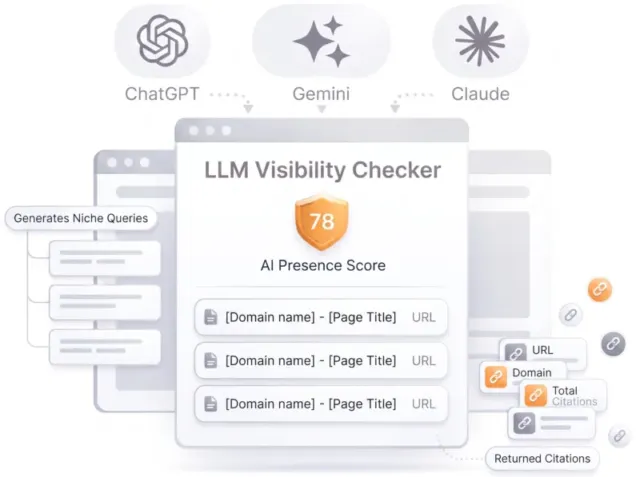
LLM Visibility Checker

Track your brand across ChatGPT, Gemini and Claude

Get an AI Presence Score, see which of your pages get cited, and follow how you compare with competitors over time.

Speed optimizations

Score:8
Failed:4
Warnings:1
Passed:0
HTML Page Size Test
Your HTML size is 113.49 Kb and is over the average web page HTML size of 33 Kb.
This can lead to slower than average load times, lost visitors, and decreased revenue. Good steps to reduce HTML size include: using of HTML compression, CSS layouts, external style sheets, and moving javascript to external files.

HTML Page Size Test

How to pass this test?

In order to resolve this problem you are advised to:

  • use gzip compression
  • move all CSS style rules into a single, external and minified CSS file
  • minify all JS files and, if possible, try combining them into a single external JS file
  • use CSS layouts
Check your page's HTML size. HTML size is the size of all the HTML code on your web page - this size does not include images, external javascripts or external CSS files.
HTML Compression/GZIP Test
Your page do not use any HTML compression!
You should compress your HTML to reduce your page size and page loading times - this will help your site retain visitors and increase page views. If you were using compression, you could be compressing your HTML size by 80 % - from 113.49 Kb to 22.82 Kb which would further reduce your page loading time.
HTML Compression/GZIP Test

How to pass this test?

Your two options for file compression are Deflate and GZIP.

  • Deflate is an option which comes automatically with the Apache server and which is simple to set up.
  • GZIP on the other hand needs to be installed and requires a bit more work to install. However, GZIP does achieve a higher compression rate and therefore might be a better choice if your website uses pages which have a lot of images or large file sizes.

Setting up file compression for your website will depend on which type of server you're using for your website. Most likely, you'll be using Apache, which means you can enable compression by adding a few deflate codes to your .htaccess file.

# compress text, html, javascript, css, xml:
AddOutputFilterByType DEFLATE text/plain
AddOutputFilterByType DEFLATE text/html
AddOutputFilterByType DEFLATE text/xml
AddOutputFilterByType DEFLATE text/css
AddOutputFilterByType DEFLATE application/xml
AddOutputFilterByType DEFLATE application/xhtml+xml
AddOutputFilterByType DEFLATE application/rss+xml
AddOutputFilterByType DEFLATE application/javascript
AddOutputFilterByType DEFLATE application/x-javascript

For more advanced information regarding deflate you can check this Apache documentation.

Check if your website is using HTML compression. HTML compression plays an important role in improving website speed by finding similar strings within a text file and replacing them temporarily to reduce overall file size.
Site Loading Speed Test
Your site loading time is around 16.091 seconds and is over the average loading speed which is 5 seconds.
Related Keywords

Accurate historical loading speed monitor and reports

Get detailed and accurate loading speed reports for your websites and see how your pages are being loaded over time.

Check your website's loading speed. Page speed is an important factors in search engine rankings and overall site success. Pages that take longer than 5 seconds to load can lose up to 50% of users. Faster webpages result in higher traffic, better conversions and increased sales over slower loading pages.
Page Objects Test
Your page has more than 20 http requests, which can slow down page loading. You can try reducing http requests through various methods such as using text instead of images, using css sprites, using data URIs instead of images, or combining several external files together into one.
Total Objects: 69
  • 12 HTML Pages
  • 4 CSS Files
  • 29 JS Files
  • 23 Images
  • 1 Flash Files
Check if all the objects requested by this webpage can be retrieved. If they are not retrievable, your page may display incorrectly, leading to a bad user experience and lower search engine rankings.
Image Caching Test
Your site is not using expires headers for all of your images. An expires tag can help speed up the serving of your webpages for users that regularly visit your site and see the same images. Learn more about how to add expires headers to your images.

Image Caching Test

How to pass this test?

In order to reduce the number of HTTP requests, you can use the HTTP Expires header to set an expiration time for your images or any other content type. You can add the following lines into your .htaccess file:
<IfModule mod_expires.c>
    ExpiresActive on
 
    ExpiresByType image/jpg "access plus 1 month"
    ExpiresByType image/jpeg "access plus 1 month"
    ExpiresByType image/gif "access plus 1 month"
    ExpiresByType image/png "access plus 1 month"
</IfModule>
Checks if your page is using an image expires tag, which specifies a future expiration date for your images. Users browsers will see this tag and cache the image in their browser until the specified date (so that it does not keep re-fetching the unchanged image from your server). This speeds up your site the next time returning visitors arrive at your site and require the same image.
AI Content Analysis

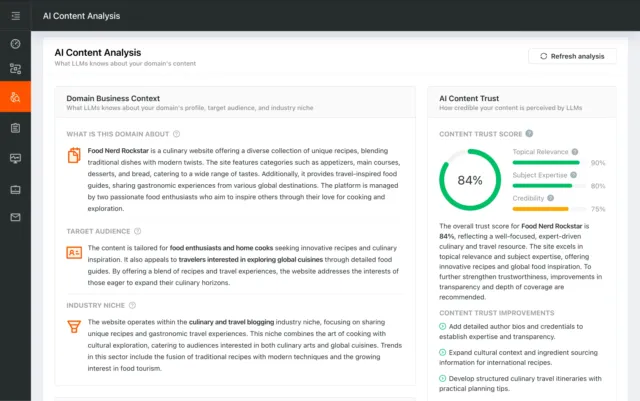
AI Content Analysis

Optimize your content for search and LLMs

AI Content Analysis scores your pages on clarity, depth, and machine readability, so you optimize for both human readers and LLMs.

Server and security

Score:NaN
Failed:2
Warnings:0
Passed:1
URL Canonicalization Test
http://sanguo.goodtechllc.com/hero/3 and http://www.sanguo.goodtechllc.com/hero/3 should resolve to the same URL, but currently do not.

URL Canonicalization Test

How to pass this test?

In order to pass this test you must consider using a 301 re-write rule in your .htaccess file so that both addresses (http://example.com and http://www.example.com) resolve to the same URL.

- If you want to redirect http://www.example.com to http://example.com, you can use this:

RewriteCond %{HTTP_HOST} ^www\.example\.com$
RewriteRule ^/?$ "http\:\/\/example\.com\/" [R=301,L]

- If you want to redirect http://example.com to http://www.example.com, you can use this:

RewriteCond %{HTTP_HOST} !^www.example.com$ [NC]
RewriteRule ^(.*)$ http://www.example.com/$1 [L,R=301]

Note that you must put the above lines somewhere after RewriteEngine On line.

Test your site for potential URL canonicalization issues. Canonicalization describes how a site can use slightly different URLs for the same page (e.g., if http://www.example.com and http://example.com displays the same page but do not resolve to the same URL). If this happens, search engines may be unsure about which URL is the correct one to index. Learn more about canonicalization issues.
HTTPS Test
Check if your website is using HTTPS, a secure protocol for sending/receiving data over the Internet. Using HTTPS indicates that an additional encryption/authentication layer was added between client and server. HTTPS should be used by any site that collects sensitive customer data such as credit card information. Even for sites that do not collect such data, switching to https helps users by improving privacy and overall security. Google is increasingly using https as a positive ranking factor.
Plaintext Emails Test
Congratulations! Your webpage does not include email addresses in plaintext.
Check your webpage for plaintext email addresses. Any e-mail address posted in public is likely to be automatically collected by computer software used by bulk emailers (a process known as e-mail address harvesting). A spam harvester can read through the pages in your site and extract plaintext email addresses which are then added to bulk marketing databases (resulting in more inbox spam). There are several methods for email obfuscation.
Visual SEO Analysis

Visual SEO Analysis

Find out if your page design converts the visitors you earn

We score six things that decide whether a visitor stays and acts, from the first screen to the path to action, and rank every fix by effort and impact.

Mobile usability

Score:100
Failed:0
Warnings:0
Passed:2
Media Query Responsive Test
Congratulations, your website uses media query technique, which is the base for responsive design functionalities.
Check if your page implements responsive design functionalities using the media query technique. The '@media' rule allows different style rules for screen sizes. Media query techniques allow different presentation and content to be served depending on the output device, helping ensure that your website renders optimally on all devices and platforms.
Mobile Snapshot Test
Mobile view
Check how your website renders on a mobile device.

Advanced SEO

Score:75
Failed:1
Warnings:0
Passed:4
Structured Data Test
Your webpage doesn't take the advantages of HTML Microdata specifications in order to markup structured data. View Google's guide for getting started with microdata.

Structured Data Test

How to pass this test?

HTML5 Microdata is an easy way to add semantic markup to your web pages. Search engines rely on this markup to improve the display of search results, making it easier for people to find the right web pages.

Here is a simple example of how to use HTML5 microdata in your contact web page:

<div itemscope itemtype="http://schema.org/Person">
   <span itemprop="name">Joe Doe</span>
   <span itemprop="company">The Example Company</span>
   <span itemprop="tel">604-555-1234</span>
   <a itemprop="email" href="mailto:joe.doe@example.com">joe.doe@example.com</a>
</div>
Check if your website uses HTML Microdata specifications (or structured data markup). Search engines use microdata to better understand the content of your site and create rich snippets in search results (which helps increase click-through rate to your site).
Noindex Tag Test
Your webpage does not use the noindex meta tag. This means that your webpage will be read and indexed by search engines.
Check if your webpage is using the robots meta tag or the X-Robots-Tag HTTP header to instruct search engines not to show your site in search results pages.
Canonical Tag Test
Your page does not use the canonical link tag.
Check if your webpage is using the canonical link tag. The canonical link tag is used to nominate a primary page when you have several pages with duplicate or very similar content.
Nofollow Tag Test
Your webpage is using the nofollow meta tag. You are advised to use this tag carefully since search engines will not crawl all links from your webpage.
Check if your webpage is using the robots meta tag or the X-Robots-Tag HTTP header to instruct search engines not to follow the links on your page. Outgoing links marked with this tag will tell search engines not to follow or crawl that particular link. Google recommends that nofollow tags are used for paid advertisements on your site and links to pages that have not been vetted as trusted sites (e.g., links posted by users of your site).
Disallow Directive Test
Your site lacks a "robots.txt" file. This file can protect private content from appearing online, save bandwidth, and lower load on your server. A missing "robots.txt" file also generates additional errors in your apache log whenever robots request one.
Check if your robots.txt file is instructing search engine crawlers to avoid parts of your website. The disallow directive is used in robots.txt to tell search engines not to crawl and index a file, page, or directory.

Dominate search today on Google and AI Engines.

Join 85,000+ SaaS Marketers, Growth Agencies, Content-Led Companies and E-commerce Brands.

See Pricing
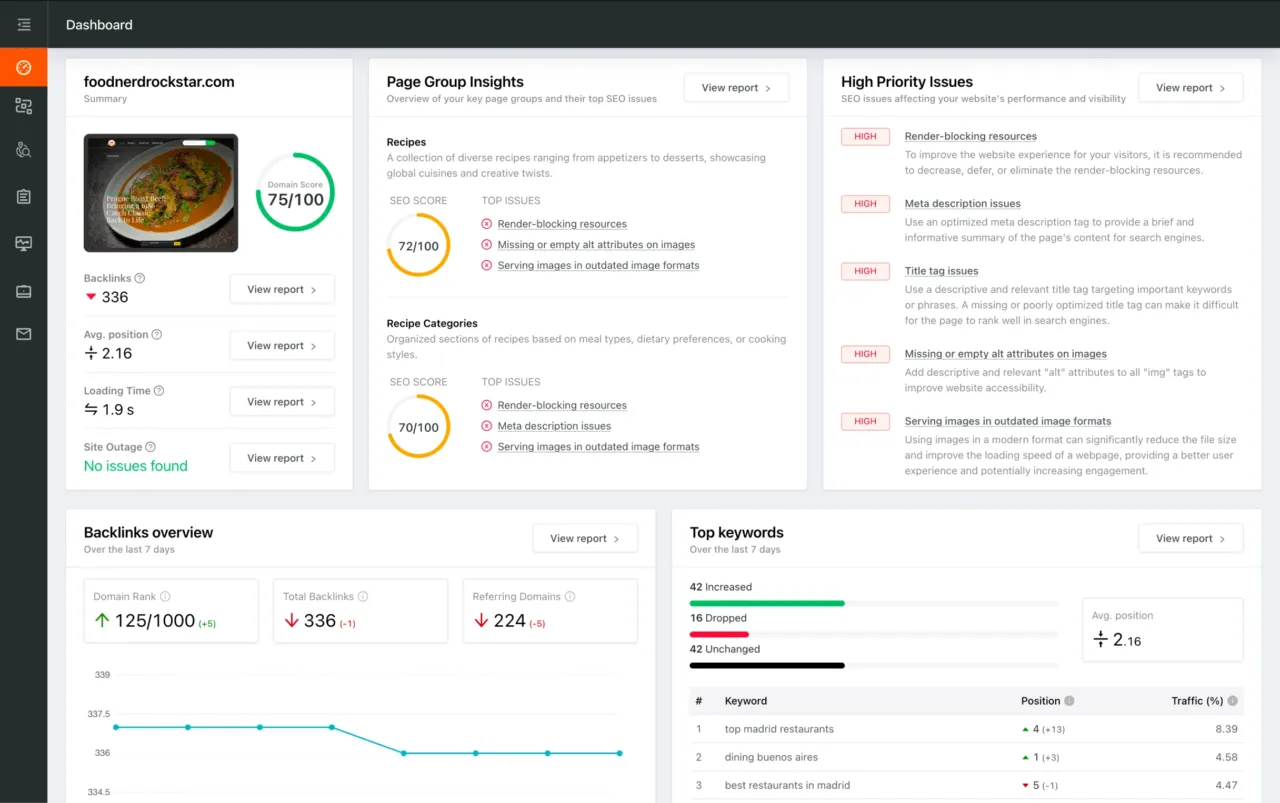
Dashboard preview showing SEO site checkup metrics, page group insights, and issue prioritization