Archived

SEO Report for https://marketing.ares.com.tw/dm/newsletter-2017-05-argoerp/focus

Your general SEO Checkup Score


SEO ScoreNaN/100
Average SEO score of top 100 sites: 75%This value indicates the average SEO score of the top 100 most visited websites in the US (in the past 12 months)

Your site scored NaN/100, just above the 75 average for top sites. We found 7 issues to fix, and they're what's holding you back from the top spots.

7 Failed
1 Warnings
18 Passed

Want to fix these issues and track your progress?

Common SEO issues
Score:71
Failed:2
Warnings:0
Passed:7
Google Search Results Preview Test
Desktop version
https://marketing.ares.com.tw/dm/newsletter-2017-05-argoerp/focus【本月焦點】台灣電子發票使用率近八成 你還在末班車嗎? - ARES 資通電腦電子報「請問發票需要列印嗎?」「請問您的發票要存在手機嗎?」常到超商、超市或量販店購物的民眾,應該都對這句話耳熟能詳。近年節能減碳議題夯,財政部也積極推廣使用無實體電子發票(e-Invoice)下載…
Mobile version
https://marketing.ares.com.tw/dm/newsletter-2017-05-argoerp/focus【本月焦點】台灣電子發票使用率近八成 你還在末班車嗎? - ARES 資通電腦電子報「請問發票需要列印嗎?」「請問您的發票要存在手機嗎?」常到超商、超市或量販店購物的民眾,應該都對這句話耳熟能詳。近年節能減碳議題夯,財政部也積極推廣使用無實體電子發票(e-Invoice)下載…
Check how your page might appear in Google search results. Google search results typically uses your webpage title, url and meta-description in order to display relevant summarized information about your site. If these elements are too long, Google will truncate their content. Webpage title up to 70 characters in length, and webpage descriptions up to 160 characters in length are recommended in order to optimize readability.
Keywords Cloud Test
ares
argoerp
argoerp(argo
copyright
corp
enterprise
international
planning;erp)的電子發票系統更是時下趨勢,讓企業的進/銷貨、金流等完整勾稽,營運控管智慧化。而財政部
planning;企業資源規劃系統)搭配電子發票作業,讓
reserved
resource
rights
solution。加上即時狀態連線,整合條碼、進銷存、財務、門市
tel:
yyyy.mm
★詳細產品資訊請洽
「成本」向來是傳統紙本發票
「請問發票需要列印嗎?」「請問您的發票要存在手機嗎?」常到超商、超市或量販店購物的民眾,應該都對這句話耳熟能詳。近年節能減碳議題夯,財政部也積極推廣無實體電子發票(einvoice)下載,資通電腦為協助企業因應政府法規,推出
企業
企業資源規劃系統嗎?
你還在末班車嗎?
便利商店、超市通路及公用事業紛紛加入開立電子發票的行列,台灣電子發票的使用率近八成。財政部財政資訊中心更規劃再造電子發票作業平台,強化各項軟硬體設備,盼能結合信用卡、提供更即時的個人化服務,同時與其他營業人電子發票資料傳輸交換,打造全面無紙化電子發票時代。
化、argoerp、erp、e
化、einvoice
化。
化」。
化」;下載媒體申報檔執行報稅流程,達到「報稅
化」;電子化接收資料後直接匯入進銷存系統,即完成「進項
化打造的智慧服務平台,在製造業方面,目前已有璟德電子(上櫃)、華擎機械、旺矽科技(上櫃)、騰亮國際(東莞台育鞋業)、炎洲集團、新盛力科技(興櫃)等多家企業的成功導入經驗;商業與服務業方面,同樣獲得饗食天堂、orbis
化核心的
化的
化的最後一哩。argoerp
化的核心源自於
化示意圖
化綜效
參考資料:財政部財政資訊中心(),〈食品業導入電子發票輔導策略〉計畫,《加值中心集資服業者聯繫會》,報告人:鄭竹杉經理。
又罷工啦
及電子發票等,除了串聯企業生產履歷外,同時也為企業流程電子化加速,避免錯誤及重工,更能即時提供各項資訊,作為高階主管營運決策的分析參考依據。加上資通電腦經驗豐富的
台灣奧蜜思及加美光學等企業肯定。是真正提供企業供應鏈管理和生產
台灣電子發票使用率近八成
各期期刊
善用電子發票系統
專欄
年修訂的《統一發票使用辦法》也明訂,自明()年
想發揮企業流程電子化的綜效?在評估企業內部電子發票系統能否與財政部的電子發票服務平台介接時,也得確認選用的系統能否與
想瞭解更多關於資通
意見信箱
或服務窗口
技術交流
搶先
日起,停止核准營業人以電子計算機開立統一發票,企業導入及使用電子發票已是箭在弦上。
是資通電腦為協助企業
曾音綺
最為人詬病的缺點,而電子發票正是降低企業成本的解決方案之一。簡單來說,電子發票就是以網路或其他電子方式開立、傳接或接收之統一發票,當完成商業交易後,賣方就可直接從財政部「電子發票整合服務平台」開立發票、揭示發票號碼等相關資訊,不需再開立傳統的紙本發票,買方也可直接在平台上接收發票。除達到無紙化,也達到資料數位化、儲存雲端化等效益,進而帶動企業流程電子化。
有效降低企業營運成本
本月焦點
歐元,使用電子發票後最多可節省
汪小姐
注:傳統發票的成本包括製造發票的成本(如「印刷」、「分聯裝封」等紙張成本,以及「進項發票人工輸入」、「查核比對」等人工處理成本)、紙張資源的耗用、發票保存的倉儲成本,加上人工執行疏失的隱形成本等。
漫畫資通
產品特寫
目前台灣使用率逼近八成的電子發票,已在美國歐盟等國家行之有年。據歐盟統計,歐洲國家處理發票的成本每張約
系統
系統可串接企業的生產、製造、進貨、銷貨與稅務等資訊,讓企業營運管理者輕易掌握組織的金流與物流。
系統完全整合。舉例來說,在系統上登打出貨單時,就同步完成發票資料與會計系統,達到「銷項
系統導入團隊,可為企業詳實地檢視各項生產環節,免除
系統扣連,可節省重複輸入的事務工作,避免人為疏失,更提升了組織整體經營效能及降低營運成本,健全財務、業務與會計等內稽內控制度,強化企業資訊揭露的企業社會責任。
系統的建置完善與否,而電子發票與
系統結合更是成功
線上免費諮詢
聯絡我們
能與財政部電子發票平台順利介接,有效提升企業內部流程效率!
與電子發票等外部系統交換資料時的資安疑慮,讓組織團隊達到真正企業
訂閱/取消
財會同步作業發揮
資料來源:財政部財政資訊中心,加值中心及資服業者聯繫會之會議簡報,圖片重製:資通電腦
資訊補給站
資通電子報
資通首頁
迅速、精確、安全、可靠的電子發票藉由網路傳輸完成交易雙方的交易紀錄,與企業
達人
關於我們
關鍵字:電子發票、無紙化、企業
電子發票加速企業流程
電子發票搭配
,顯見企業使用電子發票除落實節能減碳,更能降低成本,而使用可串接企業內部企業資源規劃系統(enterprise
The Keyword Cloud is a visual representation of keywords used on your website. This will show you which words are frequently used in the content of your webpage. Keywords having higher density are presented in larger fonts and displayed in alphabetic order.
Competitor Domains Test
Competitor Domains

Understand your competitors' SEO and backlink profile

Get related competitors and their domain authority score in relation to your domain.

Identifies up to ten domains that compete for similar organic search results, ranked by overall domain authority based on the volume and quality of their backlink profiles. Useful for benchmarking the competitive landscape and prioritizing which sites to study for content and link-building strategy.
Robots.txt Test
Your site lacks a "robots.txt" file. This file can protect private content from appearing online, save bandwidth, and lower load time on your server. A missing "robots.txt" file also generates additional errors in your apache log whenever robots request one. Read more about the robots.txt file, and how to create one for your site.

Robots.txt Test

How to pass this test?

In order to pass this test you must create and properly install a robots.txt file.

For this, you can use any program that produces a text file or you can use an online tool (Google Webmaster Tools has this feature).

Remember to use all lower case for the filename: robots.txt, not ROBOTS.TXT.

A simple robots.txt file looks like this:

User-agent: *
Disallow: /cgi-bin/
Disallow: /images/
Disallow: /pages/thankyou.html

This would block all search engine robots from visiting "cgi-bin" and "images" directories and the page "http://www.yoursite.com/pages/thankyou.html"

TIPS:

  • You need a separate Disallow line for every URL prefix you want to exclude
  • You may not have blank lines in a record because they are used to delimit multiple records
  • Notice that before the Disallow command, you have the command: User-agent: *. The User-agent: part specifies which robot you want to block. Major known crawlers are: Googlebot (Google), Googlebot-Image (Google Image Search), Baiduspider (Baidu), Bingbot (Bing)
  • One important thing to know if you are creating your own robots.txt file is that although the wildcard (*) is used in the User-agent line (meaning "any robot"), it is not allowed in the Disallow line.
  • Regular expressions are not supported in either the User-agent or Disallow lines

Once you have your robots.txt file, you can upload it in the top-level directory of your web server. After that, make sure you set the permissions on the file so that visitors (like search engines) can read it.

Check if your website is using a robots.txt file. When search engine robots crawl a website, they typically first access a site's robots.txt file. Robots.txt tells Googlebot and other crawlers what is and is not allowed to be crawled on your site.
Sitemap Test
Your site lacks a sitemap file. Sitemaps can help robots index your content more thoroughly and quickly. Read more on Google's guidelines for implementing the sitemap protocol.

Sitemap Test

How to pass this test?

In order to pass this test you must create a sitemap.xml file for your website. Some of the best practices are listed below:

  • It is strongly recommended that you place your sitemap at the root directory of your website: http://yourwebsite.com/sitemap.xml But in some situations, you may want to produce different sitemaps for different paths on your site (e.g., security permission issues)
  • Sitemaps should be no larger than 10MB (10,485,760 bytes) and can contain a maximum of 50,000 URLs. This means that if your site contains more than 50,000 URLs or your sitemap is bigger than 10MB, you must create multiple sitemap files and use a Sitemap index file
  • All URLs listed in the sitemap must reside on the same host as the sitemap. For instance, if the sitemap is located at http://www.yourwebsite.com/sitemap.xml, it can't include URLs from http://subdomain.yourwebsite.com
  • Once you have created your sitemap, let search engines know about it by submitting directly to them, pinging them, or adding the sitemap location to your robots.txt file
  • Sitemaps can be compressed using gzip, reducing bandwidth consumption

sitemap.xml example:

<?xml version="1.0" encoding="UTF-8"?>
<urlset xmlns="http://www.sitemaps.org/schemas/sitemap/0.9">
<url>
 <loc>http://www.yourwebsite.com</loc>
 <lastmod>2013-01-01</lastmod>
 <changefreq>weekly</changefreq>
 <priority>0.9</priority>
</url>
<url>
 <loc>http://www.yourwebsite.com/articles/100</loc>
 <changefreq>weekly</changefreq>
</url>
<url>
 <loc>http://www.yourwebsite.com/articles/101</loc>
 <lastmod>2013-01-02</lastmod>
 <changefreq>weekly</changefreq>
</url>
<url>
 <loc>http://www.yourwebsite.com/articles/102</loc>
 <lastmod>2013-01-02T13:00:12+00:00</lastmod>
 <priority>0.5</priority>
</url>
</urlset>
Check if the website has a sitemap. A sitemap is important as it lists all the web pages of the site and let search engine crawlers to crawl the website more intelligently. A sitemap also provides valuable metadata for each webpage.
Image Alt Test
Your webpage has 3 'img' tags and all of them contain the required 'alt' attribute.
Check if images on your webpage are using alt attributes. If an image cannot be displayed (e.g., due to broken image source, slow internet connection, etc), the alt attribute provides alternative information. Using relevant keywords and text in the alt attribute can help both users and search engines better interpret the subject of an image.
Deprecated HTML Tags Test
Congratulations! Your page does not use HTML deprecated tags.
Check if your webpage is using old, deprecated HTML tags. These tags will eventually lose browser support and your web pages may render incorrectly as browsers drop support for these tags.
Google Analytics Test
Congratulations! Your website is using the latest version of Google Analytics.
Check if your website is connected with Google Analytics. Google Analytics is a popular, free website analysis tool that helps provide insights about your site's traffic and demographics.
Favicon Test
favicon
Congratulations! Your website appears to have a favicon.
Check if your site is using and correctly implementing a favicon. Favicons are small icons that appear in your browser's URL navigation bar. They are also saved next to your URL's title when your page is bookmarked. This helps brand your site and make it easy for users to navigate to your site among a list of bookmarks.
JS Error Test
Congratulations! There are no severe JavaScript errors on your web page.
Check your page for JavaScript errors. These errors may prevent users from properly viewing your pages and impact their user experience. Sites with poor user experience tend to rank worse in search engine results.
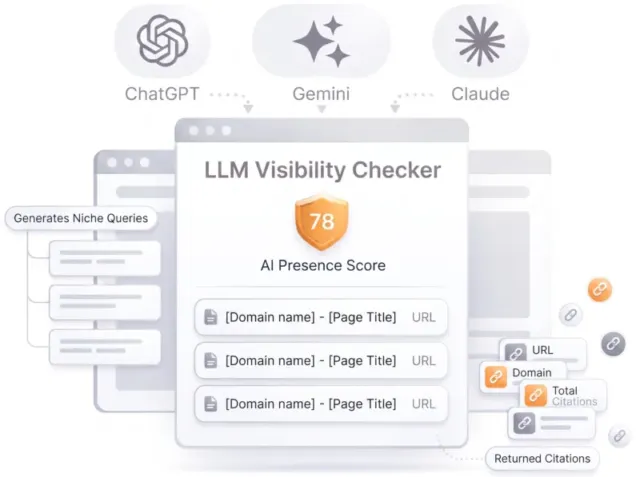
LLM Visibility Checker

LLM Visibility Checker

Track your brand across ChatGPT, Gemini and Claude

Get an AI Presence Score, see which of your pages get cited, and follow how you compare with competitors over time.

Speed optimizations

Score:92
Failed:1
Warnings:1
Passed:4
HTML Page Size Test
Check your page's HTML size. HTML size is the size of all the HTML code on your web page - this size does not include images, external javascripts or external CSS files.
HTML Compression/GZIP Test
Congratulations! Your page is successfully compressed using gzip compression on your code.
Your HTML is compressed from 29.26 Kb to 11.19 Kb (62 % size savings). This helps ensure a faster loading web page and improved user experience.
Check if your website is using HTML compression. HTML compression plays an important role in improving website speed by finding similar strings within a text file and replacing them temporarily to reduce overall file size.
Site Loading Speed Test
Your site loading time is around 2.713 seconds and this is under the average loading speed which is 5 seconds.
Related Keywords

Accurate historical loading speed monitor and reports

Get detailed and accurate loading speed reports for your websites and see how your pages are being loaded over time.

Check your website's loading speed. Page speed is an important factors in search engine rankings and overall site success. Pages that take longer than 5 seconds to load can lose up to 50% of users. Faster webpages result in higher traffic, better conversions and increased sales over slower loading pages.
Page Objects Test
Your page has more than 20 http requests, which can slow down page loading. You can try reducing http requests through various methods such as using text instead of images, using css sprites, using data URIs instead of images, or combining several external files together into one.
Total Objects: 55
  • 6 HTML Pages
  • 6 CSS Files
  • 24 JS Files
  • 19 Images
  • 0 Flash Files
Check if all the objects requested by this webpage can be retrieved. If they are not retrievable, your page may display incorrectly, leading to a bad user experience and lower search engine rankings.
Image Caching Test
Your site is not using expires headers for all of your images. An expires tag can help speed up the serving of your webpages for users that regularly visit your site and see the same images. Learn more about how to add expires headers to your images.

Image Caching Test

How to pass this test?

In order to reduce the number of HTTP requests, you can use the HTTP Expires header to set an expiration time for your images or any other content type. You can add the following lines into your .htaccess file:
<IfModule mod_expires.c>
    ExpiresActive on
 
    ExpiresByType image/jpg "access plus 1 month"
    ExpiresByType image/jpeg "access plus 1 month"
    ExpiresByType image/gif "access plus 1 month"
    ExpiresByType image/png "access plus 1 month"
</IfModule>
Checks if your page is using an image expires tag, which specifies a future expiration date for your images. Users browsers will see this tag and cache the image in their browser until the specified date (so that it does not keep re-fetching the unchanged image from your server). This speeds up your site the next time returning visitors arrive at your site and require the same image.
URL Redirects Test
Congratulations! Your URL doesn't have any redirects (which could potentially cause site indexation issues and site loading delays).
Check how many redirects your URL will perform to resolve to the final destination URL. Redirects often cause search engine indexing issues and can also lead to some minor loading delays. Google recommends removing or keeping redirects to a minimum.
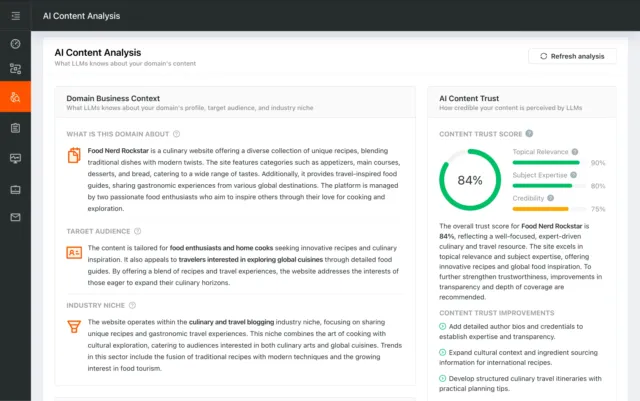
AI Content Analysis

AI Content Analysis

Optimize your content for search and LLMs

AI Content Analysis scores your pages on clarity, depth, and machine readability, so you optimize for both human readers and LLMs.

Server and security

Score:NaN
Failed:3
Warnings:0
Passed:0
URL Canonicalization Test

URL Canonicalization Test

How to pass this test?

In order to pass this test you must consider using a 301 re-write rule in your .htaccess file so that both addresses (http://example.com and http://www.example.com) resolve to the same URL.

- If you want to redirect http://www.example.com to http://example.com, you can use this:

RewriteCond %{HTTP_HOST} ^www\.example\.com$
RewriteRule ^/?$ "http\:\/\/example\.com\/" [R=301,L]

- If you want to redirect http://example.com to http://www.example.com, you can use this:

RewriteCond %{HTTP_HOST} !^www.example.com$ [NC]
RewriteRule ^(.*)$ http://www.example.com/$1 [L,R=301]

Note that you must put the above lines somewhere after RewriteEngine On line.

Test your site for potential URL canonicalization issues. Canonicalization describes how a site can use slightly different URLs for the same page (e.g., if http://www.example.com and http://example.com displays the same page but do not resolve to the same URL). If this happens, search engines may be unsure about which URL is the correct one to index. Learn more about canonicalization issues.
HTTPS Test
Check if your website is using HTTPS, a secure protocol for sending/receiving data over the Internet. Using HTTPS indicates that an additional encryption/authentication layer was added between client and server. HTTPS should be used by any site that collects sensitive customer data such as credit card information. Even for sites that do not collect such data, switching to https helps users by improving privacy and overall security. Google is increasingly using https as a positive ranking factor.
Plaintext Emails Test
We found 1 email addresses in your page code. We advise you to protect email links in a way that hides them from the spam harvesters.

Plaintext Emails Test

How to pass this test?

In order to pass this test you must make your email addresses invisible to email spiders. Note that the best option is to replace your entire contact mechanism with a contact form and using the POST method while submitting the form.

Other solutions are listed below:

  • replace the at (@) and dot (.) characters
  • replace text with images
  • use email obfuscators
  • hide email addresses using JavaScript or CSS trick
Check your webpage for plaintext email addresses. Any e-mail address posted in public is likely to be automatically collected by computer software used by bulk emailers (a process known as e-mail address harvesting). A spam harvester can read through the pages in your site and extract plaintext email addresses which are then added to bulk marketing databases (resulting in more inbox spam). There are several methods for email obfuscation.
Visual SEO Analysis

Visual SEO Analysis

Find out if your page design converts the visitors you earn

We score six things that decide whether a visitor stays and acts, from the first screen to the path to action, and rank every fix by effort and impact.

Mobile usability

Score:100
Failed:0
Warnings:0
Passed:2
Media Query Responsive Test
Congratulations, your website uses media query technique, which is the base for responsive design functionalities.
Check if your page implements responsive design functionalities using the media query technique. The '@media' rule allows different style rules for screen sizes. Media query techniques allow different presentation and content to be served depending on the output device, helping ensure that your website renders optimally on all devices and platforms.
Mobile Snapshot Test
Mobile view
Check how your website renders on a mobile device.

Advanced SEO

Score:80
Failed:1
Warnings:0
Passed:5
Structured Data Test
Congratulations! Your website is using HTML Microdata specifications in order to markup structured data.
Check if your website uses HTML Microdata specifications (or structured data markup). Search engines use microdata to better understand the content of your site and create rich snippets in search results (which helps increase click-through rate to your site).
Noindex Tag Test
Your webpage does not use the noindex meta tag. This means that your webpage will be read and indexed by search engines.
Check if your webpage is using the robots meta tag or the X-Robots-Tag HTTP header to instruct search engines not to show your site in search results pages.
Canonical Tag Test
Your page does not use the canonical link tag.
Check if your webpage is using the canonical link tag. The canonical link tag is used to nominate a primary page when you have several pages with duplicate or very similar content.
Nofollow Tag Test
Your webpage does not use the nofollow meta tag. This means that search engines will crawl all links from your webpage.
Check if your webpage is using the robots meta tag or the X-Robots-Tag HTTP header to instruct search engines not to follow the links on your page. Outgoing links marked with this tag will tell search engines not to follow or crawl that particular link. Google recommends that nofollow tags are used for paid advertisements on your site and links to pages that have not been vetted as trusted sites (e.g., links posted by users of your site).
Disallow Directive Test
Your site lacks a "robots.txt" file. This file can protect private content from appearing online, save bandwidth, and lower load on your server. A missing "robots.txt" file also generates additional errors in your apache log whenever robots request one.
Check if your robots.txt file is instructing search engine crawlers to avoid parts of your website. The disallow directive is used in robots.txt to tell search engines not to crawl and index a file, page, or directory.
SPF Records Test
Your DNS server is not using an SPF record. SPF (Sender Policy Framework) allows administrators to specify which hosts are allowed to send mail from a given domain by creating a specific SPF record or TXT record in the Domain Name System (DNS). You can find more information about SPF records here.

SPF Records Test

How to pass this test?

An SPF record is a type of Domain Name Service (DNS) record that allows email systems to check if the sender of a message comes from a legitimate source and refuse an email if the source is not legitimate. Adding an SPF record is as easy as adding CNAME, MX or A records in your DNS zone. You can find more information here.

Before creating the SPF record for your domain, it is important to have access at your domain's DNS zone and to know what mail servers your domain is likely to use and plan how you want any non-authorised email to be handled.

Example:

Let's say that you are planning to send emails using Google Apps and you also want to ensure that no other mail servers are authorised. You can use an SPF record like this:

v=spf1 include:_spf.google.com -all

"v=spf1" - This sets the SPF version

"include:_spf.google.com" - This includes Google mail servers in your list of authorized sending servers

"-all" - This means that any server not previously listed is not authorized

If you are using your own VPS to send email and not any other service like Mandrill, Google Apps, etc. then you can create an SPF record like this:

v=spf1 mx -all

Note:

Setting an SPF record for your domain can help in reducing the chances of a spammer using your domain name in unsolicited emails. Research carefully what mail servers your domain is likely to use and plan how you want any non-authorised email to be handled.

Check if your DNS records contains an SPF record. SPF (Sender Policy Framework) records allow email systems to verify if a given mail server has been authorized to send mail on behalf of your domain. Creating an SPF record increases email delivery rates by reducing the likelihood of your email being marked as spam.

Dominate search today on Google and AI Engines.

Join 85,000+ SaaS Marketers, Growth Agencies, Content-Led Companies and E-commerce Brands.

See Pricing
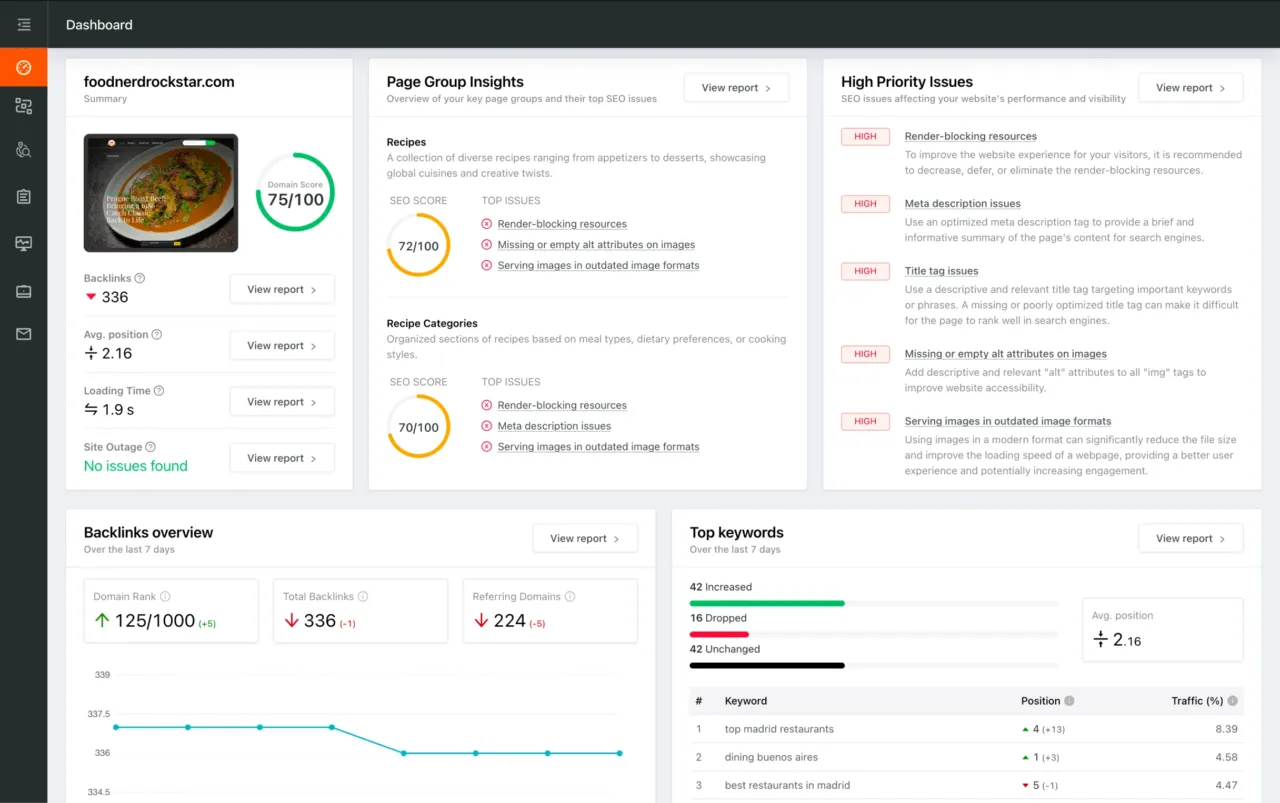
Dashboard preview showing SEO site checkup metrics, page group insights, and issue prioritization