Archived

SEO Report for https://innovativedigitalmarketing.in

Your general SEO Checkup Score


SEO Score63/100
Average SEO score of top 100 sites: 75%This value indicates the average SEO score of the top 100 most visited websites in the US (in the past 12 months)
AI Visibility69/100
AI visibility score reflects brand reach in AI

Your site scored 63/100, below the 75 average for top sites. We found 17 issues to fix, and clearing them is how you move up. And an AI Visibility Score of 69/100 means ChatGPT, Gemini and Perplexity mention your brand some of the time, with clear room to push further.

17 Failed
4 Warnings
42 Passed

Want to fix these issues and track your progress?

Issues to fix

HIGH
To provide a good user experience, Google recommends that sites should aim for a Largest Contentful Paint duration of 2.5 seconds or less.
Details
HIGH
To improve the website experience for your visitors, it is recommended to eliminate any render-blocking resources on this webpage.
Details
HIGH
Users may abandon pages that take longer than 5 seconds to load, resulting in a potential loss of up to 50% of visitors. Faster loading pages can lead to increased traffic, better conversions, and higher sales.
Details
HIGH
Using images in a modern format can significantly reduce the file size and improve the loading speed of a webpage, providing a better user experience and potentially increasing engagement.
Details
HIGH
JavaScript errors can impact user experience and may prevent users from viewing the page properly.
Details
MEDIUM
Minify all JavaScript files to reduce page size and loading time.
Details
MEDIUM
Minify all CSS files to ensure faster loading times, improved performance and better caching.
Details
MEDIUM
Serve properly sized images to reduce page loading times and to improve user's experience.
Details
MEDIUM
Avoid using distorted images, as they can have a negative impact on the user experience.
Details
MEDIUM
By creating a custom 404 error page with helpful links and information, users are more likely to stay on the site and continue to explore.
Details
MEDIUM
To provide a good user experience, Google recommends that sites should aim for a First Contentful Paint value of 1.8 seconds or less.
Details
MEDIUM
Consider using structured data in your webpage as it can help search engines gain a better understanding of your content.
Details
MEDIUM
HTTP/2 protocol offers several key improvements, including faster page load times, improved performance, better security and more efficient use of network resources.
Details
LOW
Resolving errors identified by the Chrome DevTools Console can improve user experience.
Details
LOW
Using more than 20 HTTP requests on a webpage can negatively impact the loading time.
Details
LOW
Strip out any unnecessary metadata to improve loading time, security, and privacy. Metadata should not exceed 16% of the image size.
Details

AI Insights

Score:0
Failed:0
Warnings:0
Passed:5
Domain Business Context
Understanding the business context of a domain can help you create content that is more relevant to your target audience and differentiate your website from competitors.

What is this domain about

Digital marketing agency website offering SEO, PPC, social media, web design, content marketing, and local business growth services.

Industry Niche

Local Digital Marketing Services

Target Audience

Small and medium businesses, local service providers, and professionals seeking online visibility and lead generation.

This test will check the business context of the domain associated with the analyzed webpage. The business context includes the domain's description, target audience and industry niche (if applicable). Understanding the business context of a domain can help you create content that is more relevant to your target audience and differentiate your website from competitors.
LLM Visibility Checker

Track your brand across ChatGPT, Gemini and Claude

Get an AI Presence Score, see which of your pages get cited, and follow how you compare with competitors over time.

How visible your brand is to AI engines
Content Strengths and Weaknesses

This webpage presents a clear service-led marketing offer with strong local positioning and multiple trust-building elements such as contact details, certifications, testimonials, and case studies. However, much of the content is repetitive and promotional, with limited depth, limited methodological detail, and some credibility signals that are not fully substantiated on-page.

Content Strengths

  • Clear Service Coverage
  • Strong Local Positioning
  • Multiple Social Proof Elements

Content Weaknesses

  • Repetitive Messaging
  • Limited Depth
  • Weak Evidence Support
This test will analyze the content of the webpage to identify its strengths and weaknesses. The analysis includes factors such as keyword usage, readability, originality, and relevance to the target audience. By understanding the strengths and weaknesses of your content, you can make informed decisions about how to improve it and better meet the needs of your audience.
Content Trust
67%
Topical Relevance95%
Subject Expertise72%
Credibility55%

This webpage shows moderate trustworthiness because it includes concrete contact details, a physical address, policy links, testimonials, case studies, and certification logos. Trust is weakened by the lack of visible source citations or methodology for performance claims, limited team transparency, and several repeated or unverified marketing assertions.
This test will evaluate the trustworthiness of the content on the webpage. It assesses factors such as the credibility of sources, accuracy of information, and overall reliability. A high level of content trust can enhance your website's reputation and improve its ranking in search engine results.
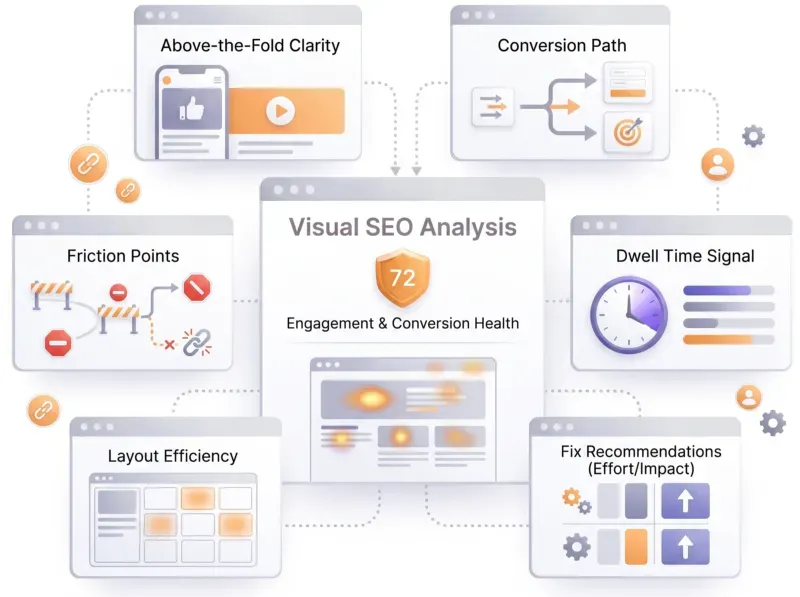
Visual SEO Analysis
Visual SEO Analysis

Find out if your page design converts the visitors you earn

We score six things that decide whether a visitor stays and acts, from the first screen to the path to action, and rank every fix by effort and impact.

How your page's design and UX affect conversions
Content Freshness
74%

The page appears reasonably current because it includes blog entries dated in 2025 and references current-sounding service positioning such as 2025 web development and ongoing local SEO offerings. There are no strong signs of severe staleness, though some footer-style claims and repeated promotional sections suggest a mostly evergreen landing page rather than frequently updated editorial content.

Positive Signals

  • Blog posts dated 2025
  • Current-year service references
  • Ongoing case study timelines

Staleness Signals

  • Static landing-page structure
  • Repeated evergreen promotional copy
This test will check the freshness of the content on the webpage. It evaluates how recently the content was created or updated, and whether it remains relevant to current trends and user interests. Fresh content can attract more visitors and improve your website's ranking in search engine results.
Content Opportunities

The website already covers core service offerings and basic trust elements, but it has clear room to deepen expertise and differentiate itself with more evidence-based content. The biggest opportunities are to expand educational resources, strengthen proof of results, and create more conversion-focused assets for local business audiences.

Quick Wins

  • •Add a short methodology section to each service page explaining how results are delivered.
  • •Expand one existing case study with a before-and-after metric table and a client quote.
  • •Link the certification logos to verifiable certificate or partner pages.
This test will identify potential content opportunities for the webpage. It analyzes the current content landscape, identifies gaps in coverage, and suggests topics or keywords that could be targeted to attract more visitors and improve search engine rankings.

Common SEO issues

Score:78
Failed:4
Warnings:0
Passed:15
Meta Title Test
100% of top 100 sites passed
This webpage is using a title tag.
Text: Digital Marketing Agency in Delhi | SEO & SMO
Length: 45 characters
The meta title is an HTML element that defines a page's title, displayed in search engine results, browser tabs, and bookmark lists. A concise, keyword-relevant title is a strong on-page ranking signal and a major driver of organic click-through rate. AI answer engines and LLM-driven search experiences also rely on the title to identify, summarize, and cite the page in generative results.
Meta Description Test
92% of top 100 sites passed
This webpage is using a meta description tag.
Text: Innovative Digital Marketing is the best digital marketing agency in Delhi NCR offering SEO, PPC, SMM, and website design services to grow your business online.
Length: 160 characters
The meta description is an HTML tag that provides a short summary of a page's content, often shown beneath the title in search results. While not a direct ranking factor, an accurate and inviting description significantly improves click-through rate from organic listings. AI answer engines and social platforms also use it as a trusted summary when generating previews, citations and shareable snippets.
Google Search Results Preview Test
Desktop version
https://www.innovativedigitalmarketing.in/Digital Marketing Agency in Delhi | SEO & SMOInnovative Digital Marketing is the best digital marketing agency in Delhi NCR offering SEO, PPC, SMM, and website design services to grow your business online.
Mobile version
https://www.innovativedigitalmarketing.in/Digital Marketing Agency in Delhi | SEO & SMOInnovative Digital Marketing is the best digital marketing agency in Delhi NCR offering SEO, PPC, SMM, and website design services to grow your business online.
A simulated preview of how the page may appear in Google search results, combining the title, URL, and meta description as Google typically renders them. Useful for spotting truncated text, weak phrasing, or missing elements before publishing, since the snippet directly influences whether searchers click through.
Social Media Meta Tags Test
89% of top 100 sites passed
This webpage is using social media meta tags.
Open Graph Meta Tags
og:titleBest Digital Marketing Agency in Delhi | Innovative Digital Marketing
og:descriptionGrow your business with expert SEO, PPC, SMO and web design services in Delhi NCR.
og:typewebsite
og:urlhttps://www.innovativedigitalmarketing.in/
og:site_nameInnovative Digital Marketing
og:imagehttps://www.innovativedigitalmarketing.in/assets/images/og-image.jpg
Twitter Card Meta Tags
twitter:cardsummary_large_image
twitter:titleBest Digital Marketing Agency in Delhi
twitter:descriptionSEO, PPC, SMO & Web Design services by Innovative Digital Marketing.
twitter:imagehttps://www.innovativedigitalmarketing.in/assets/images/og-image.jpg
Open Graph and Twitter Card meta tags tell social platforms and link unfurlers how to display a page when its URL is shared. Well-formed tags produce richer previews with the intended title, description, and image, which improves click-through on social channels. They also serve as a structured signal that AI crawlers and answer engines can use when summarizing the page.
Most Common Keywords Test
There is likely no optimal keyword density (search engine algorithms have evolved beyond keyword density metrics as a significant ranking factor). It can be useful, however, to note which keywords appear most often on your page and if they reflect the intended topic of your page. More importantly, the keywords on your page should appear within natural sounding and grammatically correct copy.
50services
49marketing
36delhi
36digital
26optimization
A frequency analysis of the most repeated words and phrases in the page's visible content. Useful for getting a quick sense of which topics search engines are likely to associate with the page, and for spotting cases where the actual content drifts from the intended subject.
Keywords Usage Test
48% of top 100 sites passed
The most common keywords of this webpage are distributed well across the important HTML tags. This helps search engines to properly identify the topic of this webpage.
Keyword
Title tag
Meta description
Headings
services
marketing
delhi
digital
optimization
Cross-checks whether the most frequently used keywords on the page also appear in the title and meta description. Alignment between body content and metadata helps search engines confirm the page's topic and reinforces relevance for those terms.
Keywords Cloud Test
advertising
affordable
agency
audience
best
blog
boost
brand
business
businesses
campaigns
case
client
clients
company
contact
content
create
customers
dabas
dedicated
delhi
design
designing
development
digital
doctor
driven
drives
ecommerce
email
engine
excellent
expert
explore
focused
friendly
geeta
google
grow
growth
help
home
including
increased
info
innovative
innovativedigitalmarketing
inquiries
janakpuri
kadayaprath
khandelwal
know
leading
leads
like
local
make
marketing
measurable
media
neha
offer
online
optimization
organic
packages
people
phone
portfolio
presence
punit
quick
rank
rankings
reach
real
results
search
searches
send
services
small
social
solutions
stories
strategies
study
success
surender
tailored
team
testimonial
traffic
trusted
visibility
want
website
west
work
A visual word cloud of the page's content, with more frequent terms shown in larger text. Provides a quick at-a-glance view of which words dominate the page, helping confirm that the visible content reflects the intended topic.
Competitor Domains Test
Competitor Domains

Understand your competitors' SEO and backlink profile

Get related competitors and their domain authority score in relation to your domain.

Identifies up to ten domains that compete for similar organic search results, ranked by overall domain authority based on the volume and quality of their backlink profiles. Useful for benchmarking the competitive landscape and prioritizing which sites to study for content and link-building strategy.
Heading Tags Test
62% of top 100 sites passed
This webpage contains headings tags.
H1 tags
Best Digital Marketing Agency in Delhi NCR
H2 tags
Request A Quote
Trusted Certifications
Empowering Businesses Elevating Visibility Driving Growth
Digital Solutions for your every need
Case Studies: Client Success Stories
What Makes Us the Best Digital Marketing Company in Delhi
Why Choose Us?
Build your digital future
Our Client Review
Inspects the page for H1 and H2 heading tags and reports their structure. Headings give both users and search engines a clear outline of the page's topics, with the H1 acting as the primary subject and H2s framing major sections. A clean heading hierarchy also helps AI answer engines segment the content into discrete passages they can quote or summarize.
Robots.txt Test
99% of top 100 sites passed
This website is using a robots.txt file.
Verifies whether the site exposes a robots.txt file at the root domain. This file is the first resource most crawlers request, telling search engines and other bots which paths they may or may not access. It is also the standard mechanism for allowing or blocking modern AI crawlers used by training pipelines and answer engines.
Sitemap Test
83% of top 100 sites passed
Looks for an XML sitemap on the site and reports whether one is published. Sitemaps give search engines an explicit, machine-readable list of the URLs you want crawled, along with metadata such as last-modified dates, which speeds up discovery of new and updated pages. They are especially useful for large sites or those with weak internal linking.
Image Alt Test
78% of top 100 sites passed
All "img" tags from this webpage have the required "alt" attribute.
Inspects whether images on the page include descriptive alt attributes. Alt text provides accessibility for screen readers, a fallback when images fail to load, and a textual signal that helps search engines understand image content. It also improves how AI crawlers and image search tools interpret and surface the visuals.
Responsive Image Test
29% of top 100 sites passed
Not all images in this webpage are properly sized! This webpage is serving images that are larger than needed for the size of the user's viewport.

Responsive Image Test

How to pass this test?

This test fails when one or more images on the page are served at dimensions significantly larger than the size at which the browser actually renders them. Fixing this issue means resizing the source files (or serving responsive variants) so the bytes downloaded match the pixels actually displayed. The result is faster page loads, lower data usage, and better Core Web Vitals scores.

Example

<img
  src="/images/hero-800.jpg"
  srcset="/images/hero-400.jpg 400w,
          /images/hero-800.jpg 800w,
          /images/hero-1600.jpg 1600w"
  sizes="(max-width: 640px) 100vw, 800px"
  alt="Marathon runners at sunrise"
  width="800" height="450">

Where to make the change

  • Raw HTML: use srcset and sizes to let the browser pick the right variant for the user's viewport. Always include intrinsic width and height attributes.
  • WordPress: WordPress generates multiple image sizes automatically. Use the the_post_thumbnail() helper or the block editor's image block, both of which emit responsive srcset markup.
  • Shopify: use the image_url Liquid filter with size parameters (for example {{ image | image_url: width: 800 }}) and pair with image_tag to emit a responsive image.
  • Wix or Squarespace: both platforms generate responsive variants automatically; this issue is typically caused by uploading a deliberately oversized image.
  • Headless or framework sites: use the framework's image component (for example next/image or astro:assets), which generates responsive variants and lazy-loads off-screen images.

Common causes and how to resolve them

  • Original camera or stock-photo file uploaded as-is: a 6000-pixel-wide JPEG rendered in a 400-pixel column wastes most of the bytes. Resize the source or generate responsive variants.
  • No srcset: the browser has no choice but to use the single source. Add multiple variants so mobile users get smaller files.
  • Hero images sized for ultra-wide displays: if your largest layout is 1600 pixels, do not ship a 4000-pixel original.
  • Background images set in CSS without responsive sources: use the image-set() CSS function or media queries to swap in different image files at different breakpoints.

Best practices

  • Generate variants at common widths: 400, 800, 1200, and 1600 pixels covers most viewports cleanly.
  • Always set width and height: intrinsic dimensions let the browser reserve space and avoid layout shift, helping CLS.
  • Lazy-load off-screen images: add loading="lazy" to images below the fold so the browser only downloads them when needed.
  • Pair with modern formats: resizing alone is good; resizing and serving WebP or AVIF compounds the savings.
Compares the natural dimensions of each image to the size at which it is actually rendered in the user's viewport. Serving images significantly larger than needed wastes bandwidth, slows page load, and forces the browser to scale assets unnecessarily, all of which hurt performance and user experience.
Image Aspect Ratio Test
75% of top 100 sites passed
Not all image display dimensions match the natural aspect ratio! Fix aspect ratio issues to avoid distorted images on this website!

Image Aspect Ratio Test

How to pass this test?

This test fails when one or more images are rendered at an aspect ratio meaningfully different from the source file's native ratio, producing stretched or squashed visuals. Fixing this issue means either using width and height attributes that match the file's real dimensions or replacing the source with a correctly proportioned crop.

Example

<!-- Source file is 1600 x 900 (16:9). Set matching attributes: -->
<img src="/images/marathon-1600.jpg"
     alt="Marathon runners at sunrise"
     width="1600" height="900"
     style="max-width: 100%; height: auto;">

Where to make the change

  • Raw HTML and CSS: set the width and height attributes to the source file's native dimensions. Use CSS height: auto when scaling responsively so the browser preserves the ratio.
  • WordPress: when inserting an image via the block editor, choose the image's intended size rather than overriding dimensions in custom CSS.
  • Shopify, Wix, or Squarespace: use the platform's built-in image cropper so the displayed crop matches the source file you upload.
  • Headless or framework sites: components like next/image require both width and height, which prevents distortion when the layout scales.

Common causes and how to resolve them

  • Hard-coded width and height that do not match the file: recompute them from the source dimensions or remove them and rely on the file's intrinsic ratio.
  • Container has a fixed height that crops the image: use CSS object-fit: cover if cropping is intentional, or change the container so the image keeps its natural ratio.
  • Wrong source file uploaded: swap in a correctly proportioned crop rather than stretching the wrong file in CSS.

Best practices

  • Always set both width and height: the browser uses these to reserve space and avoid layout shift before the image loads, which helps CLS.
  • Use object-fit when cropping is intentional: cover fills the container without distortion; contain letterboxes to preserve the full image.
  • Standardize on a few aspect ratios: picking one or two ratios per template makes it easier to crop assets consistently and avoid one-off distortions.
Compares each image's natural aspect ratio against the ratio at which it is displayed on the page. Significant mismatches result in stretched or squashed visuals that look unprofessional and degrade the user experience.
Deprecated HTML Tags Test
94% of top 100 sites passed
This webpage does not use HTML deprecated tags.
Scans the markup for HTML elements that are no longer part of the modern HTML specification. Deprecated tags may still render today, but browsers can drop support at any time, leading to broken layouts and rendering inconsistencies. Replacing them with current standards keeps the page resilient and easier to maintain.
Google Analytics Test
72% of top 100 sites passed
This webpage is using Google Analytics.
Detects whether the page is instrumented with Google Analytics tracking code. Analytics is not an SEO ranking factor, but having reliable traffic and behavior data is essential for measuring the impact of SEO work and identifying opportunities for improvement.
Favicon Test
100% of top 100 sites passed
favicon
This website appears to have a favicon.
Verifies whether the site declares a favicon and that it loads correctly. Favicons appear in browser tabs, bookmarks, and increasingly in search engine result pages, where they reinforce brand recognition and make a listing easier to spot at a glance.
JS Error Test
83% of top 100 sites passed
We've found JavaScript errors on this webpage!

JS Error Test

How to pass this test?

This test fails when the browser encounters JavaScript runtime errors as the page loads. Unhandled errors can break interactive features, leave content unrendered, and signal poor code quality, all of which hurt the user experience that search engines factor into rankings. Fixing this issue means identifying the offending script, reproducing the error in DevTools, and shipping a patch that handles the failure cleanly.

Where to make the change

  • Open browser DevTools: the Console tab lists every error with the file, line number, and stack trace. Reproduce the issue locally and use sourcemaps to map back to the original code.
  • Application code: wrap risky operations in try / catch, validate external data before using it, and provide fallbacks when DOM elements or APIs are missing.
  • Third-party scripts: check whether the error originates in an analytics, advertising, or chat-widget script. If yes, contact the vendor or load the script with defer so it does not block the rest of the page.

Common causes and how to resolve them

  • Calling a method on null or undefined: guard with optional chaining (?.) or check the value exists before calling.
  • Race condition between the DOM and the script: wait for DOMContentLoaded or place the script tag at the end of <body> with defer.
  • Missing or 404 script file: a typo in the src attribute or a deleted asset triggers a load error. Fix the path or remove the tag.
  • Unsupported syntax in older browsers: if you support legacy browsers, transpile modern JavaScript with a tool such as Babel and serve appropriate polyfills.
  • CORS error blocking a fetch: the API must include the correct Access-Control-Allow-Origin header. Either configure the API or proxy the request through your own backend.

Best practices

  • Add error monitoring: a service such as Sentry, Bugsnag, or Datadog RUM captures errors from real users and groups them by frequency, so you fix what hurts most first.
  • Fail loudly in development, gracefully in production: log unexpected errors but never let them break the rendered page. Show a fallback UI instead of a blank screen.
  • Treat errors as bugs in the build: add lint rules and unit tests for the most common error paths so they cannot ship again.
  • Defer non-critical scripts: using defer or async on third-party scripts limits the blast radius when one of them throws.
Inspects the page for JavaScript runtime errors that occur as it loads. Unhandled errors can break interactive features, leave content unrendered, and signal poor code quality, all of which hurt the user experience that search engines factor into rankings.
Console Errors Test
27% of top 100 sites passed
This webpage has some errors caught by the Chrome DevTools Console!

Console Errors Test

How to pass this test?

Console errors include any unhandled JavaScript exceptions, network request failures, security warnings, or deprecation notices the browser emits while loading the page. Fixing this issue means resolving the underlying problem each error reports rather than suppressing the message. Even errors that do not visibly break the page can degrade performance, leak data, or trip Core Web Vitals.

Where to make the change

  • Open DevTools, Console tab: expand each entry to see the file, line, and stack trace. Right-click an entry to filter, save, or jump to the source.
  • Application code: patch the offending script (see js-errors). For network failures, fix the failing endpoint or remove the stale request.
  • Third-party tags: if the error originates in an analytics, ad, or widget script, update the snippet, switch to the vendor's current loader, or remove unused tags.

Common causes and how to resolve them

  • JavaScript runtime errors: see the JS Error Test fix; the same approach applies.
  • Failed network requests (404 or 5xx): remove the dead request or fix the endpoint. Stale tracking pixels and removed assets are common culprits.
  • Mixed content warnings: the page is HTTPS but loads an HTTP resource. Update the resource URL to https://.
  • CORS or CSP violations: tighten or expand the policy as appropriate. CSP errors usually require allowlisting the offending origin in the response header.
  • Deprecation warnings: update the call site to use the recommended API. These do not break the page today but will when the deprecation cycle completes.

Best practices

  • Treat the console as a build artifact: a clean console is a sign of a healthy page. Aim for zero errors and zero warnings on production routes.
  • Use error monitoring in production: real users hit edge cases your local environment will never reproduce. A monitoring service surfaces them with frequency data.
  • Defer or remove unused third-party scripts: every removed script is one fewer source of console noise.
Reviews the browser console for warnings and errors emitted while the page loads. Console messages often expose underlying issues such as failed network requests, deprecated APIs, or security warnings that can quietly degrade the experience even when the page appears to work.
Charset Declaration Test
96% of top 100 sites passed
This webpage has a character encoding declaration.
Content-Type: text/html; charset=UTF-8
Checks whether the page declares a character encoding such as UTF-8. Without an explicit charset declaration, browsers must guess the encoding, which can lead to garbled symbols, broken accented characters, and inconsistent rendering across devices. UTF-8 is the modern standard recommended by Google.

Speed optimizations

Score:40
Failed:9
Warnings:3
Passed:8
HTML Page Size Test
23% of top 100 sites passed
The size of this webpage's HTML is 19.52 Kb and is under the average webpage's HTML size of 33 Kb. Faster loading websites result in a better user experience, higher conversion rates, and generally better search engine rankings.
Measures the size of the raw HTML document, excluding images and external CSS or JavaScript. Bloated HTML increases time to first byte and parsing time, slowing down rendering on mobile networks and lower-powered devices. Trimming inline styles, redundant markup, and oversized inline data keeps initial load fast.
DOM Size Test
56% of top 100 sites passed
The Document Object Model (DOM) of this webpage has 1,383 nodes which is less than the recommended value of 1,500 nodes.
Measures the size and depth of the page's Document Object Model, the tree of nodes the browser builds from the HTML. Very large DOMs increase memory usage, lengthen style and layout calculations, and slow down rendering, particularly on mobile devices. Keeping the DOM lean improves both load time and runtime responsiveness.
HTML Compression/GZIP Test
99% of top 100 sites passed
This webpage is successfully compressed using gzip compression on your code. The HTML code is compressed from 138.41 Kb to 19.52 Kb (86% size savings). This helps ensure a faster loading webpage and improved user experience.
Verifies whether the server delivers the HTML using a compression algorithm such as Gzip or Brotli. Compressed responses dramatically reduce transfer size with negligible decompression cost, translating directly into faster page loads, especially on slower connections.
Site Loading Speed Test
71% of top 100 sites passed
The loading time of this webpage (measured from N. Virginia, US) is around 12.71 seconds and is greater than the average loading speed which is 5 seconds!
Related Keywords

Accurate historical loading speed monitor and reports

Get detailed and accurate loading speed reports for your websites and see how your pages are being loaded over time.

Measures the overall time required to load the page in the browser. Page speed is a confirmed Google ranking factor and a strong driver of bounce rate, with slower pages losing a meaningful share of users before they even see the content. Faster pages also tend to convert better, making this a key metric for both SEO and revenue.
JS Execution Time Test
53% of top 100 sites passed
The JavaScript code used by this webpage is executed in more than 2 seconds!
Reports the total time the browser spends parsing, compiling, and executing JavaScript while the page loads. Heavy JavaScript work blocks the main thread and is the primary cause of poor Interaction to Next Paint, the Core Web Vital that replaced First Input Delay in 2024 and that Google uses as part of its ranking algorithms. Reducing bundle size and deferring non-critical scripts directly improves perceived performance.
Page Objects Test
7% of top 100 sites passed
This webpage is using more than 20 http requests, which can slow down page loading and negatively impact user experience!
Content size by content type
Content type
Percent
Size
image
44.3 %
1.86 Mb
javascript
30.8 %
1.29 Mb
font
10.7 %
461.55 Kb
other
6.9 %
294.80 Kb
css
6.1 %
261.24 Kb
html
1.1 %
48.87 Kb
TOTAL
100%
4.19 Mb
Requests by content type
Content type
Percent
Requests
image
41.1 %
44
javascript
24.3 %
26
css
14.0 %
15
other
11.2 %
12
font
5.6 %
6
html
3.7 %
4
TOTAL
100%
107
Content size by domain
Domain
Percent
Size
innovativedigitalmarketing.in
64.0 %
2.69 Mb
gstatic.com
10.3 %
442.22 Kb
googletagmanager.com
7.7 %
329.25 Kb
cdnjs.cloudflare.com
7.3 %
312.31 Kb
connect.facebook.net
5.6 %
239.72 Kb
fonts.gstatic.com
2.1 %
89.47 Kb
script.hotjar.com
1.3 %
56.49 Kb
google.com
0.7 %
31.63 Kb
scripts.clarity.ms
0.6 %
25.12 Kb
static.hotjar.com
0.1 %
6.11 Kb
Other
0.3 %
11.96 Kb
TOTAL
100%
4.19 Mb
Requests by domain
Domain
Percent
Requests
innovativedigitalmarketing.in
63.6 %
68
google.com
5.6 %
6
gstatic.com
4.7 %
5
cdnjs.cloudflare.com
3.7 %
4
googletagmanager.com
2.8 %
3
fonts.gstatic.com
2.8 %
3
k.clarity.ms
2.8 %
3
fonts.googleapis.com
1.9 %
2
connect.facebook.net
1.9 %
2
facebook.com
1.9 %
2
Other
8.4 %
9
TOTAL
100%
107
Verifies that every resource the page requests, including images, scripts, stylesheets, and fonts, can be successfully retrieved. Broken or unreachable assets can leave the page rendered incorrectly, trigger console errors, and damage both user experience and how search engines perceive page quality.
CDN Usage Test
95% of top 100 sites passed
This webpage is not serving all resources (images, javascript and css) from CDNs!

CDN Usage Test

How to pass this test?

A Content Delivery Network serves static assets from edge locations close to the user, reducing latency, improving cache hit rates, and offloading traffic from the origin server. Fixing this issue means routing your images, JavaScript, CSS, and fonts through a CDN so visitors anywhere in the world get fast, consistent delivery.

Where to make the change

  • Cloud platforms: Cloudflare, Fastly, AWS CloudFront, Bunny.net, and similar providers offer free or low-cost CDN tiers. Sign up, point your domain through the CDN, and enable caching for static asset paths.
  • WordPress: use a CDN integration plugin or sign up directly with Cloudflare and update the site's nameservers.
  • Shopify: Shopify serves storefront assets through its own CDN automatically; the failure usually points at custom assets uploaded outside the platform.
  • Headless or framework sites: deploying to Vercel, Netlify, or Cloudflare Pages puts the entire site behind a global CDN by default.

Common causes and how to resolve them

  • No CDN at all: add one. Even a free Cloudflare account in front of an existing host produces measurable speed gains.
  • CDN configured but bypassed for some assets: ensure all img, script, link, and font URLs use the CDN hostname rather than the origin.
  • Cache headers prevent caching: long-lived assets need cache-control headers like public, max-age=31536000, immutable. Without them, the CDN cannot cache effectively.
  • Origin-only third-party scripts: many vendors already serve their scripts via their own CDN. Use the URL the vendor provides rather than self-hosting.

Best practices

  • Use a versioned asset path: filenames like app.a3f9.css let you set far-future cache headers without ever serving stale files. Update the filename when content changes.
  • Enable Brotli at the edge: most CDNs can compress responses on the fly, including text formats.
  • Pre-warm caches for new launches: after a major release, request key URLs through every region (or use the CDN's purge-and-prefetch tools) so users do not hit cold caches.
Detects whether static assets such as images, JavaScript, and CSS are delivered through a Content Delivery Network. CDNs serve files from edge locations close to the user, reducing latency, improving cache hit rates, and offloading traffic from the origin server. The result is faster, more consistent page performance worldwide.
Modern Image Format Test
43% of top 100 sites passed
This webpage is not serving images in a modern format! Image formats like JPEG 2000, JPEG XR, and WebP often provide better compression than PNG or JPEG, which means faster downloads and less data consumption.

Modern Image Format Test

How to pass this test?

This test fails when images are served in legacy formats such as JPEG and PNG instead of modern alternatives like WebP or AVIF. Modern formats compress significantly better at equivalent visual quality, which means smaller transfers, faster page loads, and lower data usage for visitors on metered connections. Fixing this issue means generating modern variants and serving them to browsers that support them.

Example

<picture>
  <source srcset="/images/hero.avif" type="image/avif">
  <source srcset="/images/hero.webp" type="image/webp">
  <img src="/images/hero.jpg" alt="Marathon runners at sunrise" width="1600" height="900">
</picture>

Where to make the change

  • Raw HTML: use the <picture> element with multiple <source> entries so the browser picks the best supported format.
  • WordPress: WordPress 6.x and later supports WebP natively. Use a media optimization plugin to convert existing JPEGs and PNGs and serve modern formats automatically.
  • Shopify: Shopify's image CDN can serve WebP automatically; using the image_url filter with format parameter or the image_tag helper handles negotiation.
  • Wix or Squarespace: both platforms convert and serve WebP automatically when supported by the visitor's browser.
  • Headless or framework sites: components like next/image and astro:assets generate AVIF and WebP variants at build time and serve the best format per request.

Common causes and how to resolve them

  • Only legacy formats published: add a build step or image CDN that generates WebP and AVIF alongside the original.
  • Single-format <img> tag: wrap the image in <picture> with <source> entries for AVIF and WebP, falling back to the JPEG.
  • Image CDN not negotiating format: enable automatic format conversion or pass a format=auto query parameter (depends on provider).
  • SVG used where a raster image would be smaller (or vice versa): illustrations and icons should be SVG; photos should be raster in a modern format. Mixing them up wastes bytes.

Best practices

  • AVIF first, WebP fallback, JPEG last: AVIF compresses best, WebP is widely supported, JPEG remains the universal fallback.
  • Match quality to use case: hero images can use higher quality settings; thumbnails can drop quality without visible loss.
  • Use an image CDN: services like Cloudflare Images, Cloudinary, or Imgix handle resizing, format conversion, and caching in one step.
Identifies images served in legacy formats such as JPEG and PNG instead of modern alternatives like WebP or AVIF. Modern formats compress significantly better at equivalent visual quality, which means smaller transfers, faster page loads, and lower data usage for visitors on metered connections.
Image Metadata Test
72% of top 100 sites passed
This webpage is using images with large metadata (more than 16% of the image size)! Stripping out unnecessary metadata tags can improve not only the loading time but also the security and privacy of a webpage.

Image Metadata Test

How to pass this test?

This test fails when one or more images carry disproportionately large embedded metadata such as EXIF data, thumbnails, color profiles, geolocation, and camera information. This metadata is rarely useful on the web and adds bytes to every request without any rendering benefit. Fixing this issue means stripping the metadata as part of your image processing pipeline.

Where to make the change

  • Image build pipeline: use a tool such as ImageMagick (mogrify -strip image.jpg), jpegoptim --strip-all, or oxipng --strip all to remove metadata at build time.
  • WordPress: a media optimization plugin will strip metadata automatically on upload.
  • Shopify, Wix, Squarespace: the platforms strip most metadata server-side. Failures usually point to images served from external sources you control.
  • Image CDN: Cloudflare Images, Cloudinary, and Imgix strip non-essential metadata by default during transformation.

Common causes and how to resolve them

  • Original camera files uploaded as-is: camera files contain large EXIF blocks (lens, GPS, embedded JPEG previews). Strip during upload or build.
  • Color profile larger than the image: embed a small sRGB profile or strip the profile entirely if the image is meant for the web.
  • Stock photo metadata: stock images often carry copyright notices, IPTC blocks, and watermarks larger than the image data itself.
  • Geolocation in personal photos: beyond bytes, EXIF GPS can leak the photographer's location. Strip for privacy as well as performance.

Best practices

  • Strip metadata on upload: make it part of the asset pipeline so no human action is required.
  • Preserve only essentials: a small ICC color profile is occasionally worth keeping for accurate color rendering; everything else can usually go.
  • Verify with a quick check: tools like exiftool image.jpg show what is left after stripping, so you can confirm only what you want remains.
Flags images carrying disproportionately large embedded metadata such as EXIF data, thumbnails, color profiles, geolocation, and camera information. This metadata is rarely useful on the web and adds bytes to every request without any rendering benefit, making it an easy win for shrinking image payloads.
Image Caching Test
95% of top 100 sites passed
This website is using cache headers for images and the browsers will display these images from the cache.
Inspects whether image responses include caching headers that allow browsers to store them for repeat visits. With proper caching directives, returning visitors retrieve images from the local cache instead of refetching them, producing noticeably faster subsequent page loads.
JavaScript Caching Test
96% of top 100 sites passed
This webpage is using cache headers for all JavaScript resources.
Inspects whether external JavaScript files are served with caching headers that allow browsers to store and reuse them. Cached scripts skip the network on repeat visits, reducing load time and bandwidth for returning users without sacrificing the ability to push fresh code by versioning file URLs.
CSS Caching Test
98% of top 100 sites passed
This webpage is using cache headers for all CSS resources.
Inspects whether external CSS files are served with caching headers that allow browsers to store and reuse them. Cached stylesheets skip the network on repeat visits, reducing load time for returning users while still allowing updates through versioned filenames.
JavaScript Minification Test
98% of top 100 sites passed
This webpage is using JavaScript files that are not minified!

JavaScript Minification Test

How to pass this test?

This test fails when external JavaScript files are not minified. Minification strips whitespace, comments, and shortens identifiers, producing smaller files that are faster to download and parse. Fixing this issue is almost always a build configuration change rather than a code change.

Where to make the change

  • Build pipeline: enable minification in your bundler. Webpack, Rollup, Vite, esbuild, and Parcel all minify by default in production mode.
  • WordPress: a caching or optimization plugin can minify enqueued scripts on the fly.
  • Shopify: Shopify serves theme JavaScript minified automatically when delivered through the platform asset pipeline.
  • CDN-based minification: Cloudflare and others offer auto-minify for JavaScript responses if you cannot change the build.

Common causes and how to resolve them

  • Build running in development mode: ensure the production build (NODE_ENV=production or equivalent) runs in deploy.
  • Minifier disabled in config: a previous config tweak may have turned minification off. Re-enable it explicitly.
  • Inline scripts not minified: minifiers usually skip inline scripts. Move large inline scripts to external files so they are processed.

Best practices

  • Pair minification with compression: a minified file compresses even better with Brotli or Gzip.
  • Ship sourcemaps: upload sourcemaps to your error monitoring tool so production stack traces remain readable.
  • Use modern syntax targets: targeting modern browsers in your build produces smaller output than transpiling everything down to ES5.
Detects whether external JavaScript files are minified by stripping whitespace, comments, and shortening identifiers. Minified scripts are substantially smaller and faster to download and parse, which lowers page load time and improves Core Web Vitals scores.
CSS Minification Test
100% of top 100 sites passed
This webpage is using CSS resources that are not minified!

CSS Minification Test

How to pass this test?

This test fails when external CSS files are not minified. Minification removes whitespace, comments, and unused characters, producing smaller files that download and parse faster. Fixing this issue is a build configuration change.

Where to make the change

  • Build pipeline: enable CSS minification in your build tool. Vite, Webpack, esbuild, and Parcel handle this in production mode by default.
  • WordPress: a caching or optimization plugin can minify CSS automatically.
  • Shopify: Shopify minifies theme CSS automatically when delivered through the asset pipeline.
  • CDN-based minification: Cloudflare Auto Minify can compress CSS responses if your build does not.

Common causes and how to resolve them

  • Build running in development mode: ensure the production build is the one deployed.
  • Minifier disabled in config: re-enable explicitly; it should be on by default in modern bundlers.
  • Hand-written CSS shipped without a build step: add a minifier such as cssnano or lightningcss to your pipeline.

Best practices

  • Combine with PurgeCSS or similar: stripping unused selectors before minification produces dramatic file-size reductions for utility-class frameworks.
  • Inline critical CSS: minification helps for cached files; inlining the above-the-fold styles helps the first paint.
  • Pair with compression: Brotli or Gzip on top of minification typically yields the smallest possible payload.
Detects whether external CSS files are minified by removing whitespace, comments, and unused characters. Minification reduces stylesheet size with no functional change, leading to faster downloads and quicker first render.
Render Blocking Resources Test
15% of top 100 sites passed
This webpage is using render blocking resources! Eliminating render-blocking resources can help this webpage to load significantly faster and will improve the website experience for your visitors.

Render Blocking Resources Test

How to pass this test?

This test fails when JavaScript or CSS resources block the browser from rendering visible content. Each render-blocking file delays the first paint, and on slower networks the cumulative impact can be severe. Fixing this issue means inlining the truly critical CSS, deferring or asynchronously loading non-essential scripts, and removing unused code.

Example

<head>
  <!-- Inline only above-the-fold critical CSS -->
  <style>/* critical styles here */</style>

  <!-- Load full stylesheet asynchronously -->
  <link rel="preload" href="/styles/main.css" as="style"
        onload="this.onload=null;this.rel='stylesheet'">

  <!-- Defer non-critical scripts -->
  <script src="/scripts/app.js" defer></script>
</head>

Where to make the change

  • Application code or templates: identify the CSS and JavaScript needed for the initial render and load only those synchronously. Defer the rest.
  • Build pipeline: use a critical CSS extractor (such as critical or penthouse) to generate the above-the-fold styles automatically.
  • WordPress: performance plugins offer "delay JS execution" and "load CSS asynchronously" options that handle most of this without code changes.
  • Headless or framework sites: use the framework's preload and code-splitting hints to control what blocks rendering.

Common causes and how to resolve them

  • Single large stylesheet blocking render: inline critical CSS for the first viewport, load the full stylesheet asynchronously.
  • Synchronous third-party scripts in the head: add defer or async, or move them to the end of the body.
  • Web fonts blocking text rendering: add font-display: swap in @font-face rules so the fallback font shows immediately.
  • Render-blocking @import in CSS: replace with separate <link rel="stylesheet"> tags so the browser can fetch them in parallel.

Best practices

  • Use defer for scripts that need the DOM: they execute after parsing but before DOMContentLoaded.
  • Use async for fully independent scripts: they execute as soon as they download, in any order.
  • Preload the critical request chain: tell the browser early about fonts and key assets with <link rel="preload">.
  • Audit with Lighthouse: the Render-blocking resources audit lists every offending file with the estimated time saved by deferring it.
Identifies JavaScript and CSS resources that the browser must download and process before it can render visible content. Each render-blocking file delays the first paint, and on slower networks the cumulative impact can be severe. Inlining critical styles, deferring non-essential scripts, and removing unused code all help unblock the rendering path.
URL Redirects Test
97% of top 100 sites passed
This URL performed 1 redirects! While redirects are typically not advisable (as they can affect search engine indexing issues and adversely affect site loading time), one redirect may be acceptable, particularly if the URL is redirecting from a non-www version to its www version, or vice-versa.
Counts the number of HTTP redirects required for the URL to resolve to its final destination. Each hop adds latency and can dilute link equity, while long redirect chains sometimes confuse crawlers and indexing pipelines. Keeping redirects short and direct is a Google recommendation for both performance and SEO.
Time To First Byte Test
99% of top 100 sites passed
The Time To First Byte value of this webpage is 0.246 seconds. To provide a good user experience, Google recommends that sites should strive to have a TTFB of 0.8 seconds or less.
0.246 s
0.8 s
1.8 s
Measures Time to First Byte, the delay between the browser requesting the page and the first byte of the response arriving. TTFB reflects backend, network, and CDN performance and effectively sets the floor for every other loading metric, since rendering cannot begin until bytes start flowing. Sustained high TTFB usually points to slow server processing, missing edge caching, or inefficient redirects.
First Contentful Paint Test
90% of top 100 sites passed
The First Contentful Paint value of this webpage is 4.192 seconds. To provide a good user experience, Google recommends that sites should strive to have a First Contentful Paint value of 1.8 seconds or less.
4.192 s
1.8 s
3 s

First Contentful Paint Test

How to pass this test?

First Contentful Paint (FCP) measures the time from when the page starts loading to when any part of its content is rendered on the screen. FCP is the user's first visual confirmation that the page is loading, and faster values are strongly correlated with lower bounce rates and better Core Web Vitals scores. Fixing this issue means reducing time to first byte, eliminating render-blocking resources, and serving above-the-fold content without delay.

Where to make the change

  • Server and CDN: reduce TTFB so the browser receives bytes sooner. Edge caching for HTML produces dramatic FCP wins.
  • Application code or templates: inline the critical CSS for above-the-fold content and defer everything not needed for the first paint.
  • Build pipeline: ensure JavaScript bundles are split so the initial load only includes what is needed for first render.

Common causes and how to resolve them

  • Slow TTFB: address the underlying server, redirect, or hosting issue (see Time to First Byte fix).
  • Render-blocking CSS: inline the critical CSS for the first viewport, load the full stylesheet asynchronously.
  • Render-blocking JavaScript in the head: add defer or move scripts to the end of the body.
  • Web fonts delaying text rendering: add font-display: swap so a fallback font is shown immediately while the custom font loads.
  • Heavy hero image without prioritization: add fetchpriority="high" to the hero image and <link rel="preload"> for it in the head.

Best practices

  • Target sub-1.8 second FCP at the 75th percentile: Google's recommended threshold for a "good" experience.
  • Inline critical CSS: the styles needed for the first viewport should not require an extra network round trip.
  • Preload key resources: hero image, key fonts, and critical scripts benefit from explicit preload hints.
  • Defer non-critical work: analytics, chat widgets, and below-the-fold content can wait until after first paint.
Measures First Contentful Paint, the moment when the browser renders the first piece of visible content from the DOM, such as text, an image, or an SVG. FCP is the first signal to the user that the page is actually loading, and faster values are strongly correlated with lower bounce rates and better Core Web Vitals scores.
Largest Contentful Paint Test
77% of top 100 sites passed
The Largest Contentful Paint duration of this webpage is 4.36 seconds. To provide a good user experience, Google recommends that sites should strive to have Largest Contentful Paint of 2.5 seconds or less.
4.36 s
2.5 s
4 s
Largest Contentful Paint element within the viewport:
<div class="" style="background: url('assets/frontend/img/banner-img-id...">

Largest Contentful Paint Test

How to pass this test?

Largest Contentful Paint (LCP) measures when the largest visible element in the viewport, such as a hero image or main heading, finishes rendering. LCP is one of Google's Core Web Vitals and a direct ranking factor, used as a proxy for when the user perceives the page as effectively loaded. Fixing this issue means identifying the LCP element and ensuring it loads as early as possible.

Where to make the change

  • Identify the LCP element: open Chrome DevTools, run a Performance trace, and find the LCP marker. The element it points at is the one to optimize.
  • Application code or templates: preload the LCP image, give it fetchpriority="high", and ensure it is in the initial HTML rather than injected by JavaScript.
  • Server and CDN: reduce TTFB and ensure the LCP image is served from a fast, geographically close origin.

Common causes and how to resolve them

  • Hero image loaded lazily: remove loading="lazy" from the LCP image; it should load eagerly.
  • LCP image not preloaded: add <link rel="preload" as="image" href="/hero.jpg" fetchpriority="high"> in the head so the browser fetches it before parsing the rest of the document.
  • LCP image too large or in legacy format: resize to displayed dimensions and serve as WebP or AVIF.
  • Slow TTFB or render-blocking resources: address the underlying TTFB and render-blocking issues; LCP cannot be fast if the page itself is slow to start.
  • Client-side rendered hero content: server-render or pre-render the LCP element so it appears in the initial HTML.
  • Web fonts delaying LCP text: use font-display: swap so the LCP heading renders immediately in a fallback font.

Best practices

  • Target sub-2.5 second LCP at the 75th percentile: the official Core Web Vitals threshold for a "good" experience.
  • Preload the LCP image: the single highest-impact LCP optimization on most sites.
  • Use fetchpriority="high": tells the browser to prioritize the resource ahead of others.
  • Ship modern image formats: AVIF and WebP cut hero image bytes substantially, which directly lowers LCP.
Measures Largest Contentful Paint, the time at which the largest visible element in the viewport, such as a hero image or main heading, finishes rendering. LCP is one of Google's Core Web Vitals and a direct ranking factor, used as a proxy for when the user perceives the page as effectively loaded.
Cumulative Layout Shift Test
91% of top 100 sites passed
The CLS score of this webpage is 0.0127. To provide a good user experience, Google recommends that sites should strive to have a CLS score of 0.1 or less.
0.0127
0.1
0.25
DOM element which contributes the most to CLS score:
Text: Trusted Certifications
Html: <section class="brand-partners-section py-5">
Score: 0.0115
Measures Cumulative Layout Shift, the total amount that visible elements move around unexpectedly while the page loads. Layout shifts cause users to misclick and feel the page is unstable, and CLS is one of Google's Core Web Vitals and a direct ranking factor. Common causes include images without explicit dimensions, late-loading fonts, and aggressively injected overlays such as cookie consent banners.

Server and security

Score:89
Failed:2
Warnings:0
Passed:5
URL Canonicalization Test
93% of top 100 sites passed
Detects whether different URL variants of the site, such as the apex domain and the www subdomain or HTTP and HTTPS, all resolve consistently to a single canonical version. When the same content is reachable at multiple URLs without proper redirects, search engines may split ranking signals across the variants and become unsure which one to index.
SSL Checker and HTTPS Test
100% of top 100 sites passed
This website is successfully using HTTPS, a secure communication protocol over the Internet.
The certificate is not used before the activation date.
The certificate has not expired.
The hostname "www.innovativedigitalmarketing.in" is correctly listed in the certificate.
The certificate should be trusted by all major web browsers.
The certificate was not revoked.
The certificate was signed with a secure hash.
Certificate Chain:
Server certificate
Common Name
innovativedigitalmarketing.in
Subject Alternative Names
*.innovativedigitalmarketing.in, innovativedigitalmarketing.in
Not Valid Before
Thu, April 30, 2026 at 5:56:13 PM UTC
Not Valid After
Wed, July 29, 2026 at 5:56:12 PM UTC
Signature Algorithm
sha256WithRsaEncryption
Issuer
R12
Intermediate certificate
Common Name
R12
Organization
Let's Encrypt
Location
US
Not Valid Before
Wed, March 13, 2024 at 12:00:00 AM UTC
Not Valid After
Fri, March 12, 2027 at 11:59:59 PM UTC
Signature Algorithm
sha256WithRsaEncryption
Issuer
ISRG Root X1
Root certificate
Common Name
ISRG Root X1
Organization
Internet Security Research Group
Location
US
Not Valid Before
Thu, June 4, 2015 at 11:04:38 AM UTC
Not Valid After
Mon, June 4, 2035 at 11:04:38 AM UTC
Signature Algorithm
sha256WithRsaEncryption
Issuer
ISRG Root X1
Verifies whether the site is served over HTTPS with a valid TLS certificate. HTTPS encrypts the connection between visitor and server, protecting credentials and other sensitive data in transit, and Google has used it as a positive ranking signal since 2014. Modern browsers also flag non-HTTPS pages as Not Secure, which damages user trust.
Mixed Content Test (HTTP over HTTPS)
100% of top 100 sites passed
This webpage does not use mixed content - both the initial HTML and all other resources are loaded over HTTPS.
Detects whether a page served over HTTPS is loading any sub-resources such as images, scripts, or stylesheets over insecure HTTP. Mixed content weakens the security guarantees of HTTPS, and modern browsers either block the resources outright or warn the user, often breaking the page in the process.
HTTP2 Test
99% of top 100 sites passed
This webpage is not using the HTTP/2 protocol!
Verifies whether the page and its resources are delivered over HTTP/2 or newer, rather than the legacy HTTP/1.1 protocol. HTTP/2 introduces multiplexing, header compression, and prioritization, which together reduce latency and allow the browser to load many resources from the same origin far more efficiently.
HSTS Test
84% of top 100 sites passed
This webpage is using the Strict-Transport-Security header.
strict-transport-security:max-age=31536000; includesubdomains; preload
Checks whether the server sends a Strict-Transport-Security header instructing browsers to only access the site over HTTPS. HSTS protects users from protocol downgrade attacks and accidental exposure to insecure connections, and is a baseline requirement for any site handling sensitive data.
Plaintext Emails Test
97% of top 100 sites passed
We've found 1 email addresses in your page code! We advise you to protect email links in a way that hides them from the spam harvesters.

Plaintext Emails Test

How to pass this test?

This test fails when the page exposes one or more email addresses in plain text. Spam-harvesting bots scrape pages for plaintext addresses and add them to bulk mailing lists. Fixing this issue means obfuscating contact addresses, using a contact form, or rendering them via JavaScript so simple scrapers cannot read them.

Where to make the change

  • Application code or templates: replace plain contact@example.com text with one of the obfuscation techniques below.
  • WordPress: a contact form plugin handles email submissions without exposing the address. Some SEO and security plugins also offer email obfuscation.
  • Shopify, Wix, Squarespace: use the platform's built-in contact form blocks rather than displaying the email address directly.

Common causes and how to resolve them

  • Plain text address in a paragraph or footer: replace with a contact form, an obfuscated rendering (HTML entities, CSS reversal), or a JavaScript-built mailto link.
  • Mailto link with the address visible: the visible text is what bots read. Make the visible text a label like "Email us" while the href still works.
  • Address baked into images is fine for SEO but bad for accessibility: screen readers cannot read it. Pair an image with a contact form instead.

Best practices

  • Prefer contact forms: they reduce spam and make analytics easier.
  • Use HTML entity encoding: writing &#99;&#111;... for the address defeats the simplest scrapers, though sophisticated ones decode it.
  • Render via JavaScript: building the mailto link client-side blocks scrapers that only read static HTML.
  • Consider a Cloudflare-style email obfuscation: some CDNs automatically rewrite plaintext emails to obfuscated equivalents.
Scans the page for email addresses written in plain text. Spambots harvest such addresses to add them to bulk mailing lists, so obfuscating contact emails or replacing them with contact forms helps reduce inbox spam without hiding the address from legitimate visitors.

Mobile usability

Score:100
Failed:0
Warnings:0
Passed:3
Meta Viewport Test
92% of top 100 sites passed
This webpage is using a viewport meta tag.
<meta name="viewport" content="width=device-width, initial-scale=1.0" />

Checks whether the page declares a viewport meta tag that controls how the layout scales on mobile devices. Without it, mobile browsers render the page at a default desktop width and shrink it to fit, producing unreadable text and unusable touch targets. A correct viewport declaration is the foundation of responsive design.
Media Query Responsive Test
98% of top 100 sites passed
This webpage is using CSS media queries, which is the base for responsive design functionalities.
Detects whether the page's stylesheets use CSS media queries to adapt the layout to different screen sizes. Media queries are the primary mechanism for responsive design, allowing typography, spacing, and component arrangement to adjust gracefully from phones to large desktops. Because Google now indexes the web mobile-first, the responsive mobile layout is effectively the version search engines crawl, evaluate, and rank.
Mobile Snapshot Test
Mobile view
A rendered screenshot of how the page appears on a mobile device. Useful for visually confirming that responsive layouts work as intended and for spotting issues such as overflowing content, illegible text, or broken images that automated checks alone may miss.

Advanced SEO

Score:45
Failed:2
Warnings:1
Passed:6
Structured Data Test
66% of top 100 sites passed
This webpage doesn't take the advantages of HTML Microdata or JSON-LD specifications in order to use structured data! View Google's guide for getting started with structured data.

Structured Data Test

How to pass this test?

Structured data is a standardized way to label the entities and relationships on a page so search engines and AI answer engines can understand them. Adding the right schema helps unlock rich result features in SERPs (star ratings, FAQs, product cards, recipes, events) and gives AI answer engines precise facts to extract when generating responses. Fixing this issue means picking the schema types that match your content and embedding them as JSON-LD inside the page <head>. See the Google Search Central structured data guide for the full type catalog.

Example

<script type="application/ld+json">
{
  "@context": "https://schema.org",
  "@type": "Article",
  "headline": "How to choose marathon running shoes",
  "author": { "@type": "Person", "name": "Jane Doe" },
  "datePublished": "2026-04-15",
  "image": "https://example.com/images/hero.jpg"
}
</script>

Where to make the change

  • Raw HTML: embed a JSON-LD block inside the <head>. JSON-LD is Google's preferred format because it does not interleave with visible content.
  • WordPress: a dedicated SEO plugin generates JSON-LD for articles, products, breadcrumbs, and FAQ blocks automatically. Customize the templates for non-standard content.
  • Shopify: Shopify themes emit Product schema by default. Extend with custom types via theme code edits.
  • Wix or Squarespace: built-in blocks for FAQ, recipe, and event content emit schema automatically.
  • Headless or framework sites: generate JSON-LD from your content data in the layout component so every page ships consistent schema.

Common causes and how to resolve them

  • No structured data at all: add at minimum the @type that matches the page (Article for blog posts, Product for product pages, Organization for the homepage).
  • Wrong schema type for the content: using Product schema on an article page misleads search engines. Pick the type that matches what the page actually is.
  • Required properties missing: each schema type has required fields. Validate with the Rich Results Test to surface missing properties.
  • Markup does not match visible content: Google penalizes structured data that asserts facts the page does not show. Reflect what is actually on the page.
  • Multiple conflicting blocks: a theme and an SEO plugin both emit schema for the same entity. Pick one source of truth.

Best practices

  • Validate before shipping: Google's Rich Results Test and Schema Markup Validator catch syntax errors and missing required fields.
  • Use JSON-LD: easier to maintain than Microdata or RDFa and Google's preferred format.
  • Cover the obvious wins: Article, Product, BreadcrumbList, Organization, and FAQPage are the highest-impact types for most sites.
  • Keep schema accurate: wrong or exaggerated schema can lead to Google removing rich result eligibility for the entire site.
Inspects the page for structured data markup such as JSON-LD or Microdata that follows schema.org vocabularies. Structured data helps search engines understand entities and relationships on the page, often unlocking rich result features in SERPs such as star ratings, FAQs, recipes, and product cards. It is also a primary signal AI answer engines use to extract precise facts when generating responses.
Custom 404 Error Page Test
80% of top 100 sites passed
This website is not using a custom 404 error page! Default 404 error pages result in a poor experience - it can mislead users into thinking an entire site is down or broken, greatly increases the chance they leave the website entirely, and looks unprofessional. We recommend to have a custom 404 error page in order to improve the website's user experience by letting users know that only a specific page is missing/broken (and not the entire site), providing them helpful links, the opportunity to report bugs, and potentially track the source of broken links.

Custom 404 Error Page Test

How to pass this test?

This test fails when the site does not serve a branded, helpful page for missing URLs. A custom 404 keeps users on the site by offering navigation, search, and suggested links rather than dropping them at the browser's generic error screen. Fixing this issue means designing a 404 template, ensuring it returns the correct HTTP 404 status, and pointing your server at it.

Where to make the change

  • Server configuration: point your web server at a custom 404 page. In Nginx, use error_page 404 /404.html;. In Apache, use ErrorDocument 404 /404.html.
  • WordPress: create a 404.php template in your theme. WordPress invokes it automatically for missing URLs.
  • Shopify: edit the 404.liquid template in the theme code editor.
  • Wix or Squarespace: use the platform's built-in 404 page editor in site settings.
  • Headless or framework sites: Next.js uses not-found.js, Astro uses 404.astro, and similar frameworks all have a convention for the missing-route page.

Common causes and how to resolve them

  • No custom 404 at all: create one. The minimum is the site header, navigation, a clear "page not found" message, and links to popular sections.
  • 404 page returns HTTP 200: a "soft 404" confuses search engines. Verify the response status with DevTools or curl, and configure the server to return 404 for missing routes.
  • 404 page redirects to homepage: redirecting users to the homepage hides broken URLs from analytics and search engines. Show a real 404 instead.
  • Generic browser error visible: the server is not invoking the custom template. Check the configuration directive.

Best practices

  • Keep the site chrome: show the header, footer, and navigation so users do not feel lost.
  • Offer next steps: a search box, popular links, or category navigation help users get back on track.
  • Track 404s: log missing-URL hits in analytics so you can spot broken inbound links worth fixing or redirecting.
  • Be clear about the error: "Sorry, that page does not exist" is better than vague messaging that confuses users.
Detects whether the site serves a branded, helpful page when a requested URL is not found, instead of the browser's generic error screen. A custom 404 keeps users on the site by offering navigation, search, or suggested links, which reduces frustration and protects engagement metrics that influence both UX perception and indirect SEO outcomes.
Noindex Tag Test
99% of top 100 sites passed
This webpage does not use the noindex meta tag. This means that it can be indexed by search engines.
Detects whether the page is being excluded from search engine indexes via a noindex directive in the robots meta tag or X-Robots-Tag HTTP header. A noindex on the wrong page is one of the most common ways important content silently disappears from search results, so verifying its absence on pages meant to rank is critical.
Canonical Tag Test
93% of top 100 sites passed
This webpage is using the canonical link tag. This tag specifies that the URL: https://www.innovativedigitalmarketing.in/ is preferred to be used in search results. Please ensure that this specification is correct, as canonical tags are often hard-coded and may not always reflect the latest changes in a site's URL structure.
<link href="https://www.innovativedigitalmarketing.in/" rel="canonical"/>
Detects whether the page declares a canonical link tag indicating its preferred URL. Canonical tags consolidate ranking signals across duplicate or near-duplicate URLs onto a single authoritative version, which prevents search engines from splitting authority across variants caused by query parameters, session IDs, or alternate paths. They also help AI crawlers identify the source of truth when citing the page.
Nofollow Tag Test
This webpage does not use the nofollow meta tag. This means that search engines will crawl all links from this webpage.
Detects whether the page applies a nofollow directive, either through a robots meta tag, an X-Robots-Tag header, or per-link rel attributes, that tells search engines not to follow outbound links. Google recommends nofollow for sponsored links and for user-generated content where the linked sites are not vetted, so its presence or absence has real consequences for how link equity flows.
Disallow Directive Test
Your robots.txt file includes a disallow command which instructs search engines to avoid certain parts of your website! You are advised to confirm if access to these resources or pages are intended to be blocked (e.g., if they contain internal-only content or sensitive information).
Surfaces the disallow rules declared in the site's robots.txt file. Disallow directives tell search engine crawlers not to access specific files, paths, or directories, which is useful for keeping admin sections and duplicate content out of indexes but dangerous when applied too broadly, since over-blocking can hide important pages from search.
Meta Refresh Test
98% of top 100 sites passed
This webpage is not using a meta refresh tag.
Detects whether the page uses a meta refresh tag to automatically reload or redirect after a delay. Meta refresh is largely obsolete, hurts accessibility by jumping focus and disorienting screen reader users, and is a weaker signal to search engines than a proper server-side 301 redirect. Its presence usually indicates outdated implementation worth updating.
SPF Records Test
94% of top 100 sites passed
This DNS server is using an SPF record.
v=spf1 include:_spf.google.com ~all
Checks the domain's DNS for a Sender Policy Framework record. SPF lets receiving mail servers verify that messages claiming to come from the domain were actually sent by an authorized mail server, which significantly reduces the chance of legitimate email being marked as spam and protects the domain's sender reputation.
Ads.txt Validation Test
67% of top 100 sites passed
This website doesn't use an ads.txt file! Ads.txt is a text file that contains a list of Authorized Digital Sellers. The purpose of ads.txt files is to give advertisers and advertising networks the ability to verify who is allowed to sell advertising on your website.
Validates the format of the site's ads.txt file, which publishers use to declare which advertising vendors are authorized to sell their inventory programmatically. A correctly formatted ads.txt protects against domain spoofing in the ad supply chain and is required for inclusion in many premium advertising marketplaces.

Dominate search today on Google and AI Engines.

Join 85,000+ SaaS Marketers, Growth Agencies, Content-Led Companies and E-commerce Brands.

See Pricing
Dashboard preview showing SEO site checkup metrics, page group insights, and issue prioritization