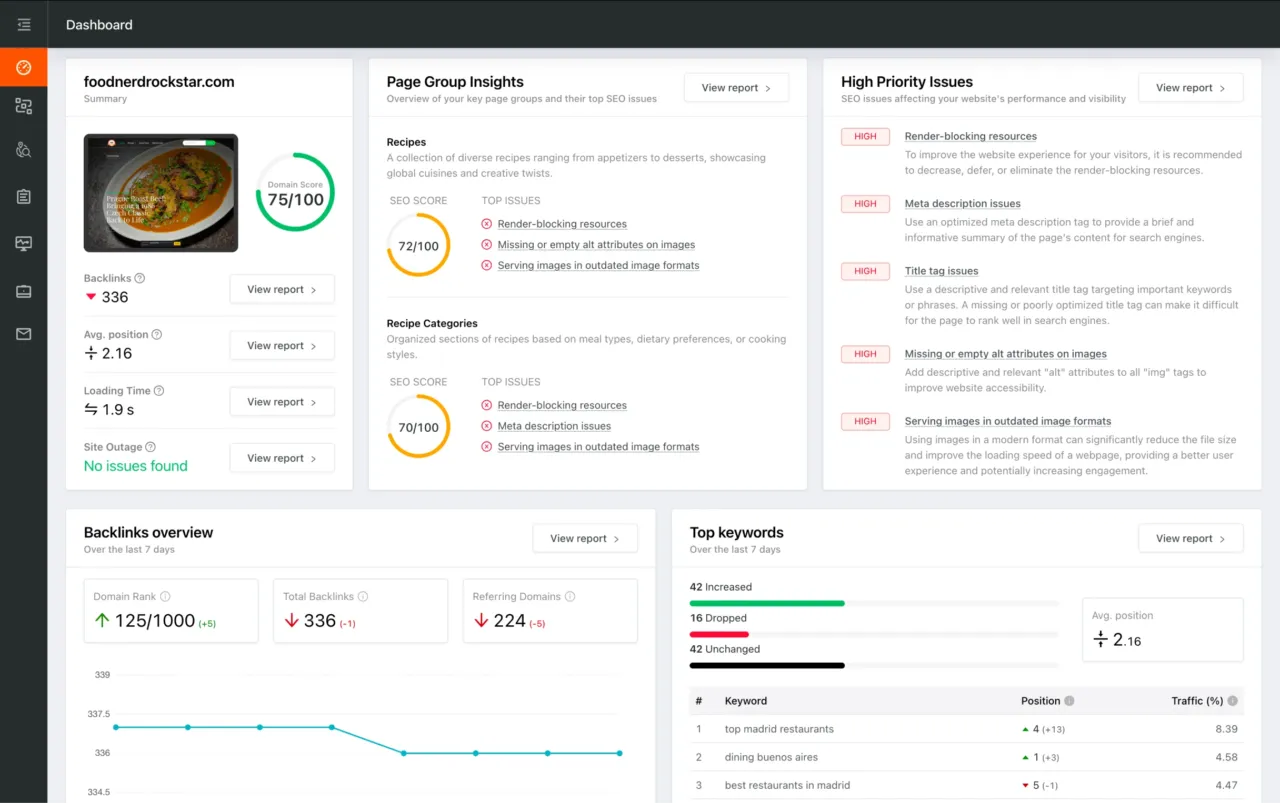
You're viewing a free snapshot. Unlock full monitoring, AI visibility tracking, and weekly reports.
SEO Score42/100
Average SEO score of top 100 sites: 75%This value indicates the average SEO score of the top 100 most visited websites in the US (in the past 12 months)
Your site scored 42/100, well below the 75 average for top sites. We found 10 issues to fix, and they're costing you traffic right now.
10 Failed
1 Warnings
15 Passed
Want to fix these issues and track your progress?
Common SEO issues
Score:60
Failed:2
Warnings:1
Passed:6
Desktop version
https://dawnbreak.auer.game.tw
Mobile version
https://dawnbreak.auer.game.tw
Check how your page might appear in Google search results. Google search results typically uses your webpage title, url and meta-description in order to display relevant summarized information about your site. If these elements are too long, Google will truncate their content. Webpage title up to 70 characters in length, and webpage descriptions up to 160 characters in length are recommended in order to optimize readability.
anis
center電子郵件地址為送達。
cv:久保田梨沙
cv:佐野愛
cv:古木のぞみ
cv:高橋英則
feilin
grace
haley
hilde
luke
luna
morakot
music
oboro
一)得行使之權利:
一)期間:遊戲平台提供相關服務及營運之期間。
一)遊戲會員管理
一、利用任何系統或工具對乙方電腦系統之惡意攻擊或破壞。
一、本公司使用您個人資料的目的
一、甲方未為反對之表示或繼續使用服務者,視為甲方接受本契約變更之內容。
一名與流星一同墜落的少女,改變了兩個男人的命運…
三)地區:台灣地區及其他遊戲營運之地區。
三、依據個資法第三條規定,您就本公司保有個人資料得行使之權利及方式
三、經司法機關查獲從事任何不法之行為。
中恵光城
主神維拉將世界建立在天秤之上,
久保田梨沙
乙方依甲方登錄之電子郵件地址所為之通知發出後,以電子郵件進入甲方之電子郵件伺服器中,視為已送達。
乙方對前項事實認定產生錯誤或無法舉證時,乙方應對甲方因終止本契約所生之損害負賠償責任。
乙方未依前項進行公告及通知者,本契約之變更無效。
二)對象:本公司。個人資料之蒐集及利用不適用於非本公司所有或控制的公司,也不適用於非
二)提供遊戲會員服務,例如:發送電子郵件通知、調閱遊戲歷程
二、以利用外掛程式、病毒程式、本遊戲程式漏洞或其他違反公平合理之方式進行遊戲。
二、個人資料蒐集及利用之期間、對象、地區及方式
二、甲方為反對之表示者,視為甲方對乙方終止本契約之通知。
倘因甲方未提供正確之電子郵件資料或原提供之資料已不符合真實而因未更新致乙方無法為送達者,乙方對甲方因無法送達所致之損害不負任何賠償責任。
光明與黑暗
光暗交替,世界延續著「平衡」的規則,
冰之皇女,天才魔法師。為了守護唯一的朋友,願意付出一切。
冰晶天使
初生的霜天使。寡言、純真的少女。希爾德是她唯一的朋友。
利用規約
勢力不斷更迭交替的世界
原為光明眾神,因為愛上魔王而墮落。永遠徘徊在深幽,獵取落難者的靈魂。
吟遊詩人
四)方式:本公司在您使用官網服務信箱或進行其他活動時,會蒐集您所提供的姓名、電子郵件地址、聯絡方式等。
因本契約涉及的一切爭訟,雙方合意以臺灣新北地方法院為第一審管轄法院。但不得排除消費者保護法第四十七條或民事訴訟法第四百三十六條之九規定小額訴訟管轄法院之適用。
失去過往記憶的帝國軍官,因為某次意外而遭受通緝。看似冷酷高傲,其實十分看重同伴。
奧爾資訊多媒體股份有限公司(以下簡稱本公司)非常重視您的隱私權,並依據個人資料保護法(以下稱個資法)之規定,向您告知下列有關隱私權保護政策的更多內容。
安尼斯
將最初所造也最為強大的光與暗置於天秤兩端。
巨劍死神
希爾德
帝國軍官
幻之大陸瓦爾哈拉,這是一處光明與黑暗勢力不斷更迭交替的世界。主神維拉將世界建立在天秤之上,將最初所造也最為強大的光與暗置於天秤兩端。光暗交替,世界延續著「平衡」的規則,直到千年一次的日蝕之刻,黑暗將光明吞噬的那一天,一名與流星一同墜落的少女,改變了兩個男人的命運…
幻獸召喚
惡夜魔女
有關本契約所有事項之通知,甲方同意乙方得以甲方登錄之電子郵件或google、game
木村
本公司僱用或管理之人,本公司之關係企業或子公司將使用其原先的隱私權政策。
本契約以中華民國法律為準據法。
查詢、請求閱覽
流星少女
海莉格
理惠
田中
甲方得隨時通知乙方終止本契約。
甲方應確保留存於乙方之地址或電子郵件之正確,若有變更,甲方應立即通知乙方。乙方依甲方留存之地址或電子郵件所為之通知發出後,以書面通知到達甲方,或電子郵件進入甲方之電子郵件伺服器中,視為已送達。
甲方於第一項通知到達後十五日內:
甲方有下列重大情事之一者,乙方以書面或電子郵件通知甲方後,得立即終止本契約之一部或全部:
白銀劍姬
直到千年一次的日蝕之刻,
第二十七條、資訊送達
第二十九條、管轄法院
第二十八條、準據法
第二十六條、本契約終止
統領皇帝親衛軍,服侍過兩任皇帝的安德帝國將軍。個性豪邁、忠誠,喜好和強者戰鬥。
綠川
與流星一同墜落的神秘女子,失去了過去的記憶。天真無邪的個性總是能調和團隊中的紛爭。
良平
英雄介紹
莫妮卡的女兒,格斯王國的公主。時常從宮廷逃走,混入民間尋找有趣的事物。
莫拉克
菲琳
葛雷絲
觀賞影片
請求停止蒐集、處理或利用
請求刪除。
請求補充或更正。
請求製給複製本。
路克
遊戲截圖
遊戲故事
過往成謎的吟遊詩人。自稱想從安尼斯與海莉格身上尋找詩歌靈感而與兩人一起行動。個性輕薄,愛開玩笑。
隱密疾風
隱私權政策
露娜
風忍一族最後的血脈。莫妮卡的護衛,沉默寡言,十分忠誠。
黑暗將光明吞噬的那一天,
The Keyword Cloud is a visual representation of keywords used on your website. This will show you which words are frequently used in the content of your webpage. Keywords having higher density are presented in larger fonts and displayed in alphabetic order.
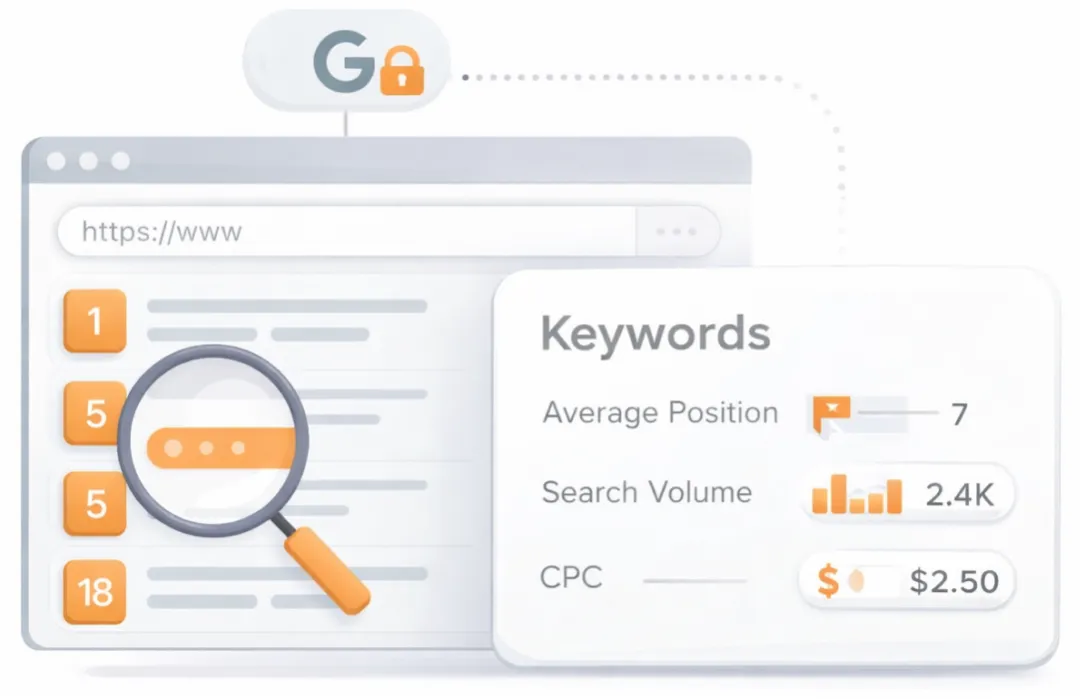
See which keywords rank your URL in Google’s top 20
Get key keyword metrics like average position, search volume, CPC, and more.

A list of search queries for which the page already appears in the top organic results. Highlights the topical territory the page is winning in search and can surface unexpected terms that present new content or optimization opportunities.
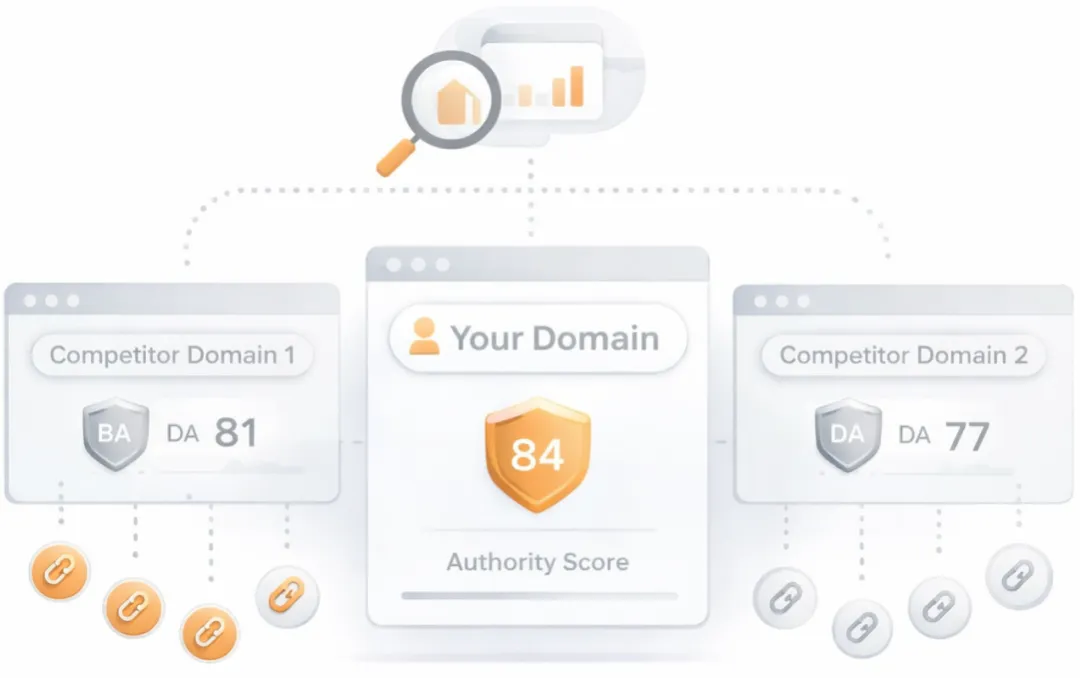
Understand your competitors' SEO and backlink profile
Get related competitors and their domain authority score in relation to your domain.
Identifies up to ten domains that compete for similar organic search results, ranked by overall domain authority based on the volume and quality of their backlink profiles. Useful for benchmarking the competitive landscape and prioritizing which sites to study for content and link-building strategy.
Robots.txt Test
Your site lacks a "robots.txt" file. This file can protect private content from appearing online, save bandwidth, and lower load time on your server. A missing "robots.txt" file also generates additional errors in your apache log whenever robots request one. Read more about the robots.txt file, and how to create one for your site.
Check if your website is using a robots.txt file. When search engine robots crawl a website, they typically first access a site's robots.txt file. Robots.txt tells Googlebot and other crawlers what is and is not allowed to be crawled on your site.
Sitemap Test
Your site lacks a sitemap file. Sitemaps can help robots index your content more thoroughly and quickly. Read more on Google's guidelines for implementing the sitemap protocol.
Check if the website has a sitemap. A sitemap is important as it lists all the web pages of the site and let search engine crawlers to crawl the website more intelligently. A sitemap also provides valuable metadata for each webpage.
Image Alt Test
Your webpage has 161 'img' tags and 1 of them are missing the required 'alt' attribute.
Check if images on your webpage are using alt attributes. If an image cannot be displayed (e.g., due to broken image source, slow internet connection, etc), the alt attribute provides alternative information. Using relevant keywords and text in the alt attribute can help both users and search engines better interpret the subject of an image.
Google Analytics Test
Congratulations! Your website is using the latest version of Google Analytics.
Check if your website is connected with Google Analytics. Google Analytics is a popular, free website analysis tool that helps provide insights about your site's traffic and demographics.
Favicon Test

Congratulations! Your website appears to have a favicon.
Check if your site is using and correctly implementing a favicon. Favicons are small icons that appear in your browser's URL navigation bar. They are also saved next to your URL's title when your page is bookmarked. This helps brand your site and make it easy for users to navigate to your site among a list of bookmarks.
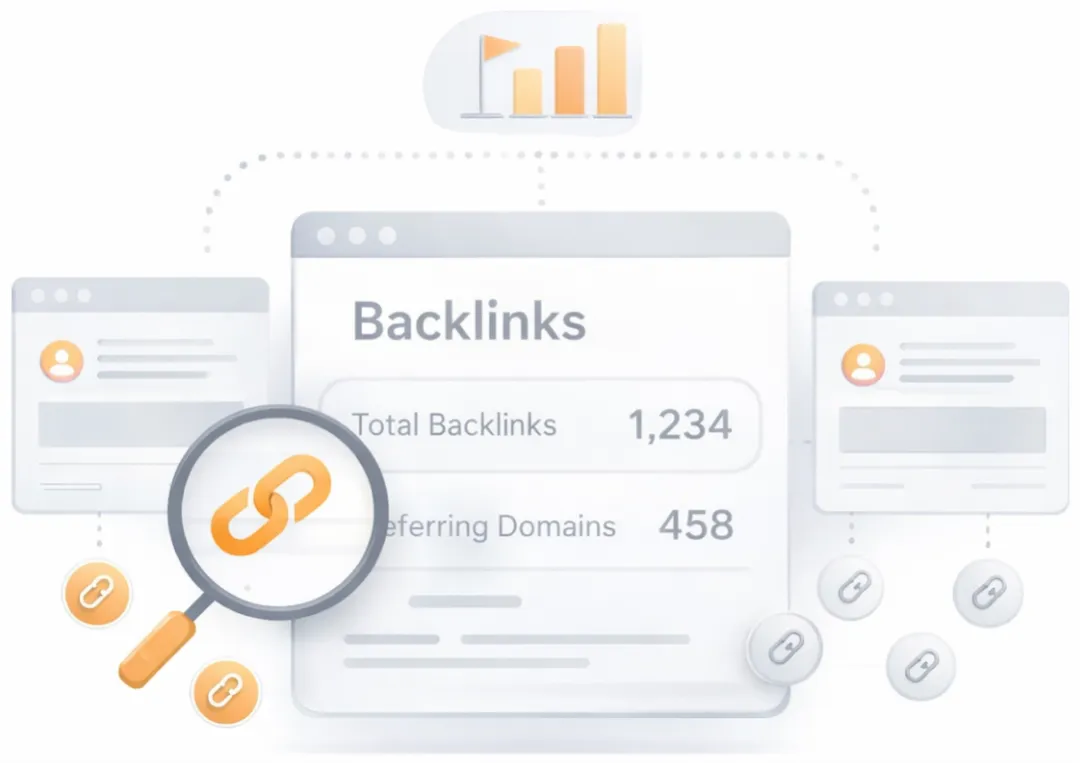
Get a full and detailed list of your backlinks
See every website linking to yours, along with detailed backlink data.
Surfaces the external pages that link to the analyzed URL. Backlinks from authoritative, topically relevant sites remain one of the strongest off-page ranking signals, while a profile dominated by low-quality or spammy links can attract algorithmic penalties. Reviewing the inbound link mix helps identify both link-building wins and toxic links worth disavowing.
JS Error Checker
Congratulations! There are no severe JavaScript errors on your web page.
Check your page for JavaScript errors. These errors may prevent users from properly viewing your pages and impact their user experience. Sites with poor user experience tend to rank worse in search engine results.
Speed optimizations
Score:6
Failed:5
Warnings:0
Passed:1
HTML Page Size Test
The size of your web page's HTML is 104.88 Kb, and is over the average web page's HTML size of 33 Kb.
This can lead to slower than average load times, lost visitors, and decreased revenue. Good steps to reduce HTML size include: using HTML compression, CSS layouts, external style sheets, and moving javascript to external files.
This can lead to slower than average load times, lost visitors, and decreased revenue. Good steps to reduce HTML size include: using HTML compression, CSS layouts, external style sheets, and moving javascript to external files.
Check your page's HTML size. HTML size is the size of all the HTML code on your web page - this size does not include images, external javascripts or external CSS files.
HTML Compression/GZIP Test
Your page do not use any HTML compression!
You should compress your HTML to reduce your page size and page loading times - this will help your site retain visitors and increase page views. If you were using compression, you could be compressing your HTML size by 82 % - from 104.88 Kb to 19.11 Kb which would further reduce your page loading time.
You should compress your HTML to reduce your page size and page loading times - this will help your site retain visitors and increase page views. If you were using compression, you could be compressing your HTML size by 82 % - from 104.88 Kb to 19.11 Kb which would further reduce your page loading time.
Check if your website is using HTML compression. HTML compression plays an important role in improving website speed by finding similar strings within a text file and replacing them temporarily to reduce overall file size.
Site Loading Speed Test
Your site loading time is around 6.62 seconds and is over the average loading speed which is 5 seconds.
Accurate historical loading speed monitor and reports
Get detailed and accurate loading speed reports for your websites and see how your pages are being loaded over time.
Check your website's loading speed. Page speed is an important factors in search engine rankings and overall site success. Pages that take longer than 5 seconds to load can lose up to 50% of users. Faster webpages result in higher traffic, better conversions and increased sales over slower loading pages.
Page Objects
Your page has more than 20 http requests, which can slow down page loading. You can try reducing http requests through various methods such as using text instead of images, using css sprites, using data URIs instead of images, or combining several external files together into one.
Total Objects: 104
- 5 HTML Pages
- 9 CSS Files
- 18 JS Files
- 72 Images
- 0 Flash Files
Check if all the objects requested by this webpage can be retrieved. If they are not retrievable, your page may display incorrectly, leading to a bad user experience and lower search engine rankings.
Image Caching Test
Your site is not using expires headers for your images. An expires tag can help speed up the serving of your webpages for users that regularly visit your site and see the same images. Learn more about how to add expires headers to your images.
Checks if your page is using an image expires tag, which specifies a future expiration date for your images. Users browsers will see this tag and cache the image in their browser until the specified date (so that it does not keep re-fetching the unchanged image from your server). This speeds up your site the next time returning visitors arrive at your site and require the same image.
URL Redirects Checker
Congratulations! Your URL doesn't have any redirects (which could potentially cause site indexation issues and site loading delays).
Check how many redirects your URL will perform to resolve to the final destination URL. Redirects often cause search engine indexing issues and can also lead to some minor loading delays. Google recommends removing or keeping redirects to a minimum.
Server and security
Score:47
Failed:1
Warnings:0
Passed:2
URL Canonicalization Test
https://dawnbreak.auer.game.tw and https://www.dawnbreak.auer.game.tw should resolve to the same URL, but currently do not.
Test your site for potential URL canonicalization issues. Canonicalization describes how a site can use slightly different URLs for the same page (e.g., if http://www.example.com and http://example.com displays the same page but do not resolve to the same URL). If this happens, search engines may be unsure about which URL is the correct one to index. Learn more about canonicalization issues.
HTTPS Test
Your website is successfully using https, a secure communication protocol over the Internet. Note: if your site relies primarily on ad income, be aware that using https may be detrimental to ad earnings.
Check if your website is using HTTPS, a secure protocol for sending/receiving data over the Internet. Using HTTPS indicates that an additional encryption/authentication layer was added between client and server. HTTPS should be used by any site that collects sensitive customer data such as credit card information. Even for sites that do not collect such data, switching to https helps users by improving privacy and overall security. Google is increasingly using https as a positive ranking factor.
Plaintext Emails Test
Congratulations! Your webpage does not include email addresses in plaintext.
Check your webpage for plaintext email addresses. Any e-mail address posted in public is likely to be automatically collected by computer software used by bulk emailers (a process known as e-mail address harvesting). A spam harvester can read through the pages in your site and extract plaintext email addresses which are then added to bulk marketing databases (resulting in more inbox spam). There are several methods for email obfuscation.
Mobile usability
Score:100
Failed:0
Warnings:0
Passed:2
Media Query Responsive Test
Congratulations, your website uses media query technique, which is the base for responsive design functionalities.
Check if your page implements responsive design functionalities using the media query technique. The '@media' rule allows different style rules for screen sizes. Media query techniques allow different presentation and content to be served depending on the output device, helping ensure that your website renders optimally on all devices and platforms.

Check how your website renders on a mobile device.
Advanced SEO
Score:60
Failed:2
Warnings:0
Passed:4
Microdata Schema Test
Your webpage doesn't take the advantages of HTML Microdata specifications in order to markup structured data. View Google's guide for getting started with microdata.
Check if your website uses HTML Microdata specifications (or structured data markup). Search engines use microdata to better understand the content of your site and create rich snippets in search results (which helps increase click-through rate to your site).
SPF records checker
Your DNS server is not using an SPF record. SPF (Sender Policy Framework) allows administrators to specify which hosts are allowed to send mail from a given domain by creating a specific SPF record or TXT record in the Domain Name System (DNS). You can find more information about SPF records here.
Check if your DNS records contains an SPF record. SPF (Sender Policy Framework) records allow email systems to verify if a given mail server has been authorized to send mail on behalf of your domain. Creating an SPF record increases email delivery rates by reducing the likelihood of your email being marked as spam.