Archived

SEO Report for https://balanstart.com.tw

Your general SEO Checkup Score


SEO Score81/100
Average SEO score of top 100 sites: 75%This value indicates the average SEO score of the top 100 most visited websites in the US (in the past 12 months)

Your site scored 81/100, just above the 75 average for top sites. We found 5 issues to fix, and they're what's holding you back from the top spots.

5 Failed
1 Warnings
20 Passed

Want to fix these issues and track your progress?

Common SEO issues
Score:90
Failed:0
Warnings:1
Passed:8
Google Search Results Preview
Desktop version
https://balanstart.com.tw人可和
Mobile version
https://balanstart.com.tw人可和
Check how your page might appear in Google search results. Google search results typically uses your webpage title, url and meta-description in order to display relevant summarized information about your site. If these elements are too long, Google will truncate their content. Webpage title up to 70 characters in length, and webpage descriptions up to 160 characters in length are recommended in order to optimize readability.
Keywords Cloud
copyright©永豐關係企業_美得康健股份有限公司
events
experience
member
news
products
read
reserved
right
不只提供優惠,還要告訴你如何更健康
中藥調理的隱形殺手
五大堅持
五大系統.重新啟動
人可和
人可和產品
人可和,啟動生命動能的穩健推手
使用者心得全集【益生定
便利好攜帶
健康園地
健康檢測
優惠價:nt
免疫力差好困擾,偷學韓國保健秘方!
免責聲明
免費專業營養師諮詢
免費諮詢電話
和敏系統
和暢系統
和流系統
和補系統
和逸系統
品牌堅持
品牌故事
品牌源起
天冷吃鍋,你吃進多少「心血管疾病危險因子」?
媒體報導
定價:nt
客服信箱service@balanstart.com.tw
客服電話
家庭組
巧攜組系列
常見問題
影音專區
循環好健康
提升保護力
換季免煩惱
搜尋
最新消息
會員專區
會員登入
服務時間週一至週五::;
樟芝菌絲體膠囊【日全能滋養】家庭組
樟芝菌絲體膠囊【日調整體質】巧攜組
永豐年
活力百分百
活動&消息
消費者服務
清調補防
生活中常見的孩童的過敏、青春期的青春痘、女生容易手腳冰冷、上班族容易頭痛、長輩的腰痠背痛等等
申請免費體驗
益生定
益生定【日揮別哈啾】家庭組
益生定【日淨卸不敏】巧攜組
知道吃火鍋可能吃進不少心血管疾病危險因子嗎?讓我們仔細道來。
紅蔘芝【日健體保全】家庭組
紅蔘芝【日強身補隙】巧攜組
納麴a+【日舒絡順心】家庭組
納麴a+【日阻塞瞬暢】巧攜組
網站使用條款
見證分享
註冊
購物車
輕舞果酵素【日告別逆流】家庭組
輕舞果酵素【日消化健全】巧攜組
金薑黃【日活力加倍】
金薑黃【日活力瞬現】巧攜組
隱私權政策
靈芝子實體膠囊【日氣色補帖】巧攜組
靈芝子實體膠囊【日調節免疫】家庭組
韓國妹妹冬天穿那麼少,感冒找上的卻是我?韓國提升免疫力的秘密,原來就是「它」!
順暢不卡卡
點我了解和敏系統
點我了解和暢系統
點我了解和流系統
點我了解和補系統
點我了解和逸系統
|使用好評不間斷,到底大家使用的感想是什麼呢?趕緊來瞧瞧!
The Keyword Cloud is a visual representation of keywords used on your website. This will show you which words are frequently used in the content of your webpage. Keywords having higher density are presented in larger fonts and displayed in alphabetic order.
Competitor Domains Test
Competitor Domains

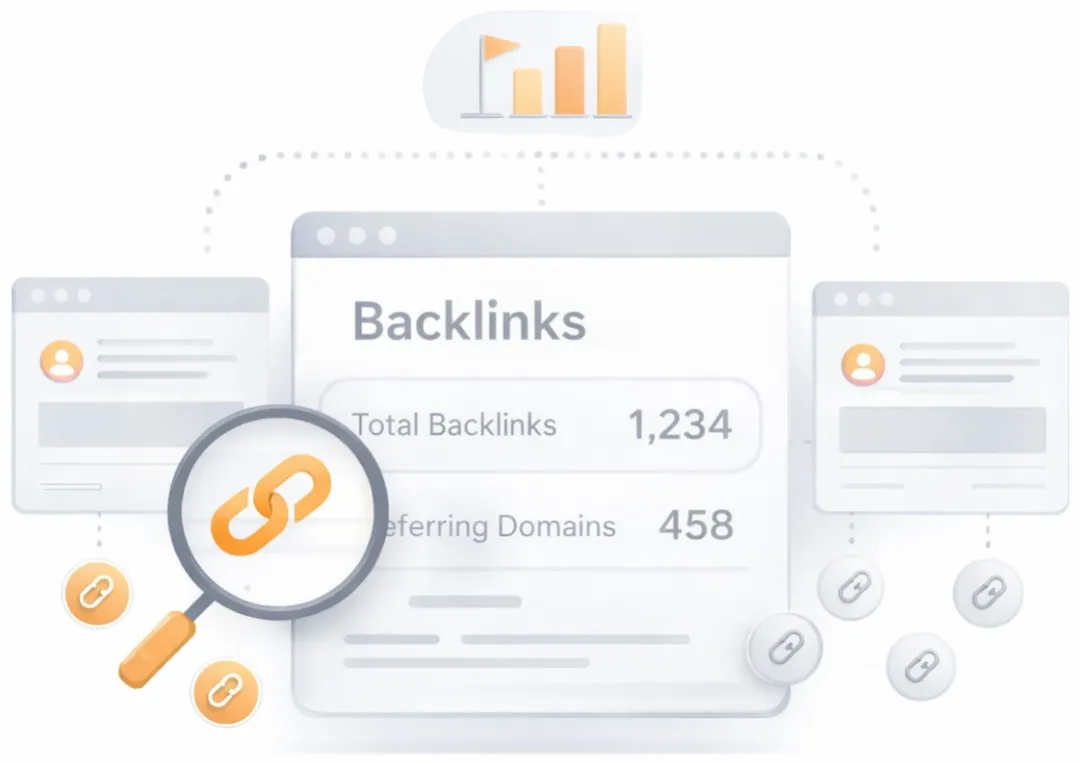
Understand your competitors' SEO and backlink profile

Get related competitors and their domain authority score in relation to your domain.

Identifies up to ten domains that compete for similar organic search results, ranked by overall domain authority based on the volume and quality of their backlink profiles. Useful for benchmarking the competitive landscape and prioritizing which sites to study for content and link-building strategy.
Robots.txt Test
This website is using a robots.txt file.
Check if your website is using a robots.txt file. When search engine robots crawl a website, they typically first access a site's robots.txt file. Robots.txt tells Googlebot and other crawlers what is and is not allowed to be crawled on your site.
Sitemap Test
This website has a sitemap file.
Check if the website has a sitemap. A sitemap is important as it lists all the web pages of the site and let search engine crawlers to crawl the website more intelligently. A sitemap also provides valuable metadata for each webpage.
Image Alt Test
Your webpage has 19 'img' tags and 8 of them are missing the required 'alt' attribute.

Image Alt Test

How to pass this test?

In order to pass this test you must add an alt attribute to every <img> tag used into your webpage.
An image with an alternate text specified is inserted using the following HTML line:
<img src="image.png" alt="text_to_describe_your_image">
Remember that the point of alt text is to provide the same functional information that a visual user would see. Search engines, users who disabled images in their browsers and other agents who are unable to see the images on your webpage can read the alt attributes assigned to the image since they cannot view it.

Learn more about optimizing images for SEO.
Check if images on your webpage are using alt attributes. If an image cannot be displayed (e.g., due to broken image source, slow internet connection, etc), the alt attribute provides alternative information. Using relevant keywords and text in the alt attribute can help both users and search engines better interpret the subject of an image.
Deprecated HTML Tags
Congratulations! Your page does not use HTML deprecated tags.
Check if your webpage is using old, deprecated HTML tags. These tags will eventually lose browser support and your web pages may render incorrectly as browsers drop support for these tags.
Google Analytics Test
Congratulations! Your website is using the latest version of Google Analytics.
Check if your website is connected with Google Analytics. Google Analytics is a popular, free website analysis tool that helps provide insights about your site's traffic and demographics.
Favicon Test
favicon
Congratulations! Your website appears to have a favicon.
Check if your site is using and correctly implementing a favicon. Favicons are small icons that appear in your browser's URL navigation bar. They are also saved next to your URL's title when your page is bookmarked. This helps brand your site and make it easy for users to navigate to your site among a list of bookmarks.
JS Error Checker
Congratulations! There are no severe JavaScript errors on your web page.
Check your page for JavaScript errors. These errors may prevent users from properly viewing your pages and impact their user experience. Sites with poor user experience tend to rank worse in search engine results.
LLM Visibility Checker

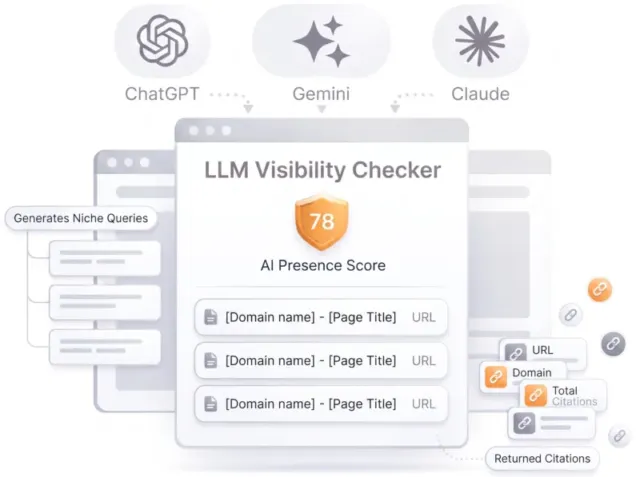
LLM Visibility Checker

Track your brand across ChatGPT, Gemini and Claude

Get an AI Presence Score, see which of your pages get cited, and follow how you compare with competitors over time.

Speed optimizations

Score:100
Failed:1
Warnings:0
Passed:5
HTML Page Size Test
Check your page's HTML size. HTML size is the size of all the HTML code on your web page - this size does not include images, external javascripts or external CSS files.
HTML Compression/GZIP Test
Congratulations! Your page is successfully compressed using gzip compression on your code.
Your HTML is compressed from 52.70 Kb to 10.41 Kb (80 % size savings). This helps ensure a faster loading web page and improved user experience.
Check if your website is using HTML compression. HTML compression plays an important role in improving website speed by finding similar strings within a text file and replacing them temporarily to reduce overall file size.
Site Loading Speed Test
Your site loading time is around 2.67 seconds and this is under the average loading speed which is 5 seconds.
Related Keywords

Accurate historical loading speed monitor and reports

Get detailed and accurate loading speed reports for your websites and see how your pages are being loaded over time.

Check your website's loading speed. Page speed is an important factors in search engine rankings and overall site success. Pages that take longer than 5 seconds to load can lose up to 50% of users. Faster webpages result in higher traffic, better conversions and increased sales over slower loading pages.
Page Objects
Your page has more than 20 http requests, which can slow down page loading. You can try reducing http requests through various methods such as using text instead of images, using css sprites, using data URIs instead of images, or combining several external files together into one.
Total Objects: 79
  • 3 HTML Pages
  • 7 CSS Files
  • 22 JS Files
  • 47 Images
  • 0 Flash Files
Check if all the objects requested by this webpage can be retrieved. If they are not retrievable, your page may display incorrectly, leading to a bad user experience and lower search engine rankings.
Image Caching Test
Congratulations! Your webpage use 'Expires' header for your images and the browsers will display these images from the cache.
Checks if your page is using an image expires tag, which specifies a future expiration date for your images. Users browsers will see this tag and cache the image in their browser until the specified date (so that it does not keep re-fetching the unchanged image from your server). This speeds up your site the next time returning visitors arrive at your site and require the same image.
URL Redirects Checker
Congratulations! Your URL doesn't have any redirects (which could potentially cause site indexation issues and site loading delays).
Check how many redirects your URL will perform to resolve to the final destination URL. Redirects often cause search engine indexing issues and can also lead to some minor loading delays. Google recommends removing or keeping redirects to a minimum.
AI Content Analysis

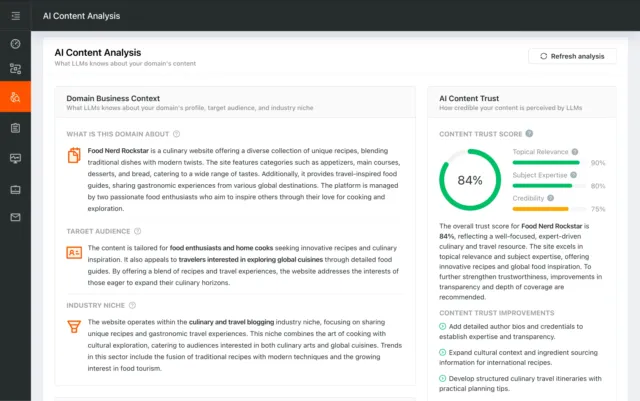
AI Content Analysis

Optimize your content for search and LLMs

AI Content Analysis scores your pages on clarity, depth, and machine readability, so you optimize for both human readers and LLMs.

Server and security

Score:27
Failed:2
Warnings:0
Passed:1
URL Canonicalization Test
https://balanstart.com.tw and https://www.balanstart.com.tw should resolve to the same URL, but currently do not.

URL Canonicalization Test

How to pass this test?

In order to pass this test you must consider using a 301 re-write rule in your .htaccess file so that both addresses (http://example.com and http://www.example.com) resolve to the same URL.
- If you want to redirect http://www.example.com to http://example.com, you can use this:
RewriteCond %{HTTP_HOST} ^www\.example\.com$
RewriteRule ^/?$ "http\:\/\/example\.com\/" [R=301,L]
- If you want to redirect http://example.com to http://www.example.com, you can use this:
RewriteCond %{HTTP_HOST} !^www.example.com$ [NC]
RewriteRule ^(.*)$ http://www.example.com/$1 [L,R=301]
Note that you must put the above lines somewhere after RewriteEngine On line.
Test your site for potential URL canonicalization issues. Canonicalization describes how a site can use slightly different URLs for the same page (e.g., if http://www.example.com and http://example.com displays the same page but do not resolve to the same URL). If this happens, search engines may be unsure about which URL is the correct one to index. Learn more about canonicalization issues.
HTTPS Test
Your website is successfully using https, a secure communication protocol over the Internet. Note: if your site relies primarily on ad income, be aware that using https may be detrimental to ad earnings.
Check if your website is using HTTPS, a secure protocol for sending/receiving data over the Internet. Using HTTPS indicates that an additional encryption/authentication layer was added between client and server. HTTPS should be used by any site that collects sensitive customer data such as credit card information. Even for sites that do not collect such data, switching to https helps users by improving privacy and overall security. Google is increasingly using https as a positive ranking factor.
Plaintext Emails Test
We found 1 email addresses in your page code. We advise you to protect email links in a way that hides them from the spam harvesters.

Plaintext Emails Test

How to pass this test?

In order to pass this test you must make your email addresses invisible to email spiders. Note that the best option is to replace your entire contact mechanism with a contact form and using the POST method while submitting the form. Other solutions are listed below:
  • replace the at (@) and dot (.) characters
  • replace text with images
  • use email obfuscators
  • hide email addresses using JavaScript or CSS trick
Check your webpage for plaintext email addresses. Any e-mail address posted in public is likely to be automatically collected by computer software used by bulk emailers (a process known as e-mail address harvesting). A spam harvester can read through the pages in your site and extract plaintext email addresses which are then added to bulk marketing databases (resulting in more inbox spam). There are several methods for email obfuscation.
Visual SEO Analysis

Visual SEO Analysis

Find out if your page design converts the visitors you earn

We score six things that decide whether a visitor stays and acts, from the first screen to the path to action, and rank every fix by effort and impact.

Mobile usability

Score:100
Failed:0
Warnings:0
Passed:2
Media Query Responsive Test
Congratulations, your website uses media query technique, which is the base for responsive design functionalities.
Check if your page implements responsive design functionalities using the media query technique. The '@media' rule allows different style rules for screen sizes. Media query techniques allow different presentation and content to be served depending on the output device, helping ensure that your website renders optimally on all devices and platforms.
Mobile Snapshot
Mobile view
Check how your website renders on a mobile device.

Advanced SEO

Score:60
Failed:2
Warnings:0
Passed:4
Microdata Schema Test
Your webpage doesn't take the advantages of HTML Microdata specifications in order to markup structured data. View Google's guide for getting started with microdata.

Microdata Schema Test

How to pass this test?

HTML5 Microdata is an easy way to add semantic markup to your web pages. Search engines rely on this markup to improve the display of search results, making it easier for people to find the right web pages.
Here is a simple example of how to use HTML5 microdata in your contact web page:
<div itemscope itemtype="http://schema.org/Person">
   <span itemprop="name">Joe Doe</span>
   <span itemprop="company">The Example Company</span>
   <span itemprop="tel">604-555-1234</span>
   <a itemprop="email" href="mailto:joe.doe@example.com">joe.doe@example.com</a>
</div>
Check if your website uses HTML Microdata specifications (or structured data markup). Search engines use microdata to better understand the content of your site and create rich snippets in search results (which helps increase click-through rate to your site).
Noindex Checker
Your webpage does not use the noindex meta tag. This means that your webpage will be read and indexed by search engines.
Check if your webpage is using the robots meta tag or the X-Robots-Tag HTTP header to instruct search engines not to show your site in search results pages.
Canonical Tag Checker
Your page does not use the canonical link tag.
Check if your webpage is using the canonical link tag. The canonical link tag is used to nominate a primary page when you have several pages with duplicate or very similar content.
Nofollow Checker
Your webpage does not use the nofollow meta tag. This means that search engines will crawl all links from your webpage.
Check if your webpage is using the robots meta tag or the X-Robots-Tag HTTP header to instruct search engines not to follow the links on your page. Outgoing links marked with this tag will tell search engines not to follow or crawl that particular link. Google recommends that nofollow tags are used for paid advertisements on your site and links to pages that have not been vetted as trusted sites (e.g., links posted by users of your site).
Disallow Directive Checker
Your robots.txt file does not use the disallow directive. This means that the whole website can be crawled by search engines.
Check if your robots.txt file is instructing search engine crawlers to avoid parts of your website. The disallow directive is used in robots.txt to tell search engines not to crawl and index a file, page, or directory.
SPF records checker
Your DNS server is not using an SPF record. SPF (Sender Policy Framework) allows administrators to specify which hosts are allowed to send mail from a given domain by creating a specific SPF record or TXT record in the Domain Name System (DNS). You can find more information about SPF records here.

SPF records checker

How to pass this test?

An SPF record is a type of Domain Name Service (DNS) record that allows email systems to check if the sender of a message comes from a legitimate source and refuse an email if the source is not legitimate. Adding an SPF record is as easy as adding CNAME, MX or A records in your DNS zone. You can find more information here.

Before creating the SPF record for your domain, it is important to have access at your domain's DNS zone and to know what mail servers your domain is likely to use and plan how you want any non-authorised email to be handled.

Example:
Let's say that you are planning to send emails using Google Apps and you also want to ensure that no other mail servers are authorised. You can use an SPF record like this:

v=spf1 include:_spf.google.com -all
"v=spf1" - This sets the SPF version
"include:_spf.google.com" - This includes Google mail servers in your list of authorized sending servers
"-all" - This means that any server not previously listed is not authorized

If you are using your own VPS to send email and not any other service like Mandrill, Google Apps, etc. then you can create an SPF record like this:

v=spf1 mx -all

Note:
Setting an SPF record for your domain can help in reducing the chances of a spammer using your domain name in unsolicited emails. Research carefully what mail servers your domain is likely to use and plan how you want any non-authorised email to be handled.
Check if your DNS records contains an SPF record. SPF (Sender Policy Framework) records allow email systems to verify if a given mail server has been authorized to send mail on behalf of your domain. Creating an SPF record increases email delivery rates by reducing the likelihood of your email being marked as spam.

Dominate search today on Google and AI Engines.

Join 85,000+ SaaS Marketers, Growth Agencies, Content-Led Companies and E-commerce Brands.

See Pricing
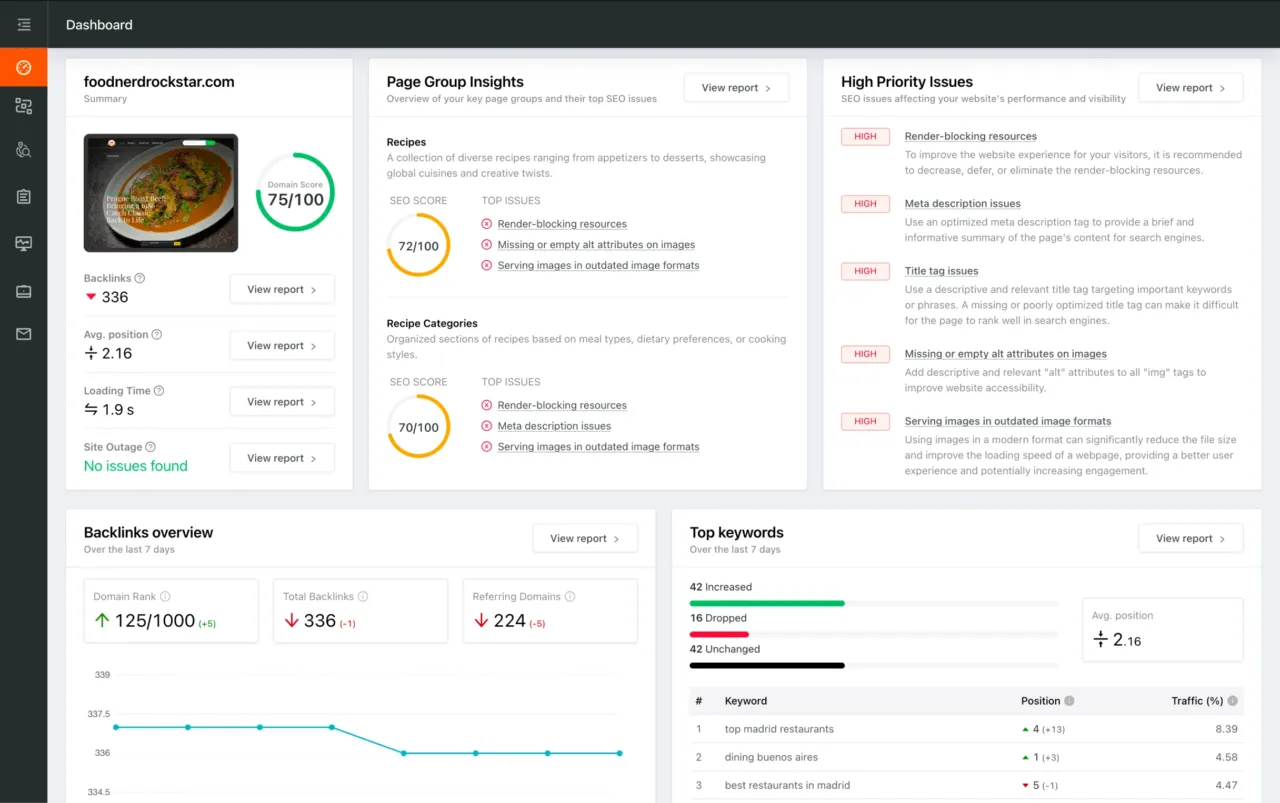
Dashboard preview showing SEO site checkup metrics, page group insights, and issue prioritization