Archived

SEO Report for https://51.ca

Your general SEO Checkup Score


SEO Score67/100
Average SEO score of top 100 sites: 75%This value indicates the average SEO score of the top 100 most visited websites in the US (in the past 12 months)

Your site scored 67/100, below the 75 average for top sites. We found 10 issues to fix, and clearing them is how you move up.

10 Failed
1 Warnings
25 Passed

Want to fix these issues and track your progress?

Common SEO issues
Score:74
Failed:3
Warnings:0
Passed:11
Meta Title Test
Congratulations! Your webpage is using a title tag
Text: 加国无忧 - 加拿大华人网上家园
Your webpage's meta title is an HTML tag that defines the title of your page. This tag displays your page title in search engine results, at the top of a user's browser, and also when your page is bookmarked in a list of favorites. A concise, descriptive title tag that accurately reflects your page's topic is important for ranking well in search engines.
Meta Description Test
Congratulations! Your webpage is using a meta description tag
Text: 加国无忧 51.CA - 是一家面向加拿大华人的生活信息网站,旨在为新老移民、留学生提供一个自由交流的平台。全站突出了互动、实用和免费的特性,设有新闻、资讯、博客、微博、论坛、公社、房屋、商城、工作、黄页等多个频道,站点的内容和服务涵盖旅加华人在加生活的各个方面,旨在帮助新移民、留学生早日适应新的环境,开始美好的新生活。
Your webpage's meta description is an HTML tag that is intended to provide a short and accurate summary of your page. Search engines use meta descriptions to help identify the a page's topic - they may also use meta descriptions by displaying them directly in search engine results. Accurate and inviting meta descriptions can help boost both your search engine rankings and a user's likelihood of clicking through to your page.
Google Search Results Preview Test
Desktop version
http://www.51.ca加国无忧 - 加拿大华人网上家园加国无忧 51.CA - 是一家面向加拿大华人的生活信息网站,旨在为新老移民、留学生提供一个自由交流的平台。全站突出了互动、实用和免费的特性,设有新闻、资讯、博客、微博、论坛、公社、房屋、商城、工作、黄页等多个频道,站点的内容和服务涵盖旅加华人在加生活的各个方面,旨在帮助新移民、留学生早日适应新的环境,开始美好的新生活。
Mobile version
http://www.51.ca加国无忧 - 加拿大华人网上家园加国无忧 51.CA - 是一家面向加拿大华人的生活信息网站,旨在为新老移民、留学生提供一个自由交流的平台。全站突出了互动、实用和免费的特性,设有新闻、资讯、博客、微博、论坛、公社、房屋、商城、工作、黄页等多个频道,站点的内容和服务涵盖旅加华人在加生活的各个方面,旨在帮助新移民、留学生早日适应新的环境,开始美好的新生活。
Check how your page might appear in Google search results. Google search results typically uses your webpage title, url and meta-description in order to display relevant summarized information about your site. If these elements are too long, Google will truncate their content. Webpage title up to 70 characters in length, and webpage descriptions up to 160 characters in length are recommended in order to optimize readability.
Most Common Keywords Test
There is likely no optimal keyword density (search engine algorithms have evolved beyond keyword density metrics as a significant ranking factor). It can be useful, however, to note which keywords appear most often on your page and if they reflect the intended topic of your page. More importantly, the keywords on your page should appear within natural sounding and grammatically correct copy.
19condo
12体力工作
11加国风云
11大多地区
10查看城市详情
Check the most common keywords in your page and their usage (number of times used). This can help give a quick overview of the keywords and topics that crawlers may associate with your web page.
Keywords Usage Test
Your most common keywords are not appearing in one or more of the meta-tags above. Your primary keywords should appear in your meta-tags to help identify the topic of your webpage to search engines.
Keyword(s) not included in Title tag
Keyword(s) not included in Meta-Description tag
This will check if your most common keywords are used in the webpage's title and description
Keywords Cloud Test
bayview
bc一家五口自驾游
bonus
condo
covid
detached
dundas
elementary
finch
haccp
hill
pharmacy
public
school
ttc下周减少营运班次
yonge
专业技术
体力工作
信号塔被烧
停售邻座机票
公共空间太少
其他体力工
其他类别
列治文山
加国无忧
加国生活实用链接
加国立信会计师事务
加国要闻
加国风云
加拿大公民暨移民部
加拿大国会与这位世卫高官
加拿大税务局
加航宣布
加达移民留学
卑诗省生物公司发现新冠治疗抗体
反华情绪蔓延
口罩放微波炉加热消毒会引起火灾
各省数据更新
各类打折消息
地图买房
地图租房
多伦多出现群居红狐狸
多伦多空港即时航班时刻表
多伦多难保持安全距离
多市中心
大多地区
奥克维尔
安省将开始社区随机病毒检测
密西沙加
工厂工人
布兰普顿
平均油价
广告报价
店员招待
强制量体温
忘记密码
我的付费广告
房屋均价
打折信息
打折消息
护理院百岁老太战胜病毒出院
探亲保险
政府学费
政府无偿资助您的职业教育
政府警告远离
文武律师事务所
新冠疫情直播
新闻中心
昆士会计师事务所
最新货币汇率
查看城市详情
每小时更新
每月两千的cerb福利让人偷懒
汇率为中间价
活动预告
温哥华空港即时航班时刻表
点击兑换
独立屋condo价格下滑
生活频道
登录加国无忧
百威冰酒红酒可送货上门
福特表示可能开放安省度假屋
私人贷款交接
笑逐颜开
纽马克特
网友活动
网址导航
联系我们
蒙特利尔
警方捣毁奥沙瓦毒品工场
请输入无忧通行证信息登录
请那些组织捐赠口罩的华人社团站出来
超级签证保险
近日热点
连人带车冲入湖中丧命
选币种输入金额
郝大为律师楼
阻碍复工
预计下期金额
黄金文字广告位招租
The Keyword Cloud is a visual representation of keywords used on your website. This will show you which words are frequently used in the content of your webpage. Keywords having higher density are presented in larger fonts and displayed in alphabetic order.
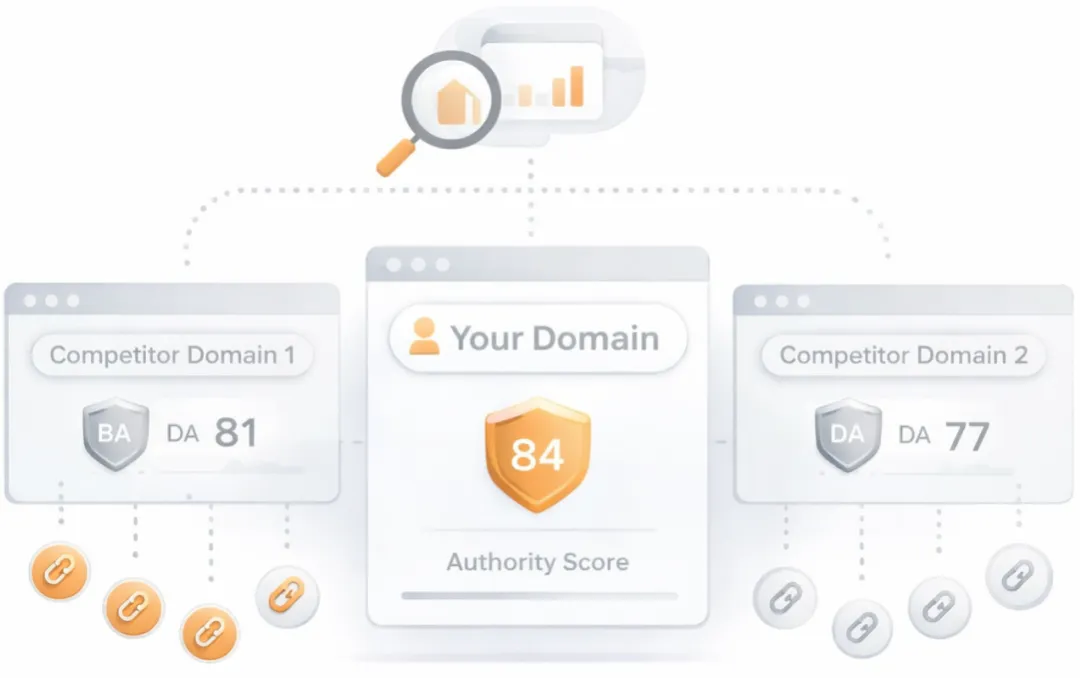
Competitor Domains Test
Competitor Domains

Understand your competitors' SEO and backlink profile

Get related competitors and their domain authority score in relation to your domain.

Identifies up to ten domains that compete for similar organic search results, ranked by overall domain authority based on the volume and quality of their backlink profiles. Useful for benchmarking the competitive landscape and prioritizing which sites to study for content and link-building strategy.
Heading Tags Test
Congratulations! Your webpage contains headings tags.
H1 tags
加国无忧
H2 tags
多伦多房屋信息大全
最新中奖号码 [彩票中心]
Check if your webpage is using any H1 and H2 HTML header tags. Header tags are not visible to users, but help clarify and support the overall theme or purpose of your page to search engines. The H1 tag represents the most important heading, e.g., the title of the page or blog post. The H2 tag represents the second most important headings on the webpages, e.g., the subheadings.
Robots.txt Test
This website is using a robots.txt file.
Check if your website is using a robots.txt file. When search engine robots crawl a website, they typically first access a site's robots.txt file. Robots.txt tells Googlebot and other crawlers what is and is not allowed to be crawled on your site.
Sitemap Test
This website has a sitemap file.
Check if the website has a sitemap. A sitemap is important as it lists all the web pages of the site and let search engine crawlers to crawl the website more intelligently. A sitemap also provides valuable metadata for each webpage.
Image Alt Test
Your webpage is using "img" tags with empty or missing "alt" attribute.

Image Alt Test

How to pass this test?

In order to pass this test you must add an alt attribute to every <img> tag used into your webpage.

An image with an alternate text specified is inserted using the following HTML line:

<img src="image.png" alt="text_to_describe_your_image">

Remember that the point of alt text is to provide the same functional information that a visual user would see. Search engines, users who disabled images in their browsers and other agents who are unable to see the images on your webpage can read the alt attributes assigned to the image since they cannot view it.

Learn more about optimizing images for SEO.

Check if images on your webpage are using alt attributes. If an image cannot be displayed (e.g., due to broken image source, slow internet connection, etc), the alt attribute provides alternative information. Using relevant keywords and text in the alt attribute can help both users and search engines better interpret the subject of an image.
Deprecated HTML Tags Test
We found some HTML deprecated tags. You are advised to change these old tags with equivalent tags or proper CSS rules.
1center
11font

Deprecated HTML Tags Test

How to pass this test?

In order to pass this test you must identify into your code all deprecated HTML tags listed above and replace them with proper tags or CSS rules. Some examples are given below:

  • for <applet> tag, the equivalent tag is <object>
  • for <center> tag, the alternative CSS property is text-align
  • for <font> tag, the alternative CSS properties are font-family and font-size
  • for <s>, <strike> and <u> tags, the alternative CSS property is text-decoration
Check if your webpage is using old, deprecated HTML tags. These tags will eventually lose browser support and your web pages may render incorrectly as browsers drop support for these tags.
Google Analytics Test
Congratulations! Your webpage is using Google Analytics.
Check if your website is connected with Google Analytics. Google Analytics is a popular, free website analysis tool that helps provide insights about your site's traffic and demographics.
Favicon Test
favicon
Congratulations! Your website appears to have a favicon.
Check if your site is using and correctly implementing a favicon. Favicons are small icons that appear in your browser's URL navigation bar. They are also saved next to your URL's title when your page is bookmarked. This helps brand your site and make it easy for users to navigate to your site among a list of bookmarks.
JS Error Test
Congratulations! There are no severe JavaScript errors on your webpage.
Check your page for JavaScript errors. These errors may prevent users from properly viewing your pages and impact their user experience. Sites with poor user experience tend to rank worse in search engine results.
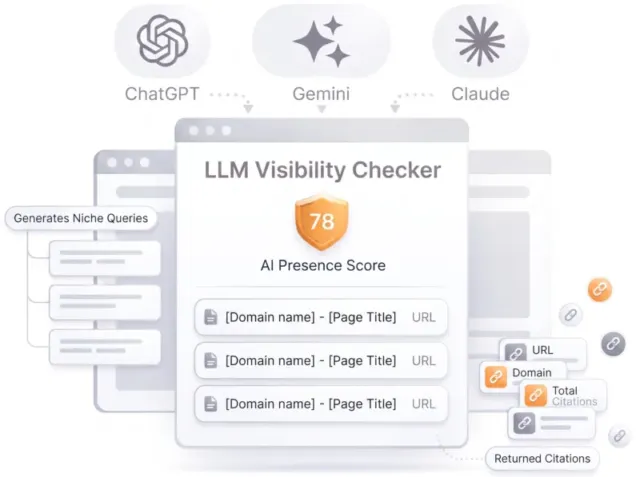
LLM Visibility Checker

LLM Visibility Checker

Track your brand across ChatGPT, Gemini and Claude

Get an AI Presence Score, see which of your pages get cited, and follow how you compare with competitors over time.

Speed optimizations
Score:59
Failed:4
Warnings:1
Passed:6
HTML Page Size Test
The size of your webpage's HTML is 41.99 Kb, and is greater than the average size of 33 Kb. This can lead to slower loading times, lost visitors, and decreased revenue. Good steps to reduce HTML size include: using HTML compression, CSS layouts, external style sheets, and moving javascript to external files.

HTML Page Size Test

How to pass this test?

In order to resolve this problem you are advised to:

  • use gzip compression
  • move all CSS style rules into a single, external and minified CSS file
  • minify all JS files and, if possible, try combining them into a single external JS file
  • use CSS layouts
Check your page's HTML size. HTML size is the size of all the HTML code on your web page - this size does not include images, external javascripts or external CSS files.
HTML Compression/GZIP Test
Congratulations! Your webpage is successfully compressed using gzip compression on your code. Your HTML is compressed from 210.54 Kb to 41.99 Kb (80% size savings). This helps ensure a faster loading webpage and improved user experience.
Check if your website is using HTML compression. HTML compression plays an important role in improving website speed by finding similar strings within a text file and replacing them temporarily to reduce overall file size.
Site Loading Speed Test
Your website loading time is around 2.29 seconds and this is under the average loading speed which is 5 seconds.
Related Keywords

Accurate historical loading speed monitor and reports

Get detailed and accurate loading speed reports for your websites and see how your pages are being loaded over time.

Check your website's loading speed. Page speed is an important factors in search engine rankings and overall site success. Pages that take longer than 5 seconds to load can lose up to 50% of users. Faster webpages result in higher traffic, better conversions and increased sales over slower loading pages.
Page Objects Test
Your page uses more than 20 http requests, which can slow down page loading and negatively impact user experience.
Total Objects: 265
  • 4 HTML Pages
  • 4 CSS Files
  • 19 JS Files
  • 238 Images
  • 0 Flash Files
Check if all the objects requested by this webpage can be retrieved. If they are not retrievable, your page may display incorrectly, leading to a bad user experience and lower search engine rankings.
CDN Usage Test
Your webpage is serving all images, javascript and css resources from CDNs.
Check if your webpage's resources (images, javascript and css files) are served via CDNs.
Image Caching Test
Congratulations! Your website is using cache headers for your images and the browsers will display these images from the cache.
Checks if your page is using an image expires tag, which specifies a future expiration date for your images. Users browsers will see this tag and cache the image in their browser until the specified date (so that it does not keep re-fetching the unchanged image from your server). This speeds up your site the next time returning visitors arrive at your site and require the same image.
JavaScript Caching Test
Congratulations! Your website is using cache headers for all JavaScript resources.
Checks if your page is using caching headers for all JavaScript resources. Users browsers will check for these headers and, if any, will cache the JavaScript resources until the specified date (so that it does not keep re-fetching the unchanged file from your server). This speeds up your site the next time returning visitors arrive at your site and require the same JavaScript resource.
CSS Caching Test
Congratulations! Your website is using cache headers for all CSS resources.
Checks if your page is using caching headers for all CSS resources. Users browsers will check for these headers and, if any, will cache the CSS resources until the specified date (so that it does not keep re-fetching the unchanged file from your server). This speeds up your site the next time returning visitors arrive at your site and require the same CSS resource.
JavaScript Minification Test
Some of your website's JavaScript files are not minified!

JavaScript Minification Test

How to pass this test?

In order to pass this test you must minify all of your external JavaScript files. For this task you can use an online JS minifier like JSCompress, Closure Compiler or JSMin.
Checks if any external javascript files used in your page is minified. Minified files reduce page size and overall load time.
CSS Minification Test
Some of your webpage's CSS resources are not minified.

CSS Minification Test

How to pass this test?

In order to pass this test you must minify all of your external CSS files. For this task you can use an online CSS minifier like YUI Compressor or cssmin.js.
Checks if any CSS files used in your page is minified. Minified files reduce page size and overall load time.
URL Redirects Test
Your URL performed 1 redirects! While redirects are typically not advisable (as they can affect search engine indexing issues and adversely affect site loading time), one redirect may be acceptable, particularly if the URL is redirecting from a non-www version to its www version, or vice-versa.
Check how many redirects your URL will perform to resolve to the final destination URL. Redirects often cause search engine indexing issues and can also lead to some minor loading delays. Google recommends removing or keeping redirects to a minimum.
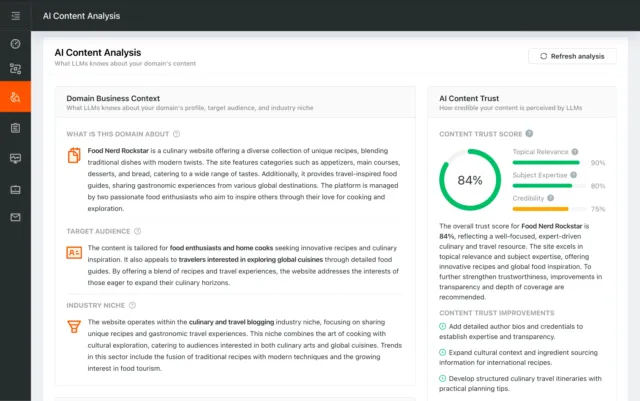
AI Content Analysis

AI Content Analysis

Optimize your content for search and LLMs

AI Content Analysis scores your pages on clarity, depth, and machine readability, so you optimize for both human readers and LLMs.

Server and security
Score:73
Failed:1
Warnings:0
Passed:2
URL Canonicalization Test
http://www.51.ca and http://51.ca resolve to the same URL.
Test your site for potential URL canonicalization issues. Canonicalization describes how a site can use slightly different URLs for the same page (e.g., if http://www.example.com and http://example.com displays the same page but do not resolve to the same URL). If this happens, search engines may be unsure about which URL is the correct one to index. Learn more about canonicalization issues.
HTTPS Test
Your website is not using https, a secure communication protocol. Even for sites that do not collect sensitive customer information, search engines suggest that switching to https is an increasingly good idea and may help improve rankings.

HTTPS Test

How to pass this test?

If your website needs a secured authentication or an encrypted transfer of data, you need to install an SSL certificate in order to provide a secure connection over HTTPS protocol. HERE is a "step by step" guide to purchase and install an SSL certificate.
Check if your website is using HTTPS, a secure protocol for sending/receiving data over the Internet. Using HTTPS indicates that an additional encryption/authentication layer was added between client and server. HTTPS should be used by any site that collects sensitive customer data such as credit card information. Even for sites that do not collect such data, switching to https helps users by improving privacy and overall security. Google is increasingly using https as a positive ranking factor.
Plaintext Emails Test
Congratulations! Your webpage does not include email addresses in plaintext.
Check your webpage for plaintext email addresses. Any e-mail address posted in public is likely to be automatically collected by computer software used by bulk emailers (a process known as e-mail address harvesting). A spam harvester can read through the pages in your site and extract plaintext email addresses which are then added to bulk marketing databases (resulting in more inbox spam). There are several methods for email obfuscation.
Visual SEO Analysis

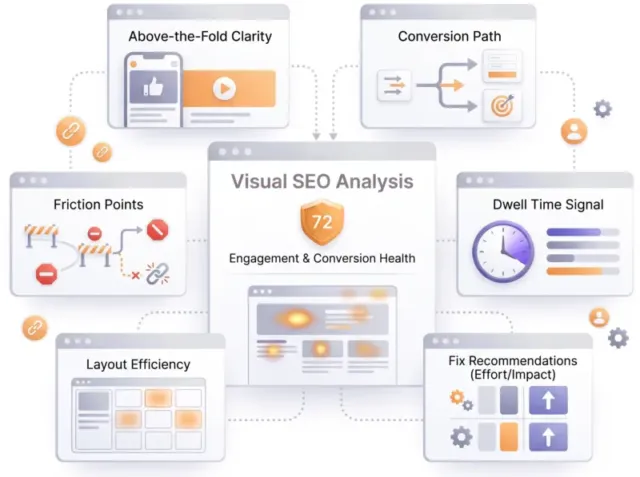
Visual SEO Analysis

Find out if your page design converts the visitors you earn

We score six things that decide whether a visitor stays and acts, from the first screen to the path to action, and rank every fix by effort and impact.

Mobile usability

Score:0
Failed:1
Warnings:0
Passed:1
Media Query Responsive Test
Your website is not using media queries. You should consider using this technique in order to implement responsive design functionalities.

Media Query Responsive Test

How to pass this test?

Media queries allow you to style elements for specific devices (smartphones, tablets, desktop computers) by using attributes like width, height, resolution, aspect ratio, orientation or color. By using media queries, presentations can be tailored to a specific range of output devices without changing the content itself.

Example:

<link rel="stylesheet" media="screen and (min-width: 480px) and (max-width: 960px)" 
href="480-960.css" />
 
<!-- OR -->
@media screen and (min-width: 480px) and (max-width: 960px) {
    #header {
        display: none;
    }
}

A @media rule specifies the target media types of a set of statements. In the example above, we are specifying the media type screen. The max-width and min-width features are telling the browser that at any screen size larger than 480px, but smaller than 960px, hide any elements with id="header".

Check if your page implements responsive design functionalities using the media query technique. The '@media' rule allows different style rules for screen sizes. Media query techniques allow different presentation and content to be served depending on the output device, helping ensure that your website renders optimally on all devices and platforms.
Mobile Snapshot Test
Mobile view
Check how your website renders on a mobile device.

Advanced SEO

Score:88
Failed:1
Warnings:0
Passed:5
Structured Data Test
Your webpage doesn't take the advantages of HTML Microdata specifications in order to markup structured data. View Google's guide for getting started with microdata.

Structured Data Test

How to pass this test?

HTML5 Microdata is an easy way to add semantic markup to your web pages. Search engines rely on this markup to improve the display of search results, making it easier for people to find the right web pages.

Here is a simple example of how to use HTML5 microdata in your contact web page:

<div itemscope itemtype="http://schema.org/Person">
   <span itemprop="name">Joe Doe</span>
   <span itemprop="company">The Example Company</span>
   <span itemprop="tel">604-555-1234</span>
   <a itemprop="email" href="mailto:joe.doe@example.com">joe.doe@example.com</a>
</div>
Check if your website uses HTML Microdata specifications (or structured data markup). Search engines use microdata to better understand the content of your site and create rich snippets in search results (which helps increase click-through rate to your site).
Custom 404 Error Page Test
Congratulations, your website is using a custom 404 error page. By creating a custom 404 error page, you can improve your website's user experience by letting users know that only a specific page is missing/broken (and not your entire site), providing them helpful links, the opportunity to report bugs, and potentially track the source of broken links in your site.
This SEO test will check if your website is using a custom 404 error page. By creating a custom 404 error page, you can improve your website's user experience by letting users know that only a specific page is missing/broken (and not your entire site), providing them helpful links, the opportunity to report bugs, and potentially track the source of broken links in your site.
Noindex Tag Test
Your webpage does not use the noindex meta tag. This means that your webpage will be read and indexed by search engines.
Check if your webpage is using the robots meta tag or the X-Robots-Tag HTTP header to instruct search engines not to show your site in search results pages.
Canonical Tag Test
Your webpage does not use the canonical link tag.
Check if your webpage is using the canonical link tag. The canonical link tag is used to nominate a primary page when you have several pages with duplicate or very similar content.
Nofollow Tag Test
Your webpage does not use the nofollow meta tag. This means that search engines will crawl all links from your webpage.
Check if your webpage is using the robots meta tag or the X-Robots-Tag HTTP header to instruct search engines not to follow the links on your page. Outgoing links marked with this tag will tell search engines not to follow or crawl that particular link. Google recommends that nofollow tags are used for paid advertisements on your site and links to pages that have not been vetted as trusted sites (e.g., links posted by users of your site).
Disallow Directive Test
Your robots.txt file disallow the search engines access to some parts of your website. You are advised to check carefully if the access to these resources or pages must be blocked.
Check if your robots.txt file is instructing search engine crawlers to avoid parts of your website. The disallow directive is used in robots.txt to tell search engines not to crawl and index a file, page, or directory.

Dominate search today on Google and AI Engines.

Join 85,000+ SaaS Marketers, Growth Agencies, Content-Led Companies and E-commerce Brands.

See Pricing
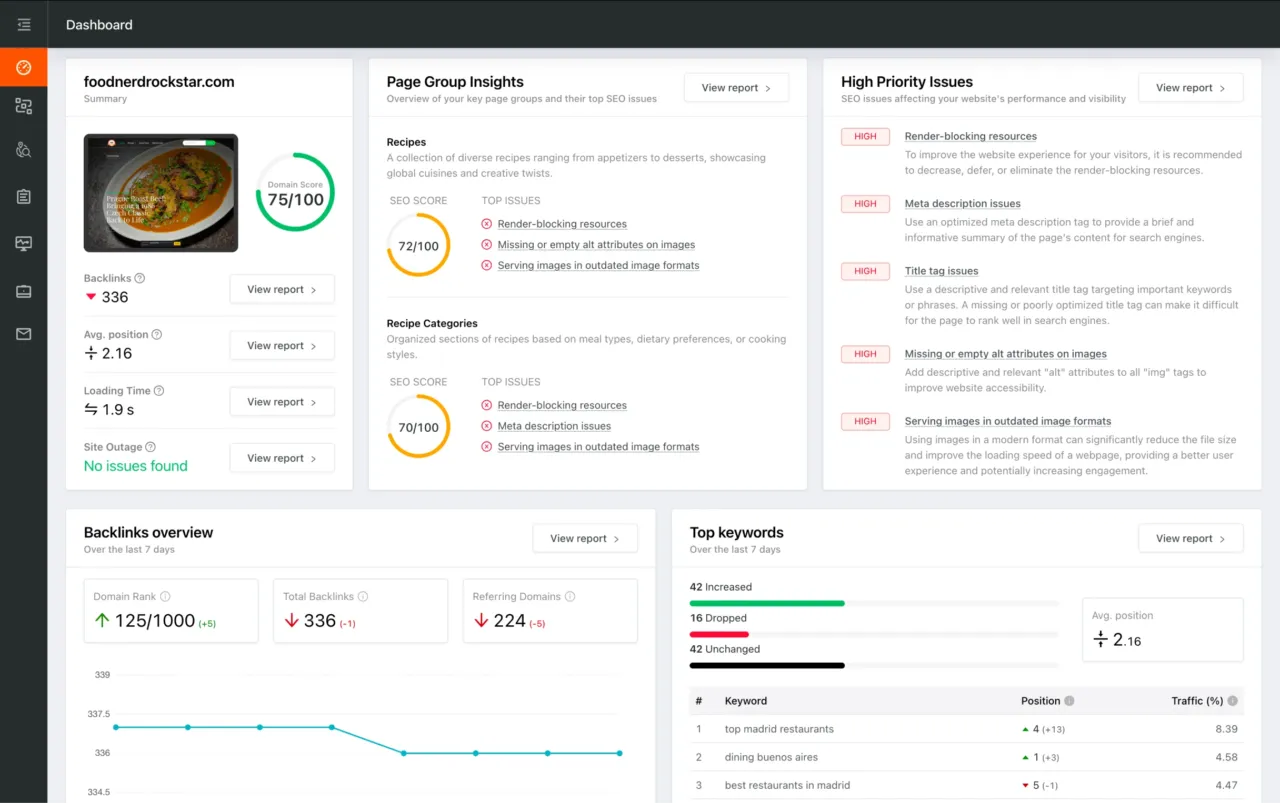
Dashboard preview showing SEO site checkup metrics, page group insights, and issue prioritization