Archived

SEO Report for https://0423820711.why3s.tw

Your general SEO Checkup Score


SEO ScoreNaN/100
Average SEO score of top 100 sites: 75%This value indicates the average SEO score of the top 100 most visited websites in the US (in the past 12 months)

Your site scored NaN/100, just above the 75 average for top sites. We found 8 issues to fix, and they're what's holding you back from the top spots.

8 Failed
0 Warnings
18 Passed

Want to fix these issues and track your progress?

Common SEO issues
Score:65
Failed:2
Warnings:0
Passed:7
Google Search Results Preview Test
Desktop version
http://0423820711.why3s.tw/台中24小時開鎖 速達鎖印04-23820711,台中24小時鎖匠,夜間開鎖台中24小時開鎖 速達鎖印04-23820711 夜間開鎖 汽機車開鎖
Mobile version
http://0423820711.why3s.tw/台中24小時開鎖 速達鎖印04-23820711,台中24小時鎖匠,夜間開鎖台中24小時開鎖 速達鎖印04-23820711 夜間開鎖 汽機車開鎖
Check how your page might appear in Google search results. Google search results typically uses your webpage title, url and meta-description in order to display relevant summarized information about your site. If these elements are too long, Google will truncate their content. Webpage title up to 70 characters in length, and webpage descriptions up to 160 characters in length are recommended in order to optimize readability.
Keywords Cloud Test
code
code即可加入。
copyright
design
email
gmail.com
line:電話搜尋
lock),亦稱彈珠鎖、珠鎖、鎖簧鎖或銷栓鎖,是其中一種最常見的鎖具結構。原理是使用多個不同高度的圓柱形零件(稱為鎖簧、彈子或珠),鎖住鎖芯。當放入正確的鑰匙,各鎖簧被推至相同的高度,鎖芯便被放開
simple
speedreach
tumbler
“速達鎖印店位於台中市五權西路,專業開鎖換鎖裝鎖配鎖提供台中
三.四段鎖
傳真
北區
北屯區
南區
南屯區
台中市區小時換鎖裝鎖,居家安全規劃,防盜系統規劃安裝
台中市區小時汽、機車無樣配鎖:鎖匙遺失,汽車晶片異常維修檢測
台中市區小時開鎖
台中市區小時開鎖,
喇叭鎖,輔助鎖,三.四.五段鎖,電鎖
地址:台中市南屯區五權西路二段號
大里區
大雅區
太平區
小時極速技術開鎖,擁有多年的鎖類工程經驗,秉承一貫竭誠待客的服務宗旨,務求在你遺失鎖匙之際,以最快的速度為你解決問題。
小時開鎖服務,在台中地區經營多年,是一家刻印開鎖的專家。
常見鎖種類
彈子鎖
彈子鎖(pin
我們小時的開鎖服務團隊非常專業,有專人專車第一時間趕到目的地,更有完備的多功能開鎖工具箱,能採取最適當的方法處理門鎖問題。員工服務態度良好,價錢合理,絕不隨意加價及濫收額外費用,專業可靠,實在是信心之選。
採用專業的工具及技術,毋須將整個鎖換掉,這樣既可以節省換鎖費用,又保持了鎖的完整性及外觀。
晶片即是在塑膠卡片上封裝積體電路(ic),並在卡上提供外接的金屬接點(或非接觸式),使讀寫裝置可對它提供電源和信號,並使兩者間可互相通信傳輸資料。晶片卡有兩種基本的類型,一種是「智慧型」,它具有一個中央處理器,可進行實際的資料儲存與安全防護作業,並具讀寫能力,可加入新的資料並予以處理;例如卡片中儲存的金額可以新增或扣除。另一種通常稱為記憶卡,主要做資料儲存之用,可讓人使用在電話、自動販賣機等相關的交易。在這兩種卡片中晶片智慧,可以讓資料免於受損、遭竊。晶片卡也可以分類為接觸式、非接觸式,及兩者組合式。接觸式卡片有或個外接的金屬接點,讀卡裝置必須實際接觸到卡片才能夠互相通信;而非接觸式卡片內含線圈,以電磁感應方式通信,不需接觸到讀卡設備。
晶片遙控
晶片鎖
服務區域,中區,東區
服務項目
服務項目與地區
機械鎖
機械鎖是一種沒有電子器件的大密鑰量高可靠的全機械密碼鎖。它的操作方式獨特,類似老電話機的撥號――從撥盤的起點開始,順時針轉動撥盤到某一位數碼,然後退回到起點,就輸入了一位密碼。如此重複直到輸入了最後一位密碼,再從起點逆時針轉動撥盤就可以開鎖。在開鎖的同時,內部已經複位,所以撥盤退回到起點關鎖后,必須重新輸入密碼才能開鎖,不需要考慮內部複位問題。如果輸錯了密碼,逆時針轉動撥盤(虛開鎖)也可以內部複位,然後重新輸入密碼。
汽、機車鎖匙遺失無樣配鎖
潭子區
烏日區
聯絡方式如右,如有鎖類問題需要諮詢,可加入line電話搜尋或是掃描
葉片鎖
葉片鎖,是根據其設計原理來進行命名的,葉片鎖的原理就是利用鑰匙上斜面角度變化不同的牙花來旋轉對齊鎖芯中角度變化不同的葉片,撥動鎖內與之吻合的葉片缺口進行封啟
西區
西屯區
豐原區
車道門禁:遙控器拷貝,感應扣複製
車道門禁:鐵捲門遙控器主機安裝維修,遙控器拷貝,感應扣複製
這是一種操作方式類似於按鍵電話機的電子鎖,通過鍵盤上的數碼按鍵依次輸入一組密碼,如果密碼與內部已約定的密碼相同,則輸出一個電信號,以驅動電磁鐵或者小馬達將門閂打開,完成一個開鎖過程。據有關資料介紹,這種鎖的研究從年代就開始了,在某些特殊場所早就有所應用。研究這種鎖的初衷,是提高鎖具的安全性,因為電子鎖的密鑰量(密碼量)極大,可以和機械鎖配合,避免因鑰匙被仿製而出現的問題。在安全性極高的前題下,它的另一個特點——無需鑰匙卻被越來越多的人所欣賞。因為人們攜帶的鑰匙很多已成累贅,而電子鎖只需記住一組密碼,無需攜帶金屬鑰匙,免除了人們的煩惱。這也是眾多的發明家研究大眾化電子鎖的動力所在。
速達鎖印
速達鎖印店重於品質的控管及良好的售後服務用心完成客戶的每一件事,也深受客戶的肯定。
連絡我們
連絡資訊
鎖種類
關於我們
電子鎖
電話
霧峰區
顧客留言
首頁
點選通話
,葉片鎖,連體鎖,電子鎖
The Keyword Cloud is a visual representation of keywords used on your website. This will show you which words are frequently used in the content of your webpage. Keywords having higher density are presented in larger fonts and displayed in alphabetic order.
Competitor Domains Test
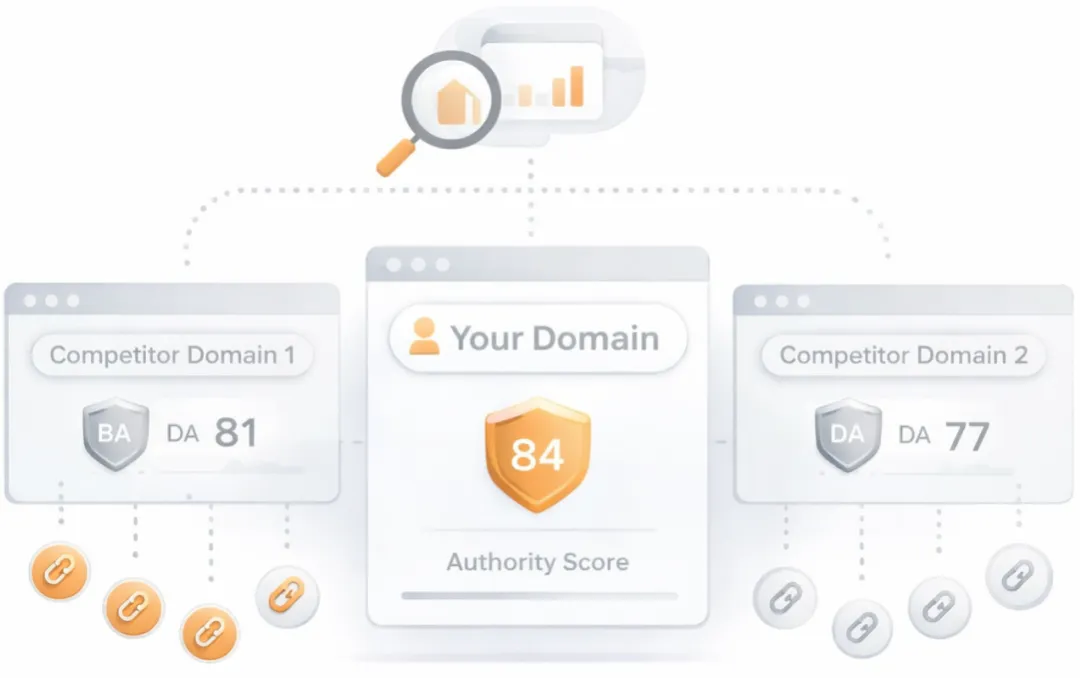
Competitor Domains

Understand your competitors' SEO and backlink profile

Get related competitors and their domain authority score in relation to your domain.

Identifies up to ten domains that compete for similar organic search results, ranked by overall domain authority based on the volume and quality of their backlink profiles. Useful for benchmarking the competitive landscape and prioritizing which sites to study for content and link-building strategy.
Robots.txt Test
This website is using a robots.txt file.
Check if your website is using a robots.txt file. When search engine robots crawl a website, they typically first access a site's robots.txt file. Robots.txt tells Googlebot and other crawlers what is and is not allowed to be crawled on your site.
Sitemap Test
This website has a sitemap file.
Check if the website has a sitemap. A sitemap is important as it lists all the web pages of the site and let search engine crawlers to crawl the website more intelligently. A sitemap also provides valuable metadata for each webpage.
Image Alt Test
Your webpage has 8 'img' tags and none of them contain the required 'alt' attribute.

Image Alt Test

How to pass this test?

In order to pass this test you must add an alt attribute to every <img> tag used into your webpage.

An image with an alternate text specified is inserted using the following HTML line:

<img src="image.png" alt="text_to_describe_your_image">

Remember that the point of alt text is to provide the same functional information that a visual user would see. Search engines, users who disabled images in their browsers and other agents who are unable to see the images on your webpage can read the alt attributes assigned to the image since they cannot view it.

Learn more about optimizing images for SEO.

Check if images on your webpage are using alt attributes. If an image cannot be displayed (e.g., due to broken image source, slow internet connection, etc), the alt attribute provides alternative information. Using relevant keywords and text in the alt attribute can help both users and search engines better interpret the subject of an image.
Deprecated HTML Tags Test
Congratulations! Your page does not use HTML deprecated tags.
Check if your webpage is using old, deprecated HTML tags. These tags will eventually lose browser support and your web pages may render incorrectly as browsers drop support for these tags.
Google Analytics Test

Google Analytics Test

How to pass this test?

In order to pass this test you must create an account on Google Analytics site and insert into your page a small javascript tracking code.

Example:

<!-- Google Analytics -->
<script>
(function(i,s,o,g,r,a,m){i['GoogleAnalyticsObject']=r;i[r]=i[r]||function(){
(i[r].q=i[r].q||[]).push(arguments)},i[r].l=1*new Date();a=s.createElement(o),
m=s.getElementsByTagName(o)[0];a.async=1;a.src=g;m.parentNode.insertBefore(a,m)
})(window,document,'script','//www.google-analytics.com/analytics.js','ga');

ga('create', 'UA-XXXX-Y', 'auto');
ga('send', 'pageview');

</script>
<!-- End Google Analytics -->

Note that you have to change the 'UA-XXXX-Y' with the proper id which you'll find in your analytics account.

Check if your website is connected with Google Analytics. Google Analytics is a popular, free website analysis tool that helps provide insights about your site's traffic and demographics.
Favicon Test
favicon
Congratulations! Your website appears to have a favicon.
Check if your site is using and correctly implementing a favicon. Favicons are small icons that appear in your browser's URL navigation bar. They are also saved next to your URL's title when your page is bookmarked. This helps brand your site and make it easy for users to navigate to your site among a list of bookmarks.
JS Error Test
Congratulations! There are no severe JavaScript errors on your web page.
Check your page for JavaScript errors. These errors may prevent users from properly viewing your pages and impact their user experience. Sites with poor user experience tend to rank worse in search engine results.
LLM Visibility Checker

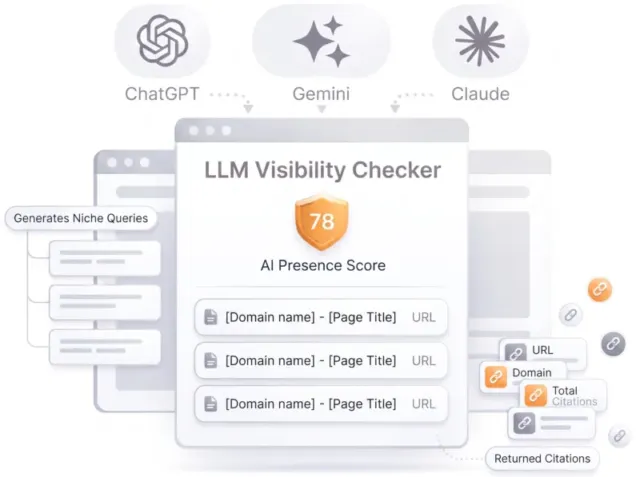
LLM Visibility Checker

Track your brand across ChatGPT, Gemini and Claude

Get an AI Presence Score, see which of your pages get cited, and follow how you compare with competitors over time.

Speed optimizations

Score:100
Failed:1
Warnings:0
Passed:5
HTML Page Size Test
Check your page's HTML size. HTML size is the size of all the HTML code on your web page - this size does not include images, external javascripts or external CSS files.
HTML Compression/GZIP Test
Congratulations! Your page is successfully compressed using gzip compression on your code.
Your HTML is compressed from 13.12 Kb to 4.75 Kb (64 % size savings). This helps ensure a faster loading web page and improved user experience.
Check if your website is using HTML compression. HTML compression plays an important role in improving website speed by finding similar strings within a text file and replacing them temporarily to reduce overall file size.
Site Loading Speed Test
Your site loading time is around 1.673 seconds and this is under the average loading speed which is 5 seconds.
Related Keywords

Accurate historical loading speed monitor and reports

Get detailed and accurate loading speed reports for your websites and see how your pages are being loaded over time.

Check your website's loading speed. Page speed is an important factors in search engine rankings and overall site success. Pages that take longer than 5 seconds to load can lose up to 50% of users. Faster webpages result in higher traffic, better conversions and increased sales over slower loading pages.
Page Objects Test
Your page has more than 20 http requests, which can slow down page loading. You can try reducing http requests through various methods such as using text instead of images, using css sprites, using data URIs instead of images, or combining several external files together into one.
Total Objects: 34
  • 1 HTML Pages
  • 3 CSS Files
  • 3 JS Files
  • 27 Images
  • 0 Flash Files
Check if all the objects requested by this webpage can be retrieved. If they are not retrievable, your page may display incorrectly, leading to a bad user experience and lower search engine rankings.
Image Caching Test
Congratulations! Your webpage use 'Expires' header for your images and the browsers will display these images from the cache.
Checks if your page is using an image expires tag, which specifies a future expiration date for your images. Users browsers will see this tag and cache the image in their browser until the specified date (so that it does not keep re-fetching the unchanged image from your server). This speeds up your site the next time returning visitors arrive at your site and require the same image.
URL Redirects Test
Congratulations! Your URL doesn't have any redirects (which could potentially cause site indexation issues and site loading delays).
Check how many redirects your URL will perform to resolve to the final destination URL. Redirects often cause search engine indexing issues and can also lead to some minor loading delays. Google recommends removing or keeping redirects to a minimum.
AI Content Analysis

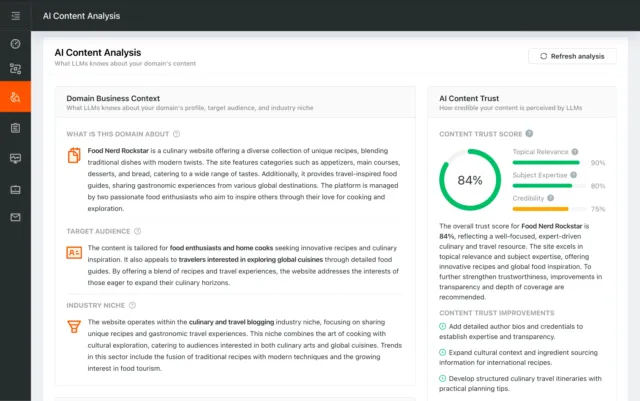
AI Content Analysis

Optimize your content for search and LLMs

AI Content Analysis scores your pages on clarity, depth, and machine readability, so you optimize for both human readers and LLMs.

Server and security

Score:NaN
Failed:3
Warnings:0
Passed:0
URL Canonicalization Test
http://0423820711.why3s.tw and http://www.0423820711.why3s.tw/ should resolve to the same URL, but currently do not.

URL Canonicalization Test

How to pass this test?

In order to pass this test you must consider using a 301 re-write rule in your .htaccess file so that both addresses (http://example.com and http://www.example.com) resolve to the same URL.

- If you want to redirect http://www.example.com to http://example.com, you can use this:

RewriteCond %{HTTP_HOST} ^www\.example\.com$
RewriteRule ^/?$ "http\:\/\/example\.com\/" [R=301,L]

- If you want to redirect http://example.com to http://www.example.com, you can use this:

RewriteCond %{HTTP_HOST} !^www.example.com$ [NC]
RewriteRule ^(.*)$ http://www.example.com/$1 [L,R=301]

Note that you must put the above lines somewhere after RewriteEngine On line.

Test your site for potential URL canonicalization issues. Canonicalization describes how a site can use slightly different URLs for the same page (e.g., if http://www.example.com and http://example.com displays the same page but do not resolve to the same URL). If this happens, search engines may be unsure about which URL is the correct one to index. Learn more about canonicalization issues.
HTTPS Test
Check if your website is using HTTPS, a secure protocol for sending/receiving data over the Internet. Using HTTPS indicates that an additional encryption/authentication layer was added between client and server. HTTPS should be used by any site that collects sensitive customer data such as credit card information. Even for sites that do not collect such data, switching to https helps users by improving privacy and overall security. Google is increasingly using https as a positive ranking factor.
Plaintext Emails Test
We found 1 email addresses in your page code. We advise you to protect email links in a way that hides them from the spam harvesters.

Plaintext Emails Test

How to pass this test?

In order to pass this test you must make your email addresses invisible to email spiders. Note that the best option is to replace your entire contact mechanism with a contact form and using the POST method while submitting the form.

Other solutions are listed below:

  • replace the at (@) and dot (.) characters
  • replace text with images
  • use email obfuscators
  • hide email addresses using JavaScript or CSS trick
Check your webpage for plaintext email addresses. Any e-mail address posted in public is likely to be automatically collected by computer software used by bulk emailers (a process known as e-mail address harvesting). A spam harvester can read through the pages in your site and extract plaintext email addresses which are then added to bulk marketing databases (resulting in more inbox spam). There are several methods for email obfuscation.
Visual SEO Analysis

Visual SEO Analysis

Find out if your page design converts the visitors you earn

We score six things that decide whether a visitor stays and acts, from the first screen to the path to action, and rank every fix by effort and impact.

Mobile usability

Score:100
Failed:0
Warnings:0
Passed:2
Media Query Responsive Test
Congratulations, your website uses media query technique, which is the base for responsive design functionalities.
Check if your page implements responsive design functionalities using the media query technique. The '@media' rule allows different style rules for screen sizes. Media query techniques allow different presentation and content to be served depending on the output device, helping ensure that your website renders optimally on all devices and platforms.
Mobile Snapshot Test
Mobile view
Check how your website renders on a mobile device.

Advanced SEO

Score:60
Failed:2
Warnings:0
Passed:4
Structured Data Test
Your webpage doesn't take the advantages of HTML Microdata specifications in order to markup structured data. View Google's guide for getting started with microdata.

Structured Data Test

How to pass this test?

HTML5 Microdata is an easy way to add semantic markup to your web pages. Search engines rely on this markup to improve the display of search results, making it easier for people to find the right web pages.

Here is a simple example of how to use HTML5 microdata in your contact web page:

<div itemscope itemtype="http://schema.org/Person">
   <span itemprop="name">Joe Doe</span>
   <span itemprop="company">The Example Company</span>
   <span itemprop="tel">604-555-1234</span>
   <a itemprop="email" href="mailto:joe.doe@example.com">joe.doe@example.com</a>
</div>
Check if your website uses HTML Microdata specifications (or structured data markup). Search engines use microdata to better understand the content of your site and create rich snippets in search results (which helps increase click-through rate to your site).
Noindex Tag Test
Your webpage does not use the noindex meta tag. This means that your webpage will be read and indexed by search engines.
Check if your webpage is using the robots meta tag or the X-Robots-Tag HTTP header to instruct search engines not to show your site in search results pages.
Canonical Tag Test
Your page does not use the canonical link tag.
Check if your webpage is using the canonical link tag. The canonical link tag is used to nominate a primary page when you have several pages with duplicate or very similar content.
Nofollow Tag Test
Your webpage does not use the nofollow meta tag. This means that search engines will crawl all links from your webpage.
Check if your webpage is using the robots meta tag or the X-Robots-Tag HTTP header to instruct search engines not to follow the links on your page. Outgoing links marked with this tag will tell search engines not to follow or crawl that particular link. Google recommends that nofollow tags are used for paid advertisements on your site and links to pages that have not been vetted as trusted sites (e.g., links posted by users of your site).
Disallow Directive Test
Your robots.txt file disallow the search engines access to some parts of your website. You are advised to check carefully if the access to these resources or pages must be blocked.
Check if your robots.txt file is instructing search engine crawlers to avoid parts of your website. The disallow directive is used in robots.txt to tell search engines not to crawl and index a file, page, or directory.
SPF Records Test
Your DNS server is not using an SPF record. SPF (Sender Policy Framework) allows administrators to specify which hosts are allowed to send mail from a given domain by creating a specific SPF record or TXT record in the Domain Name System (DNS). You can find more information about SPF records here.

SPF Records Test

How to pass this test?

An SPF record is a type of Domain Name Service (DNS) record that allows email systems to check if the sender of a message comes from a legitimate source and refuse an email if the source is not legitimate. Adding an SPF record is as easy as adding CNAME, MX or A records in your DNS zone. You can find more information here.

Before creating the SPF record for your domain, it is important to have access at your domain's DNS zone and to know what mail servers your domain is likely to use and plan how you want any non-authorised email to be handled.

Example:

Let's say that you are planning to send emails using Google Apps and you also want to ensure that no other mail servers are authorised. You can use an SPF record like this:

v=spf1 include:_spf.google.com -all

"v=spf1" - This sets the SPF version

"include:_spf.google.com" - This includes Google mail servers in your list of authorized sending servers

"-all" - This means that any server not previously listed is not authorized

If you are using your own VPS to send email and not any other service like Mandrill, Google Apps, etc. then you can create an SPF record like this:

v=spf1 mx -all

Note:

Setting an SPF record for your domain can help in reducing the chances of a spammer using your domain name in unsolicited emails. Research carefully what mail servers your domain is likely to use and plan how you want any non-authorised email to be handled.

Check if your DNS records contains an SPF record. SPF (Sender Policy Framework) records allow email systems to verify if a given mail server has been authorized to send mail on behalf of your domain. Creating an SPF record increases email delivery rates by reducing the likelihood of your email being marked as spam.

Dominate search today on Google and AI Engines.

Join 85,000+ SaaS Marketers, Growth Agencies, Content-Led Companies and E-commerce Brands.

See Pricing
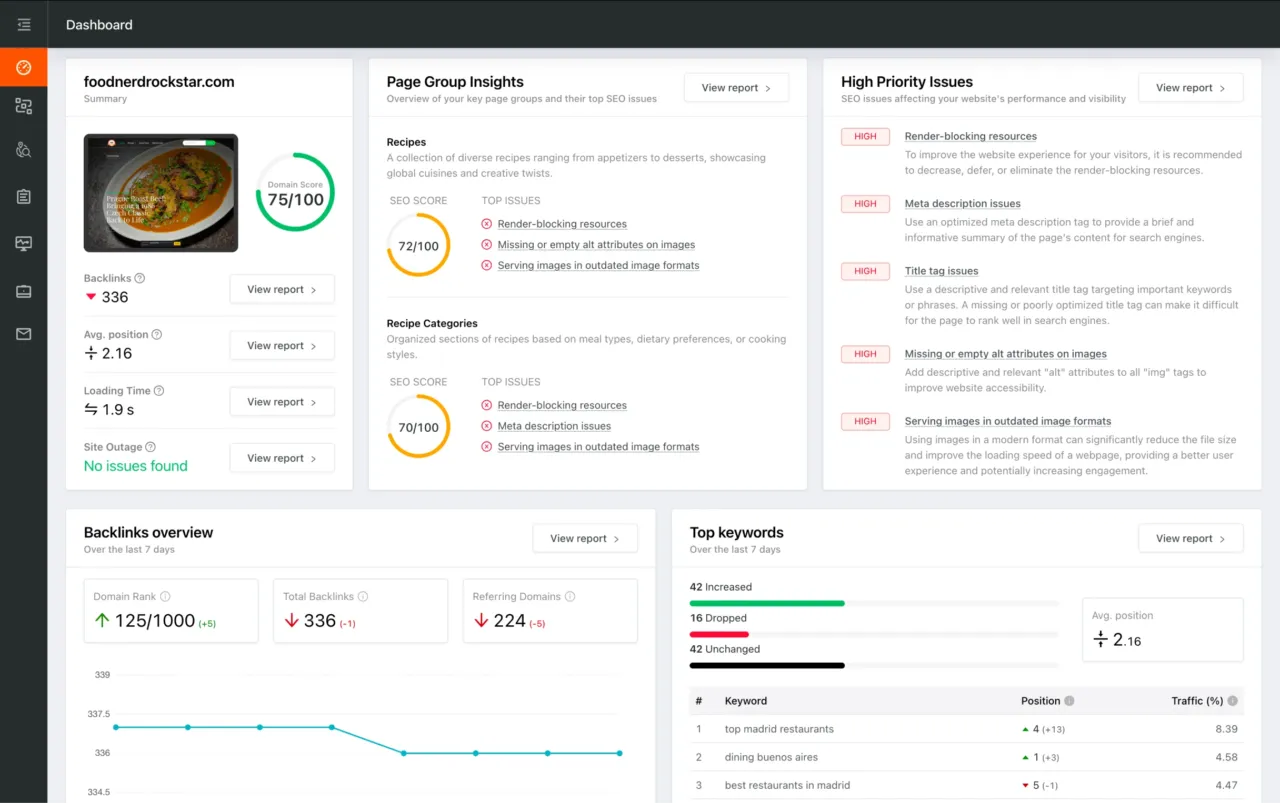
Dashboard preview showing SEO site checkup metrics, page group insights, and issue prioritization