Archived

SEO Report for https://www.unternehmensberatung-verlage.de

Your general SEO Checkup Score


SEO Score81/100
Average SEO score of top 100 sites: 75%This value indicates the average SEO score of the top 100 most visited websites in the US (in the past 12 months)
AI Visibility65/100
AI visibility score reflects brand reach in AI

Your site scored 81/100, just above the 75 average for top sites. We found 9 issues to fix, and they're what's holding you back from the top spots. And an AI Visibility Score of 65/100 means ChatGPT, Gemini and Perplexity mention your brand some of the time, with clear room to push further.

9 Failed
3 Warnings
51 Passed

Want to fix these issues and track your progress?

Issues to fix

HIGH
To improve the website experience for your visitors, it is recommended to eliminate any render-blocking resources on this webpage.
Details
HIGH
To implement responsive design functionalities, it is recommended to use CSS media queries.
Details
MEDIUM
Serving resources (images, JS, CSS) from a CDN service, could improve website loading times, reduce bandwidth costs and increase content availability and redundancy.
Details
MEDIUM
Add a Google Analytics script to this website to help in diagnosing potential SEO issues by monitoring site visitors and traffic sources.
Details
MEDIUM
Consider adding cache headers for CSS resources to speed up the webpage for returning users.
Details
MEDIUM
Using social media meta tags can improve the appearance and content of shared links on social media platforms, potentially increasing click-through rates and engagement with the page.
Details
LOW
Without an SPF record, spammers can easily spoof emails from this domain, potentially leading to compromised email security and deliverability issues.
Details
LOW
Using more than 20 HTTP requests on a webpage can negatively impact the loading time.
Details
LOW
Consider adding the Strict-Transport-Security header to your webpage to ensure that web traffic is encrypted over HTTPS, mitigating the risk of man-in-the-middle attacks and other security threats.
Details

AI Insights

Score:0
Failed:0
Warnings:0
Passed:5
Domain Business Context
Understanding the business context of a domain can help you create content that is more relevant to your target audience and differentiate your website from competitors.

What is this domain about

Business consulting for media, publishing, and cultural organizations, with a focus on strategy, marketing, operations, and organizational development.

Industry Niche

Media and cultural consulting

Target Audience

Owners, managers, and decision-makers in media, publishing, cultural, and entertainment businesses seeking specialized consulting support.
This test will check the business context of the domain associated with the analyzed webpage. The business context includes the domain's description, target audience and industry niche (if applicable). Understanding the business context of a domain can help you create content that is more relevant to your target audience and differentiate your website from competitors.
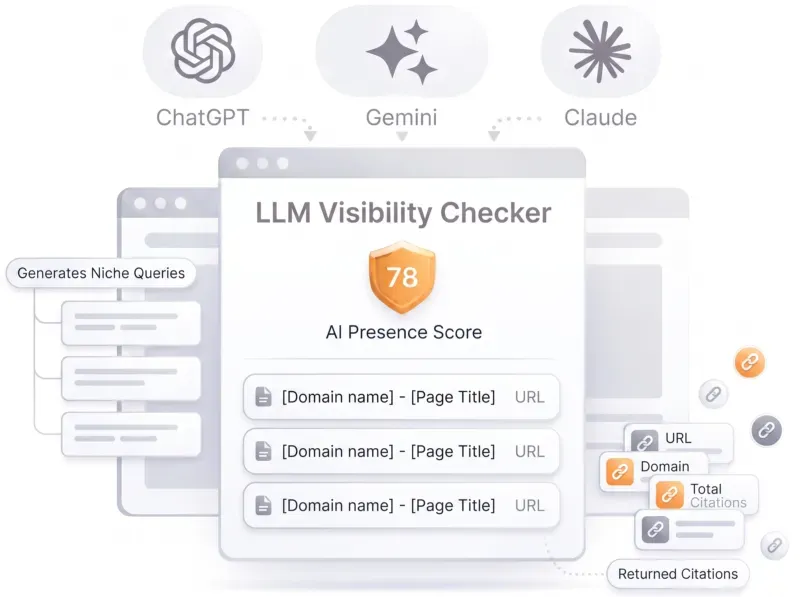
LLM Visibility Checker

Track your brand across ChatGPT, Gemini and Claude

Get an AI Presence Score, see which of your pages get cited, and follow how you compare with competitors over time.

How visible your brand is to AI engines
Content Strengths and Weaknesses

This webpage clearly communicates a specialized consulting offer and the sectors it serves, with a strong focus on media and cultural businesses. However, the content is largely a static service overview with limited depth, proof, or persuasive detail.

Content Strengths

  • Clear niche positioning
  • Broad service coverage
  • Long operating history

Content Weaknesses

  • Limited service detail
  • No case evidence
  • Sparse credibility signals
This test will analyze the content of the webpage to identify its strengths and weaknesses. The analysis includes factors such as keyword usage, readability, originality, and relevance to the target audience. By understanding the strengths and weaknesses of your content, you can make informed decisions about how to improve it and better meet the needs of your audience.
Content Trust
59%
Topical Relevance96%
Subject Expertise72%
Credibility45%

This webpage appears moderately trustworthy because it clearly defines a specialized consulting focus, shows a named consultant, and includes a physical address plus an operating history since 1994. Trust is limited by the lack of visible testimonials, third-party validation, detailed methodology, or richer proof of expertise on the page itself.
This test will evaluate the trustworthiness of the content on the webpage. It assesses factors such as the credibility of sources, accuracy of information, and overall reliability. A high level of content trust can enhance your website's reputation and improve its ranking in search engine results.
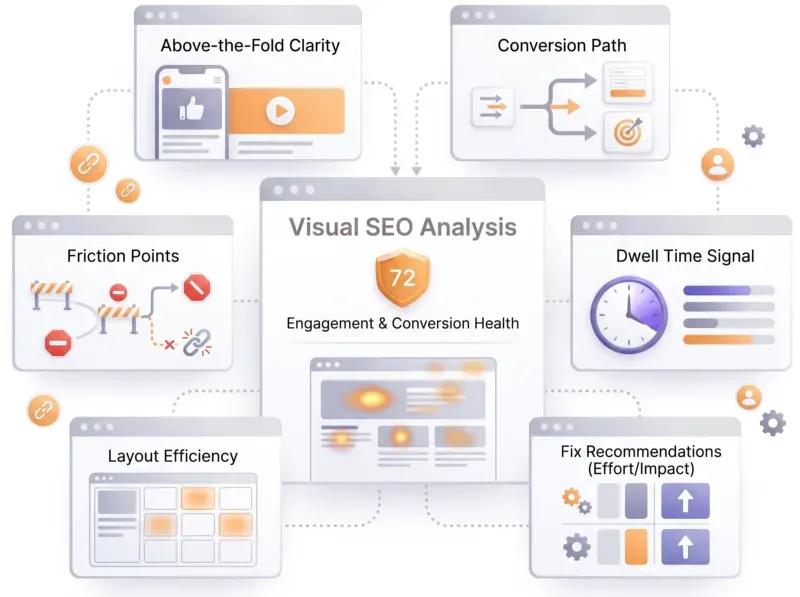
Visual SEO Analysis
Visual SEO Analysis

Find out if your page design converts the visitors you earn

We score six things that decide whether a visitor stays and acts, from the first screen to the path to action, and rank every fix by effort and impact.

How your page's design and UX affect conversions
Content Freshness
84%

The page looks current enough for a static business homepage because it includes an explicit update note and a 2026 footer year. There are no strong signs of outdated topical content, though the page itself is mostly timeless promotional material rather than time-sensitive information.

Positive Signals

  • Updated 27.10.2026
  • 2026 copyright notice
  • Current business positioning

Staleness Signals

  • Static evergreen homepage
  • No recent news or posts
This test will check the freshness of the content on the webpage. It evaluates how recently the content was created or updated, and whether it remains relevant to current trends and user interests. Fresh content can attract more visitors and improve your website's ranking in search engine results.
Content Opportunities

The site has a strong niche focus but leaves substantial room to deepen authority and convert interest into trust. The biggest opportunities are to add proof, explain the consulting process in more detail, and create content that answers practical questions from media and cultural business owners.

Quick Wins

  • •Add one short testimonial block with the client’s name, role, and organization.
  • •Turn the existing service list into brief one-paragraph explanations for each consulting area.
  • •Create a simple FAQ section answering pricing, process, and funding questions.
This test will identify potential content opportunities for the webpage. It analyzes the current content landscape, identifies gaps in coverage, and suggests topics or keywords that could be targeted to attract more visitors and improve search engine rankings.

Common SEO issues

Score:87
Failed:2
Warnings:1
Passed:16
Meta Title Test
100% of top 100 sites passed
This webpage is using a title tag with a length of 65 characters. While there's no target number of characters, titles should be descriptive and concise. We recommend using a title with a length between 20 - 60 characters in order to fit Google Search results that have a 600-pixel limit.
Text: Unternehmensberatung Magnus Hirsch: Medien- und Kultur-Consulting
Length: 65 characters
The meta title is an HTML element that defines a page's title, displayed in search engine results, browser tabs, and bookmark lists. A concise, keyword-relevant title is a strong on-page ranking signal and a major driver of organic click-through rate. AI answer engines and LLM-driven search experiences also rely on the title to identify, summarize, and cite the page in generative results.
Meta Description Test
92% of top 100 sites passed
This webpage is using a meta description tag.
Text: Exzellente Unternehmensberatung für Medien, Kultur-Branche, Verlage, Online, Zeitschriften, Zeitungen, Digitale Medien, Film, TV, Radio, Buchhandel, Kino.
Length: 154 characters
The meta description is an HTML tag that provides a short summary of a page's content, often shown beneath the title in search results. While not a direct ranking factor, an accurate and inviting description significantly improves click-through rate from organic listings. AI answer engines and social platforms also use it as a trusted summary when generating previews, citations and shareable snippets.
Google Search Results Preview Test
Desktop version
https://www.unternehmensberatung-verlage.de/Unternehmensberatung Magnus Hirsch: Medien- und Kultur-ConsultingExzellente Unternehmensberatung für Medien, Kultur-Branche, Verlage, Online, Zeitschriften, Zeitungen, Digitale Medien, Film, TV, Radio, Buchhandel, Kino.
Mobile version
https://www.unternehmensberatung-verlage.de/Unternehmensberatung Magnus Hirsch: Medien- und Kultur-ConsultingExzellente Unternehmensberatung für Medien, Kultur-Branche, Verlage, Online, Zeitschriften, Zeitungen, Digitale Medien, Film, TV, Radio, Buchhandel, Kino.
A simulated preview of how the page may appear in Google search results, combining the title, URL, and meta description as Google typically renders them. Useful for spotting truncated text, weak phrasing, or missing elements before publishing, since the snippet directly influences whether searchers click through.
Social Media Meta Tags Test
89% of top 100 sites passed
This webpage is not using social media meta tags! While this type of meta tags don't affect what people see when they visit the webpage, they exist to provide information about it to search engines and social media platforms.

Social Media Meta Tags Test

How to pass this test?

Open Graph and Twitter Card meta tags tell social platforms, link unfurlers, and AI crawlers how to display the page when its URL is shared. Adding the right tags produces richer previews with the intended title, description, and image, which lifts click-through on social channels and gives answer engines a structured summary to work with when citing the page.

Example

<head>
  <meta property="og:title" content="Lightweight Marathon Running Shoes">
  <meta property="og:description" content="Compare specs, weight, and runner reviews.">
  <meta property="og:image" content="https://example.com/images/og-shoes.jpg">
  <meta property="og:url" content="https://example.com/shoes/marathon">
  <meta property="og:type" content="article">
  <meta name="twitter:card" content="summary_large_image">
</head>

Where to make the change

  • Raw HTML: add the meta tags directly to the <head>. Open Graph properties use property= while Twitter Card properties use name=.
  • WordPress: a dedicated SEO plugin will populate Open Graph and Twitter Card tags from the post's title, excerpt, and featured image. Override per-post when the auto-derived value is weak.
  • Shopify: most modern themes emit Open Graph tags automatically. If yours does not, edit theme.liquid to add the tags inside the <head> using product or page metadata.
  • Wix or Squarespace: open the page settings and use the social sharing image and description fields. Both platforms render the corresponding meta tags on save.
  • Headless or framework sites: emit Open Graph and Twitter Card tags from the framework's metadata API alongside the title and meta description.

Common causes and how to resolve them

  • No social meta tags at all: add at minimum og:title, og:description, og:image, and og:url. These are the four properties most platforms rely on.
  • Missing or relative og:image URL: social platforms require an absolute, publicly reachable image URL. Use a full https:// URL, not a relative path.
  • Image too small or wrong aspect ratio: aim for at least 1200 x 630 pixels so the preview renders crisply on Facebook, LinkedIn, and X without awkward cropping.
  • Stale preview cached by the platform: after fixing the tags, use the platform's debugger (Facebook Sharing Debugger, X Cards Validator, LinkedIn Post Inspector) to invalidate the cache and re-scrape the page.

Best practices

  • Use absolute URLs everywhere: og:url and og:image must be fully qualified. Relative paths break previews on most platforms.
  • Pick a dedicated social image: a single hero image at 1200 x 630 with the page's main visual covers Facebook, LinkedIn, X (with summary_large_image), and most other platforms in one shot.
  • Set a sensible og:type: use article for blog posts, website for landing pages, and product for e-commerce items. The type affects how some platforms render the preview.
  • Add Twitter-specific tags only when they differ: X falls back to Open Graph when Twitter Card tags are absent, so duplicate them only when you genuinely want a different title, image, or card type.
Open Graph and Twitter Card meta tags tell social platforms and link unfurlers how to display a page when its URL is shared. Well-formed tags produce richer previews with the intended title, description, and image, which improves click-through on social channels. They also serve as a structured signal that AI crawlers and answer engines can use when summarizing the page.
Most Common Keywords Test
There is likely no optimal keyword density (search engine algorithms have evolved beyond keyword density metrics as a significant ranking factor). It can be useful, however, to note which keywords appear most often on your page and if they reflect the intended topic of your page. More importantly, the keywords on your page should appear within natural sounding and grammatically correct copy.
11verlage
9medien
5kultur
4radio
4sender
A frequency analysis of the most repeated words and phrases in the page's visible content. Useful for getting a quick sense of which topics search engines are likely to associate with the page, and for spotting cases where the actual content drifts from the intended subject.
Keywords Usage Test
48% of top 100 sites passed
The most common keywords of this webpage are distributed well across the important HTML tags. This helps search engines to properly identify the topic of this webpage.
Keyword
Title tag
Meta description
Headings
verlage
medien
kultur
radio
sender
Cross-checks whether the most frequently used keywords on the page also appear in the title and meta description. Alignment between body content and metadata helps search engines confirm the page's topic and reinforces relevance for those terms.
Keywords Cloud Test
allen
anbieter
andere
angesagten
animationsfilm
augmented
beratungslösungen
blog
branche
branchenspezialisten
buchhandel
corporate
dauer
derzeit
digitale
doch
dokumentarfilm
eine
elektronische
erfolg
existieren
exzellente
film
folgenden
gegensatz
gründung
herzlich
hierbei
hinterherzulaufen
hirsch
ihrem
industriefilm
kann
kein
kinofilm
kinos
kommerz
kultur
kunst
leben
lebensphasen
lokale
machen
magnus
media
medien
medienanbieter
medienbetreiber
mixed
mobile
nationale
nicht
ohne
online
opportunistisch
optimierung
portal
private
produktionsbetriebe
produktionsfirmen
professionellen
radio
reality
rechtliche
regionale
richtigen
schaffenden
schulungsfilm
seit
selten
sender
serien
sind
social
sondern
spielfilm
sport
stationen
symbiose
theater
trends
unkritisch
unternehmen
unternehmensberatung
veranstalter
verbunden
verkauf
verlage
verleiher
vertriebsunternehmen
vielmehr
virtual
webfilm
weglassens
werbefilm
willkommen
zeitschriften
zukunft
öffentlich
über
A visual word cloud of the page's content, with more frequent terms shown in larger text. Provides a quick at-a-glance view of which words dominate the page, helping confirm that the visible content reflects the intended topic.
Competitor Domains Test
Competitor Domains

Understand your competitors' SEO and backlink profile

Get related competitors and their domain authority score in relation to your domain.

Identifies up to ten domains that compete for similar organic search results, ranked by overall domain authority based on the volume and quality of their backlink profiles. Useful for benchmarking the competitive landscape and prioritizing which sites to study for content and link-building strategy.
Heading Tags Test
62% of top 100 sites passed
This webpage contains headings tags.
H1 tags
Herzlich willkommen
H2 tags
•  Elektronische Medien & Digitale Medien
•  Print-Medien
•  Veranstaltungs-Medien & Live-Entertainment-Medien
Inspects the page for H1 and H2 heading tags and reports their structure. Headings give both users and search engines a clear outline of the page's topics, with the H1 acting as the primary subject and H2s framing major sections. A clean heading hierarchy also helps AI answer engines segment the content into discrete passages they can quote or summarize.
Robots.txt Test
99% of top 100 sites passed
This website is using a robots.txt file.
Verifies whether the site exposes a robots.txt file at the root domain. This file is the first resource most crawlers request, telling search engines and other bots which paths they may or may not access. It is also the standard mechanism for allowing or blocking modern AI crawlers used by training pipelines and answer engines.
Sitemap Test
83% of top 100 sites passed
Looks for an XML sitemap on the site and reports whether one is published. Sitemaps give search engines an explicit, machine-readable list of the URLs you want crawled, along with metadata such as last-modified dates, which speeds up discovery of new and updated pages. They are especially useful for large sites or those with weak internal linking.
Image Alt Test
78% of top 100 sites passed
All "img" tags from this webpage have the required "alt" attribute.
Inspects whether images on the page include descriptive alt attributes. Alt text provides accessibility for screen readers, a fallback when images fail to load, and a textual signal that helps search engines understand image content. It also improves how AI crawlers and image search tools interpret and surface the visuals.
Responsive Image Test
29% of top 100 sites passed
All images in this webpage are properly sized for different users' viewports.
Compares the natural dimensions of each image to the size at which it is actually rendered in the user's viewport. Serving images significantly larger than needed wastes bandwidth, slows page load, and forces the browser to scale assets unnecessarily, all of which hurt performance and user experience.
Image Aspect Ratio Test
75% of top 100 sites passed
All image display dimensions match the natural aspect ratio.
Compares each image's natural aspect ratio against the ratio at which it is displayed on the page. Significant mismatches result in stretched or squashed visuals that look unprofessional and degrade the user experience.
Deprecated HTML Tags Test
94% of top 100 sites passed
This webpage does not use HTML deprecated tags.
Scans the markup for HTML elements that are no longer part of the modern HTML specification. Deprecated tags may still render today, but browsers can drop support at any time, leading to broken layouts and rendering inconsistencies. Replacing them with current standards keeps the page resilient and easier to maintain.
Google Analytics Test
72% of top 100 sites passed
A Google Analytics script is not detected on this page. While there are several tools available to monitor your site's visitors and traffic sources, Google Analytics is a free, commonly recommended program to help diagnose potential SEO issues.

Google Analytics Test

How to pass this test?

Google Analytics 4 is a free measurement platform that records visitor behavior, traffic sources, and conversion data. Installing it does not directly affect rankings, but the data it produces is essential for measuring SEO performance, identifying high-value pages, and prioritizing future optimization work. Fixing this issue means installing the GA4 tag site-wide and confirming events appear in your reports.

Example

<!-- Place inside <head> on every page -->
<script async src="https://www.googletagmanager.com/gtag/js?id=G-XXXXXXXXXX"></script>
<script>
  window.dataLayer = window.dataLayer || [];
  function gtag(){dataLayer.push(arguments);}
  gtag('js', new Date());
  gtag('config', 'G-XXXXXXXXXX');
</script>

Where to make the change

  • Raw HTML: paste the GA4 snippet into the <head> of every page. A shared layout file is the cleanest place.
  • WordPress: use a site-kit or analytics plugin, or paste the snippet into your theme's header file. Avoid duplicating the tag across multiple plugins.
  • Shopify: add the GA4 measurement ID under Online Store, Preferences, Google Analytics, or install the official Google channel app.
  • Wix or Squarespace: both platforms offer a GA4 measurement ID field in their analytics settings panel.
  • Headless or framework sites: install via Google Tag Manager or use the framework's analytics integration so the tag fires on every route change.

Common causes and how to resolve them

  • Tag not installed at all: install GA4 using the snippet above or the platform-specific path.
  • Universal Analytics tag still in place: Universal Analytics stopped processing data on July 1, 2024. Replace any UA tag (UA-...) with a GA4 measurement ID (G-...).
  • Tag fires only on the homepage: ensure the snippet is in a shared template loaded by every page, not pasted into one post.
  • Cookie banner blocks the tag before consent: integrate Consent Mode v2 so GA4 receives anonymized signals before consent and full data after.
  • Tag duplicated: two snippets on the same page double-count sessions. Audit with the Tag Assistant browser extension and remove duplicates.

Best practices

  • Verify with real-time reports: after installing, open GA4's Realtime view and load the site to confirm events arrive.
  • Use Google Tag Manager: for any site beyond the simplest, GTM gives you a single place to manage analytics, conversion tags, and third-party scripts without code changes.
  • Configure key events: mark conversions (purchase, lead, signup) as key events so reports highlight what matters for SEO ROI.
  • Link to Search Console: connecting GA4 to Search Console surfaces organic queries alongside on-site behavior in the same reports.
Detects whether the page is instrumented with Google Analytics tracking code. Analytics is not an SEO ranking factor, but having reliable traffic and behavior data is essential for measuring the impact of SEO work and identifying opportunities for improvement.
Favicon Test
100% of top 100 sites passed
favicon
This website appears to have a favicon.
Verifies whether the site declares a favicon and that it loads correctly. Favicons appear in browser tabs, bookmarks, and increasingly in search engine result pages, where they reinforce brand recognition and make a listing easier to spot at a glance.
JS Error Test
83% of top 100 sites passed
There are no severe JavaScript errors on this webpage.
Inspects the page for JavaScript runtime errors that occur as it loads. Unhandled errors can break interactive features, leave content unrendered, and signal poor code quality, all of which hurt the user experience that search engines factor into rankings.
Console Errors Test
27% of top 100 sites passed
This webpage doesn't have any warnings or errors caught by the Chrome DevTools Console.
Reviews the browser console for warnings and errors emitted while the page loads. Console messages often expose underlying issues such as failed network requests, deprecated APIs, or security warnings that can quietly degrade the experience even when the page appears to work.
Charset Declaration Test
96% of top 100 sites passed
This webpage has a character encoding declaration.
meta http-equiv="Content-Type" content="text/html; charset=utf-8"
Checks whether the page declares a character encoding such as UTF-8. Without an explicit charset declaration, browsers must guess the encoding, which can lead to garbled symbols, broken accented characters, and inconsistent rendering across devices. UTF-8 is the modern standard recommended by Google.

Speed optimizations

Score:77
Failed:4
Warnings:1
Passed:15
HTML Page Size Test
23% of top 100 sites passed
The size of this webpage's HTML is 3.96 Kb and is under the average webpage's HTML size of 33 Kb. Faster loading websites result in a better user experience, higher conversion rates, and generally better search engine rankings.
Measures the size of the raw HTML document, excluding images and external CSS or JavaScript. Bloated HTML increases time to first byte and parsing time, slowing down rendering on mobile networks and lower-powered devices. Trimming inline styles, redundant markup, and oversized inline data keeps initial load fast.
DOM Size Test
56% of top 100 sites passed
The Document Object Model (DOM) of this webpage has 171 nodes which is less than the recommended value of 1,500 nodes.
Measures the size and depth of the page's Document Object Model, the tree of nodes the browser builds from the HTML. Very large DOMs increase memory usage, lengthen style and layout calculations, and slow down rendering, particularly on mobile devices. Keeping the DOM lean improves both load time and runtime responsiveness.
HTML Compression/GZIP Test
99% of top 100 sites passed
This webpage is successfully compressed using gzip compression on your code. The HTML code is compressed from 14.2 Kb to 3.96 Kb (72% size savings). This helps ensure a faster loading webpage and improved user experience.
Verifies whether the server delivers the HTML using a compression algorithm such as Gzip or Brotli. Compressed responses dramatically reduce transfer size with negligible decompression cost, translating directly into faster page loads, especially on slower connections.
Site Loading Speed Test
71% of top 100 sites passed
The loading time of this webpage (measured from N. Virginia, US) is around 1.7 seconds and this is under the average loading speed which is 5 seconds.
Related Keywords

Accurate historical loading speed monitor and reports

Get detailed and accurate loading speed reports for your websites and see how your pages are being loaded over time.

Measures the overall time required to load the page in the browser. Page speed is a confirmed Google ranking factor and a strong driver of bounce rate, with slower pages losing a meaningful share of users before they even see the content. Faster pages also tend to convert better, making this a key metric for both SEO and revenue.
JS Execution Time Test
53% of top 100 sites passed
The JavaScript code used by this webpage is executed in less than 2 seconds.
Reports the total time the browser spends parsing, compiling, and executing JavaScript while the page loads. Heavy JavaScript work blocks the main thread and is the primary cause of poor Interaction to Next Paint, the Core Web Vital that replaced First Input Delay in 2024 and that Google uses as part of its ranking algorithms. Reducing bundle size and deferring non-critical scripts directly improves perceived performance.
Page Objects Test
7% of top 100 sites passed
This webpage is using more than 20 http requests, which can slow down page loading and negatively impact user experience!
Content size by content type
Content type
Percent
Size
image
95.3 %
147.27 Kb
html
2.7 %
4.11 Kb
css
2.0 %
3.15 Kb
javascript
0.0 %
0 B
font
0.0 %
0 B
other
0.0 %
0 B
TOTAL
100%
154.53 Kb
Requests by content type
Content type
Percent
Requests
image
92.1 %
35
css
5.3 %
2
html
2.6 %
1
javascript
0.0 %
0
font
0.0 %
0
other
0.0 %
0
TOTAL
100%
38
Content size by domain
Domain
Percent
Size
unternehmensberatung-verlage.de
100.0 %
154.53 Kb
TOTAL
100%
154.53 Kb
Requests by domain
Domain
Percent
Requests
unternehmensberatung-verlage.de
100.0 %
38
TOTAL
100%
38
Verifies that every resource the page requests, including images, scripts, stylesheets, and fonts, can be successfully retrieved. Broken or unreachable assets can leave the page rendered incorrectly, trigger console errors, and damage both user experience and how search engines perceive page quality.
CDN Usage Test
95% of top 100 sites passed
This webpage is not serving resources (images, javascript and css) from CDNs!

CDN Usage Test

How to pass this test?

A Content Delivery Network serves static assets from edge locations close to the user, reducing latency, improving cache hit rates, and offloading traffic from the origin server. Fixing this issue means routing your images, JavaScript, CSS, and fonts through a CDN so visitors anywhere in the world get fast, consistent delivery.

Where to make the change

  • Cloud platforms: Cloudflare, Fastly, AWS CloudFront, Bunny.net, and similar providers offer free or low-cost CDN tiers. Sign up, point your domain through the CDN, and enable caching for static asset paths.
  • WordPress: use a CDN integration plugin or sign up directly with Cloudflare and update the site's nameservers.
  • Shopify: Shopify serves storefront assets through its own CDN automatically; the failure usually points at custom assets uploaded outside the platform.
  • Headless or framework sites: deploying to Vercel, Netlify, or Cloudflare Pages puts the entire site behind a global CDN by default.

Common causes and how to resolve them

  • No CDN at all: add one. Even a free Cloudflare account in front of an existing host produces measurable speed gains.
  • CDN configured but bypassed for some assets: ensure all img, script, link, and font URLs use the CDN hostname rather than the origin.
  • Cache headers prevent caching: long-lived assets need cache-control headers like public, max-age=31536000, immutable. Without them, the CDN cannot cache effectively.
  • Origin-only third-party scripts: many vendors already serve their scripts via their own CDN. Use the URL the vendor provides rather than self-hosting.

Best practices

  • Use a versioned asset path: filenames like app.a3f9.css let you set far-future cache headers without ever serving stale files. Update the filename when content changes.
  • Enable Brotli at the edge: most CDNs can compress responses on the fly, including text formats.
  • Pre-warm caches for new launches: after a major release, request key URLs through every region (or use the CDN's purge-and-prefetch tools) so users do not hit cold caches.
Detects whether static assets such as images, JavaScript, and CSS are delivered through a Content Delivery Network. CDNs serve files from edge locations close to the user, reducing latency, improving cache hit rates, and offloading traffic from the origin server. The result is faster, more consistent page performance worldwide.
Modern Image Format Test
43% of top 100 sites passed
This webpage is using images in a modern format.
Identifies images served in legacy formats such as JPEG and PNG instead of modern alternatives like WebP or AVIF. Modern formats compress significantly better at equivalent visual quality, which means smaller transfers, faster page loads, and lower data usage for visitors on metered connections.
Image Metadata Test
72% of top 100 sites passed
This webpage is not using images with large metadata.
Flags images carrying disproportionately large embedded metadata such as EXIF data, thumbnails, color profiles, geolocation, and camera information. This metadata is rarely useful on the web and adds bytes to every request without any rendering benefit, making it an easy win for shrinking image payloads.
Image Caching Test
95% of top 100 sites passed
This website is not using cache headers for all images! Setting cache headers can help speed up the serving of a webpage for returning users. Learn more about how to add expires headers to your images.

Image Caching Test

How to pass this test?

This test fails when image responses lack caching headers that allow browsers to store them for repeat visits. With proper caching directives, returning visitors retrieve images from the local cache instead of refetching them, producing noticeably faster subsequent page loads. Fixing this issue is a server or CDN configuration change.

Where to make the change

  • Server configuration: add Cache-Control headers to image responses. A common setting is Cache-Control: public, max-age=31536000, immutable for versioned assets.
  • CDN configuration: Cloudflare, Fastly, CloudFront, and similar offer rules to set long cache lifetimes for image MIME types.
  • WordPress and plugins: a caching plugin or a CDN integration handles cache headers without server changes.
  • Shopify: Shopify serves images with appropriate cache headers automatically; failures usually point to externally hosted images.

Common causes and how to resolve them

  • No Cache-Control or Expires header: add one. Browsers will revalidate every request without it.
  • Cache-Control: no-cache or no-store: these are correct for HTML responses but wrong for static images. Set a long max-age instead.
  • Short max-age (under a day): images change rarely; a max-age of months or a year is typical.
  • Cookie-bearing image requests: if the image URL sets cookies or varies by user, browsers cannot cache effectively. Serve images from a cookie-free subdomain or your CDN.

Best practices

  • Use versioned filenames: renaming the file when the content changes lets you set near-permanent cache lifetimes without ever serving stale files.
  • Mark immutable assets as such: the immutable directive tells browsers to skip even revalidation requests.
  • Serve from a CDN: CDNs add caching, compression, and edge delivery in one step.
Inspects whether image responses include caching headers that allow browsers to store them for repeat visits. With proper caching directives, returning visitors retrieve images from the local cache instead of refetching them, producing noticeably faster subsequent page loads.
JavaScript Caching Test
96% of top 100 sites passed
This webpage is not using uncached JavaScript resources from same domain!
Inspects whether external JavaScript files are served with caching headers that allow browsers to store and reuse them. Cached scripts skip the network on repeat visits, reducing load time and bandwidth for returning users without sacrificing the ability to push fresh code by versioning file URLs.
CSS Caching Test
98% of top 100 sites passed
This webpage is not using cache headers for CSS resources! Setting cache headers can help to speed up the webpage for returning users.

CSS Caching Test

How to pass this test?

This test fails when external CSS files are served without caching headers that allow browsers to store and reuse them. Cached stylesheets skip the network on repeat visits, reducing load time for returning users while still allowing updates through versioned filenames. Fixing this issue is a server or CDN configuration change.

Where to make the change

  • Server configuration: add Cache-Control: public, max-age=31536000, immutable to CSS responses, paired with versioned filenames.
  • CDN configuration: set a default cache rule for *.css assets at the edge.
  • Build pipeline: emit hashed filenames so cache lifetimes can be long without risking stale styles.
  • WordPress and plugins: caching plugins handle CSS cache headers automatically.

Common causes and how to resolve them

  • No Cache-Control header: add one. Without it, browsers revalidate on every page load.
  • Short max-age: bump to a year for versioned files; keep it shorter only for unversioned files that may change in place.
  • Stylesheets behind authentication: private styles cannot use public caching. Move shared styles to a public path.

Best practices

  • Versioned filenames: hashed names plus immutable caching is the gold standard.
  • Inline critical CSS: the styles needed for above-the-fold rendering can be inlined while the rest is cached and loaded asynchronously.
  • Audit with DevTools: confirm that on repeat visits, the stylesheet is served from disk cache rather than the network.
Inspects whether external CSS files are served with caching headers that allow browsers to store and reuse them. Cached stylesheets skip the network on repeat visits, reducing load time for returning users while still allowing updates through versioned filenames.
JavaScript Minification Test
98% of top 100 sites passed
This webpage is not using JavaScript resources from the same domain.
Detects whether external JavaScript files are minified by stripping whitespace, comments, and shortening identifiers. Minified scripts are substantially smaller and faster to download and parse, which lowers page load time and improves Core Web Vitals scores.
CSS Minification Test
100% of top 100 sites passed
All CSS resources used by this webpage are minified.
Detects whether external CSS files are minified by removing whitespace, comments, and unused characters. Minification reduces stylesheet size with no functional change, leading to faster downloads and quicker first render.
Render Blocking Resources Test
15% of top 100 sites passed
This webpage is using render blocking resources! Eliminating render-blocking resources can help this webpage to load significantly faster and will improve the website experience for your visitors.

Render Blocking Resources Test

How to pass this test?

This test fails when JavaScript or CSS resources block the browser from rendering visible content. Each render-blocking file delays the first paint, and on slower networks the cumulative impact can be severe. Fixing this issue means inlining the truly critical CSS, deferring or asynchronously loading non-essential scripts, and removing unused code.

Example

<head>
  <!-- Inline only above-the-fold critical CSS -->
  <style>/* critical styles here */</style>

  <!-- Load full stylesheet asynchronously -->
  <link rel="preload" href="/styles/main.css" as="style"
        onload="this.onload=null;this.rel='stylesheet'">

  <!-- Defer non-critical scripts -->
  <script src="/scripts/app.js" defer></script>
</head>

Where to make the change

  • Application code or templates: identify the CSS and JavaScript needed for the initial render and load only those synchronously. Defer the rest.
  • Build pipeline: use a critical CSS extractor (such as critical or penthouse) to generate the above-the-fold styles automatically.
  • WordPress: performance plugins offer "delay JS execution" and "load CSS asynchronously" options that handle most of this without code changes.
  • Headless or framework sites: use the framework's preload and code-splitting hints to control what blocks rendering.

Common causes and how to resolve them

  • Single large stylesheet blocking render: inline critical CSS for the first viewport, load the full stylesheet asynchronously.
  • Synchronous third-party scripts in the head: add defer or async, or move them to the end of the body.
  • Web fonts blocking text rendering: add font-display: swap in @font-face rules so the fallback font shows immediately.
  • Render-blocking @import in CSS: replace with separate <link rel="stylesheet"> tags so the browser can fetch them in parallel.

Best practices

  • Use defer for scripts that need the DOM: they execute after parsing but before DOMContentLoaded.
  • Use async for fully independent scripts: they execute as soon as they download, in any order.
  • Preload the critical request chain: tell the browser early about fonts and key assets with <link rel="preload">.
  • Audit with Lighthouse: the Render-blocking resources audit lists every offending file with the estimated time saved by deferring it.
Identifies JavaScript and CSS resources that the browser must download and process before it can render visible content. Each render-blocking file delays the first paint, and on slower networks the cumulative impact can be severe. Inlining critical styles, deferring non-essential scripts, and removing unused code all help unblock the rendering path.
URL Redirects Test
97% of top 100 sites passed
This URL doesn't have any redirects (which could potentially cause site indexation issues and site loading delays).
Counts the number of HTTP redirects required for the URL to resolve to its final destination. Each hop adds latency and can dilute link equity, while long redirect chains sometimes confuse crawlers and indexing pipelines. Keeping redirects short and direct is a Google recommendation for both performance and SEO.
Time To First Byte Test
99% of top 100 sites passed
The Time To First Byte value of this webpage is 0.103 seconds. To provide a good user experience, Google recommends that sites should strive to have a TTFB of 0.8 seconds or less.
0.103 s
0.8 s
1.8 s
Measures Time to First Byte, the delay between the browser requesting the page and the first byte of the response arriving. TTFB reflects backend, network, and CDN performance and effectively sets the floor for every other loading metric, since rendering cannot begin until bytes start flowing. Sustained high TTFB usually points to slow server processing, missing edge caching, or inefficient redirects.
First Contentful Paint Test
90% of top 100 sites passed
The First Contentful Paint value of this webpage is 1.060 seconds. To provide a good user experience, Google recommends that sites should strive to have a First Contentful Paint value of 1.8 seconds or less.
1.06 s
1.8 s
3 s
Measures First Contentful Paint, the moment when the browser renders the first piece of visible content from the DOM, such as text, an image, or an SVG. FCP is the first signal to the user that the page is actually loading, and faster values are strongly correlated with lower bounce rates and better Core Web Vitals scores.
Largest Contentful Paint Test
77% of top 100 sites passed
The Largest Contentful Paint duration of this webpage is 1.36 seconds. To provide a good user experience, Google recommends that sites should strive to have Largest Contentful Paint of 2.5 seconds or less.
1.36 s
2.5 s
4 s
Largest Contentful Paint element within the viewport:
Text: „Kunst und Kommerz sind kein Gegensatz, sondern leben vielmehr in Symbiose, kann...
Html: <div class="container">
Measures Largest Contentful Paint, the time at which the largest visible element in the viewport, such as a hero image or main heading, finishes rendering. LCP is one of Google's Core Web Vitals and a direct ranking factor, used as a proxy for when the user perceives the page as effectively loaded.
Cumulative Layout Shift Test
91% of top 100 sites passed
The CLS score of this webpage is 0.0000. To provide a good user experience, Google recommends that sites should strive to have a CLS score of 0.1 or less.
0
0.1
0.25
Measures Cumulative Layout Shift, the total amount that visible elements move around unexpectedly while the page loads. Layout shifts cause users to misclick and feel the page is unstable, and CLS is one of Google's Core Web Vitals and a direct ranking factor. Common causes include images without explicit dimensions, late-loading fonts, and aggressively injected overlays such as cookie consent banners.

Server and security

Score:95
Failed:1
Warnings:0
Passed:6
URL Canonicalization Test
93% of top 100 sites passed
Detects whether different URL variants of the site, such as the apex domain and the www subdomain or HTTP and HTTPS, all resolve consistently to a single canonical version. When the same content is reachable at multiple URLs without proper redirects, search engines may split ranking signals across the variants and become unsure which one to index.
SSL Checker and HTTPS Test
100% of top 100 sites passed
This website is successfully using HTTPS, a secure communication protocol over the Internet.
The certificate is not used before the activation date.
The certificate has not expired.
The hostname "www.unternehmensberatung-verlage.de" is correctly listed in the certificate.
The certificate should be trusted by all major web browsers.
The certificate was not revoked.
The certificate was signed with a secure hash.
Certificate Chain:
Server certificate
Common Name
unternehmensberatung-verlage.de
Subject Alternative Names
unternehmensberatung-verlage.de, www.unternehmensberatung-verlage.de
Not Valid Before
Sun, October 11, 2026 at 11:17:46 PM UTC
Not Valid After
Sat, January 9, 2027 at 11:17:45 PM UTC
Signature Algorithm
ecdsaWithSha384
Issuer
YE1
Intermediate certificate
Common Name
YE1
Organization
Let's Encrypt
Location
US
Not Valid Before
Wed, September 3, 2025 at 12:00:00 AM UTC
Not Valid After
Sat, September 2, 2028 at 11:59:59 PM UTC
Signature Algorithm
ecdsaWithSha384
Issuer
Root YE
Intermediate certificate
Common Name
Root YE
Organization
ISRG
Location
US
Not Valid Before
Wed, May 13, 2026 at 12:00:00 AM UTC
Not Valid After
Thu, September 2, 2032 at 11:59:59 PM UTC
Signature Algorithm
ecdsaWithSha384
Issuer
ISRG Root X2
Root certificate
Common Name
ISRG Root X2
Organization
Internet Security Research Group
Location
US
Not Valid Before
Fri, September 4, 2020 at 12:00:00 AM UTC
Not Valid After
Mon, September 17, 2040 at 4:00:00 PM UTC
Signature Algorithm
ecdsaWithSha384
Issuer
ISRG Root X2
Verifies whether the site is served over HTTPS with a valid TLS certificate. HTTPS encrypts the connection between visitor and server, protecting credentials and other sensitive data in transit, and Google has used it as a positive ranking signal since 2014. Modern browsers also flag non-HTTPS pages as Not Secure, which damages user trust.
Mixed Content Test (HTTP over HTTPS)
100% of top 100 sites passed
This webpage does not use mixed content - both the initial HTML and all other resources are loaded over HTTPS.
Detects whether a page served over HTTPS is loading any sub-resources such as images, scripts, or stylesheets over insecure HTTP. Mixed content weakens the security guarantees of HTTPS, and modern browsers either block the resources outright or warn the user, often breaking the page in the process.
HTTP2 Test
99% of top 100 sites passed
This webpage is using the HTTP/2 protocol.
Verifies whether the page and its resources are delivered over HTTP/2 or newer, rather than the legacy HTTP/1.1 protocol. HTTP/2 introduces multiplexing, header compression, and prioritization, which together reduce latency and allow the browser to load many resources from the same origin far more efficiently.
HSTS Test
84% of top 100 sites passed
This webpage is not using the Strict-Transport-Security header! This is a security header that was created as a way to force the browser to use secure connections when a site is running over HTTPS.

HSTS Test

How to pass this test?

The Strict-Transport-Security (HSTS) response header tells browsers to access the site only over HTTPS, automatically upgrading future requests and refusing to fall back to HTTP. Fixing this issue means configuring the server to send the header on every HTTPS response.

Example

Strict-Transport-Security: max-age=31536000; includeSubDomains; preload

Where to make the change

  • Server configuration: add the header in Nginx (add_header Strict-Transport-Security "max-age=31536000; includeSubDomains" always;), Apache (Header always set Strict-Transport-Security ...), or your application's response middleware.
  • CDN: Cloudflare, Fastly, and CloudFront let you set HSTS at the edge so it applies regardless of origin configuration.
  • Cloud platforms: Netlify and Vercel allow HSTS via headers files (_headers on Netlify, vercel.json on Vercel).

Common causes and how to resolve them

  • Header not sent: add it in the server or CDN config. Confirm in DevTools, Network tab.
  • Header sent only on HTTP responses: HSTS is only honored over HTTPS, so the header must accompany the HTTPS response.
  • Short max-age: a max-age below a few months provides little protection. Bump to a year (31536000) once you are confident HTTPS is stable.
  • includeSubDomains breaking subdomains that lack HTTPS: only add this directive after every subdomain serves HTTPS. Otherwise users will lose access to the HTTP-only ones.

Best practices

  • Start with a short max-age, then ramp up: a one-week max-age lets you back out quickly if something breaks. Increase to a year once stable.
  • Add preload after testing: submit your domain to hstspreload.org so browsers ship with HSTS for your site baked in. Note that removing a preloaded site is slow.
  • Pair with HTTP-to-HTTPS redirects: HSTS only kicks in after a successful HTTPS visit. Until then, redirects do the work.
Checks whether the server sends a Strict-Transport-Security header instructing browsers to only access the site over HTTPS. HSTS protects users from protocol downgrade attacks and accidental exposure to insecure connections, and is a baseline requirement for any site handling sensitive data.
Plaintext Emails Test
97% of top 100 sites passed
This webpage does not include email addresses in plaintext.
Scans the page for email addresses written in plain text. Spambots harvest such addresses to add them to bulk mailing lists, so obfuscating contact emails or replacing them with contact forms helps reduce inbox spam without hiding the address from legitimate visitors.

Mobile usability

Score:29
Failed:1
Warnings:0
Passed:2
Meta Viewport Test
92% of top 100 sites passed
This webpage is using a viewport meta tag.
<meta name="viewport" content="width=device-width, height=device-height, initial-scale=0.75" />

Checks whether the page declares a viewport meta tag that controls how the layout scales on mobile devices. Without it, mobile browsers render the page at a default desktop width and shrink it to fit, producing unreadable text and unusable touch targets. A correct viewport declaration is the foundation of responsive design.
Media Query Responsive Test
98% of top 100 sites passed
This webpage is not using CSS media queries. We recommend the use of this technique in order to implement responsive design functionalities.

Media Query Responsive Test

How to pass this test?

This test fails when the page's stylesheets do not use CSS media queries to adapt the layout to different screen sizes. Media queries are the primary mechanism for responsive design, allowing typography, spacing, and component arrangement to adjust gracefully across devices. Because Google now indexes the web mobile-first, the responsive mobile layout is effectively the version search engines crawl, evaluate, and rank.

Example

/* Mobile-first base styles */
.card { padding: 16px; font-size: 16px; }

/* Tablet and up */
@media (min-width: 768px) {
  .card { padding: 24px; font-size: 18px; }
}

/* Desktop */
@media (min-width: 1024px) {
  .card { padding: 32px; font-size: 20px; }
}

Where to make the change

  • Stylesheets: add @media blocks for the breakpoints your design needs. Start with mobile-first base styles and layer larger screens on top.
  • WordPress: most modern themes are responsive. If yours is not, switch to a current theme or add custom CSS for breakpoints.
  • Shopify, Wix, Squarespace: all platforms ship responsive themes by default; failures usually point at custom CSS that hard-codes desktop widths.
  • Headless or framework sites: CSS frameworks like Tailwind, Bootstrap, and CSS Modules all include responsive utilities; ensure you are using them.

Common causes and how to resolve them

  • No media queries at all: add a few breakpoints based on your design. Common choices are 480, 768, 1024, and 1280 pixels.
  • Fixed pixel widths everywhere: replace with relative units (rem, %, vw) and let media queries handle major layout shifts.
  • Desktop-first styles overriding mobile: reorder so mobile styles are the base and larger breakpoints add desktop refinements.
  • Modern layout primitives missing: CSS Grid and Flexbox often eliminate the need for many media queries by responding naturally to available space.

Best practices

  • Mobile-first: base styles target mobile; min-width media queries layer enhancements for larger screens.
  • Use container queries where supported: they let components respond to their container's size rather than the viewport, which is often more useful.
  • Test on real devices: emulator views miss real-world issues such as touch target size and font rendering. Test on actual phones too.
Detects whether the page's stylesheets use CSS media queries to adapt the layout to different screen sizes. Media queries are the primary mechanism for responsive design, allowing typography, spacing, and component arrangement to adjust gracefully from phones to large desktops. Because Google now indexes the web mobile-first, the responsive mobile layout is effectively the version search engines crawl, evaluate, and rank.
Mobile Snapshot Test
Mobile view
A rendered screenshot of how the page appears on a mobile device. Useful for visually confirming that responsive layouts work as intended and for spotting issues such as overflowing content, illegible text, or broken images that automated checks alone may miss.

Advanced SEO

Score:88
Failed:1
Warnings:1
Passed:7
Structured Data Test
66% of top 100 sites passed
This webpage is using structured data.
Inspects the page for structured data markup such as JSON-LD or Microdata that follows schema.org vocabularies. Structured data helps search engines understand entities and relationships on the page, often unlocking rich result features in SERPs such as star ratings, FAQs, recipes, and product cards. It is also a primary signal AI answer engines use to extract precise facts when generating responses.
Custom 404 Error Page Test
80% of top 100 sites passed
This website is using a custom 404 error page. We recommend to have a custom 404 error page in order to improve the website's user experience by letting users know that only a specific page is missing/broken (and not the entire site), providing them helpful links, the opportunity to report bugs, and potentially track the source of broken links.
Detects whether the site serves a branded, helpful page when a requested URL is not found, instead of the browser's generic error screen. A custom 404 keeps users on the site by offering navigation, search, or suggested links, which reduces frustration and protects engagement metrics that influence both UX perception and indirect SEO outcomes.
Noindex Tag Test
99% of top 100 sites passed
This webpage does not use the noindex meta tag. This means that it can be indexed by search engines.
Detects whether the page is being excluded from search engine indexes via a noindex directive in the robots meta tag or X-Robots-Tag HTTP header. A noindex on the wrong page is one of the most common ways important content silently disappears from search results, so verifying its absence on pages meant to rank is critical.
Canonical Tag Test
93% of top 100 sites passed
This webpage does not use the canonical link tag.
Detects whether the page declares a canonical link tag indicating its preferred URL. Canonical tags consolidate ranking signals across duplicate or near-duplicate URLs onto a single authoritative version, which prevents search engines from splitting authority across variants caused by query parameters, session IDs, or alternate paths. They also help AI crawlers identify the source of truth when citing the page.
Nofollow Tag Test
This webpage does not use the nofollow meta tag. This means that search engines will crawl all links from this webpage.
Detects whether the page applies a nofollow directive, either through a robots meta tag, an X-Robots-Tag header, or per-link rel attributes, that tells search engines not to follow outbound links. Google recommends nofollow for sponsored links and for user-generated content where the linked sites are not vetted, so its presence or absence has real consequences for how link equity flows.
Disallow Directive Test
Your robots.txt file includes a disallow command which instructs search engines to avoid certain parts of your website! You are advised to confirm if access to these resources or pages are intended to be blocked (e.g., if they contain internal-only content or sensitive information).
Surfaces the disallow rules declared in the site's robots.txt file. Disallow directives tell search engine crawlers not to access specific files, paths, or directories, which is useful for keeping admin sections and duplicate content out of indexes but dangerous when applied too broadly, since over-blocking can hide important pages from search.
Meta Refresh Test
98% of top 100 sites passed
This webpage is not using a meta refresh tag.
Detects whether the page uses a meta refresh tag to automatically reload or redirect after a delay. Meta refresh is largely obsolete, hurts accessibility by jumping focus and disorienting screen reader users, and is a weaker signal to search engines than a proper server-side 301 redirect. Its presence usually indicates outdated implementation worth updating.
SPF Records Test
94% of top 100 sites passed
This DNS server is not using an SPF record! SPF (Sender Policy Framework) allows administrators to specify which hosts are allowed to send mail from a given domain by creating a specific SPF record or TXT record in the Domain Name System (DNS). You can find more information about SPF records here.

SPF Records Test

How to pass this test?

The Sender Policy Framework (SPF) DNS record lists the mail servers authorized to send email on behalf of your domain. Receiving servers use it to verify that messages claiming to come from your domain are legitimate, which significantly reduces the chance of email being marked as spam. Fixing this issue means publishing an SPF record in your DNS that includes every legitimate sender and ends with a strict policy.

Example

example.com.  TXT  "v=spf1 include:_spf.google.com include:mailgun.org ~all"

Where to make the change

  • DNS provider: add a TXT record at the domain root with the SPF policy. Cloudflare, Route 53, Namecheap, GoDaddy, and similar all expose a TXT record editor.
  • Email providers: Google Workspace, Microsoft 365, and most transactional email services publish their required SPF include directives in their setup documentation.

Common causes and how to resolve them

  • No SPF record at all: add one. Even a minimal record (v=spf1 include:_spf.google.com ~all) is better than nothing.
  • Multiple SPF records: SPF only allows one TXT record per domain. Merge multiple records into a single one with all required include: directives.
  • Policy too permissive: ending with +all authorizes anyone to send as your domain. Use ~all (soft fail) or -all (hard fail) instead.
  • Missing legitimate senders: add an include: for every transactional email service (SendGrid, Mailgun, Postmark) and every marketing platform you use.
  • Too many DNS lookups: SPF caps include lookups at ten. Flatten or consolidate include: chains if you exceed it.

Best practices

  • Pair SPF with DKIM and DMARC: SPF alone is not enough. DKIM signs messages cryptographically; DMARC tells receivers what to do when SPF or DKIM fails.
  • Start with ~all, move to -all: soft fail lets you observe before strict enforcement. Move to hard fail once you are confident no legitimate sender is missing.
  • Test deliverability: tools such as MXToolbox SPF check or Google Postmaster Tools surface SPF problems before users complain.
  • Audit annually: as you add or remove email vendors, the SPF record needs to keep up.
Checks the domain's DNS for a Sender Policy Framework record. SPF lets receiving mail servers verify that messages claiming to come from the domain were actually sent by an authorized mail server, which significantly reduces the chance of legitimate email being marked as spam and protects the domain's sender reputation.
Ads.txt Validation Test
67% of top 100 sites passed
This website doesn't use an ads.txt file! Ads.txt is a text file that contains a list of Authorized Digital Sellers. The purpose of ads.txt files is to give advertisers and advertising networks the ability to verify who is allowed to sell advertising on your website.
Validates the format of the site's ads.txt file, which publishers use to declare which advertising vendors are authorized to sell their inventory programmatically. A correctly formatted ads.txt protects against domain spoofing in the ad supply chain and is required for inclusion in many premium advertising marketplaces.

Dominate search today on Google and AI Engines.

Join 85,000+ SaaS Marketers, Growth Agencies, Content-Led Companies and E-commerce Brands.

See Pricing
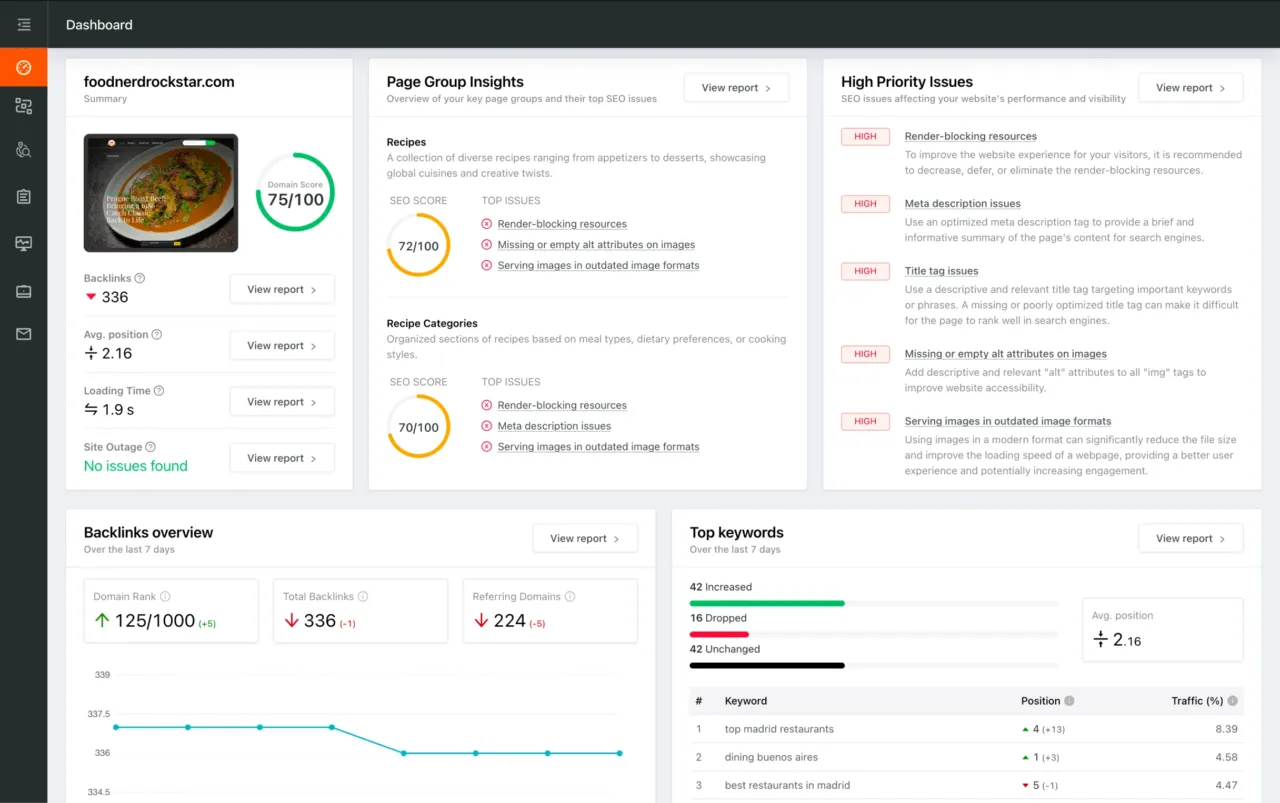
Dashboard preview showing SEO site checkup metrics, page group insights, and issue prioritization